2.12.4 2.12.3 2.12.2 2.12.1 2.12 2.11.2 2.11.1 2.11.0.1 2.10.3 1. M/H Series 2. A Series 3. E Series 4. P Series Korean English Chinese Czech Dutch French German Hungarian Italian Japanese Polish Portuguese Spanish

Pohyb s nastavením úhlu

Chcete-li robota posunout do konkrétního úhlu, postupujte podle následujících kroků:

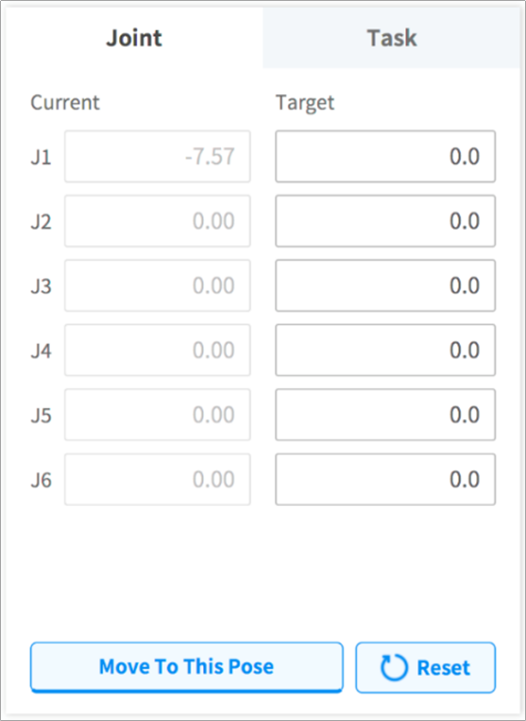
  1. Vyberte kartu Pohyb a vyberte kartu Kloub.

  2. Zadejte cílový úhel kloubu robota.
    image1_EN.png

  3. Aktivujte Reálný režim.
    image2_EN.png

  4. Klepněte na tlačítko Posunout do odpovídající pozice a podržte ho, čímž se nastaví úhel kloubu robota.