Optional Normal 20 min
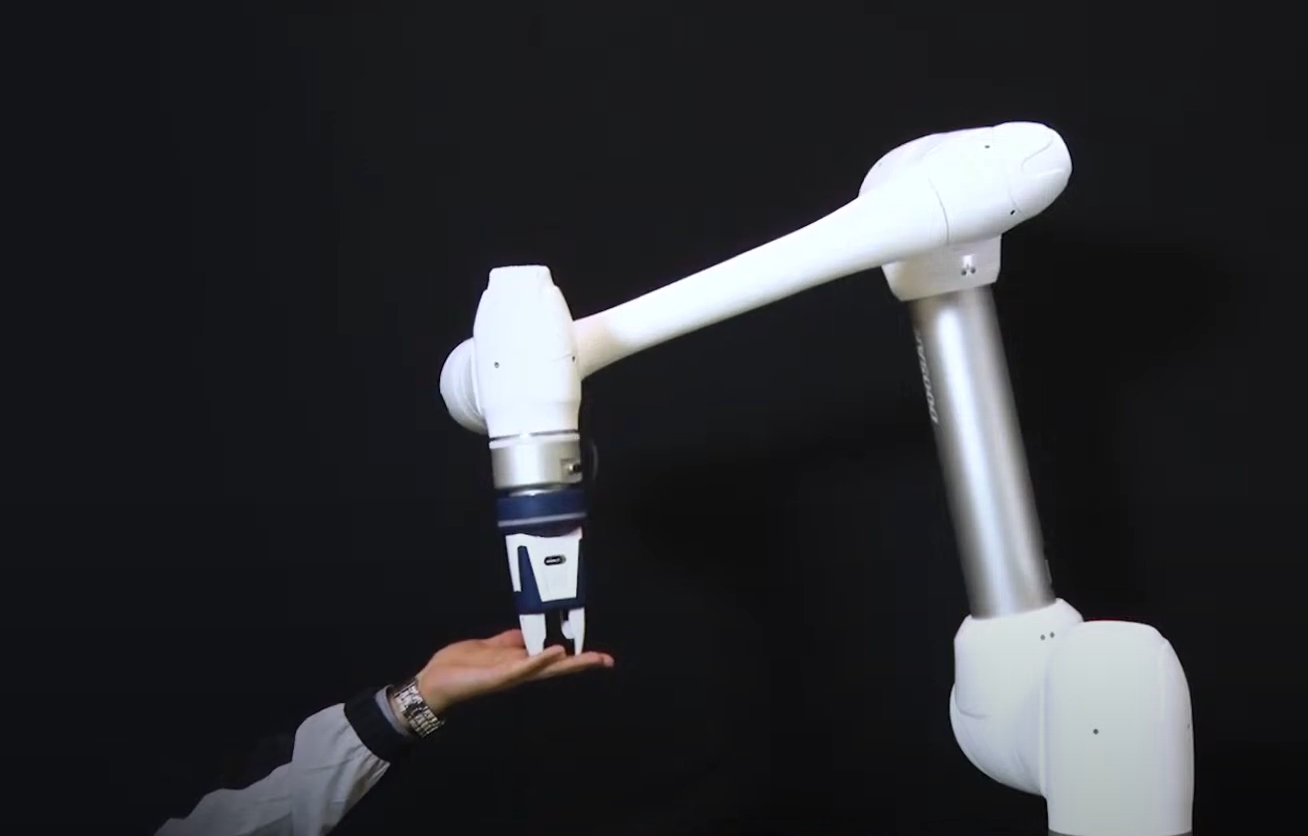
This sample is created in the Task Writer. This sample can be tried almost the same way in the Task Builder.
-
Before trying the sample, make sure to read and follow Precautions for Use. For more information, refer to PART 1. Safety Manual.
-
This sample requires the Task Writer file created in Try Compliance command samples.
-
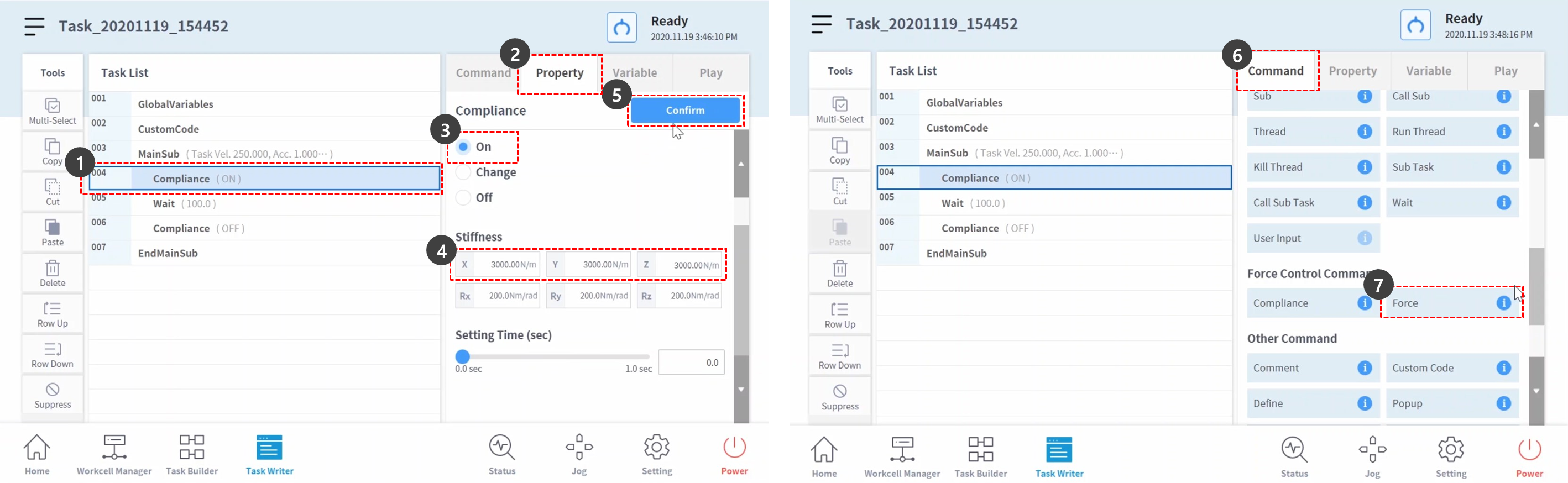
Try Compliance command samples Open the created Task Writer file and select the compliance command on the fourth line of the task list.
-
Select the Property tab.
-
Set the mode as the following: Mode On enables compliance control. Force command is available only when compliance control is enabled.
-
Mode: On
-
-
Set the default stiffness value as the following:
-
X, Y, Z: 3000 N/m (default)
-
Rx, Ry, Rz: 200 Nm/rad (default)
-
-
Press the Confirm button.
-
Select the Command tab.
-
Add a force command. This command is planned to be used for enabling force control.
-
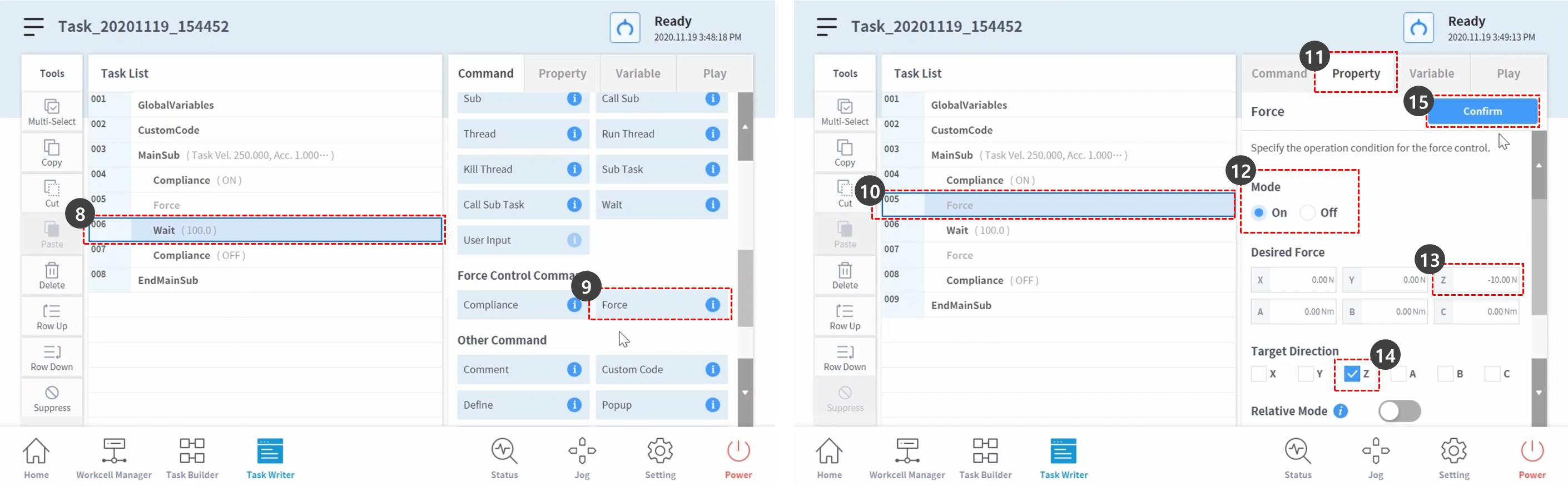
Select the sixth line of the task list.
-
Add a force command. This command is planned to be used for disabling force control.
-
Select the force command from the fifth line of the task list.
-
Select the Property tab.
-
Set the mode as the following: Mode On enables Force Control.
-
Mode: On
-
-
Set the Desired Force as the following:
-
X: 0 N (default)
-
Y: 0 N (default)
-
Z: -10 N
-
Rx, Ry, Rz: 200 Nm/rad (default)
-
-
Only check Z-axis in the Target Direction.
-
Press the Confirm button.
-
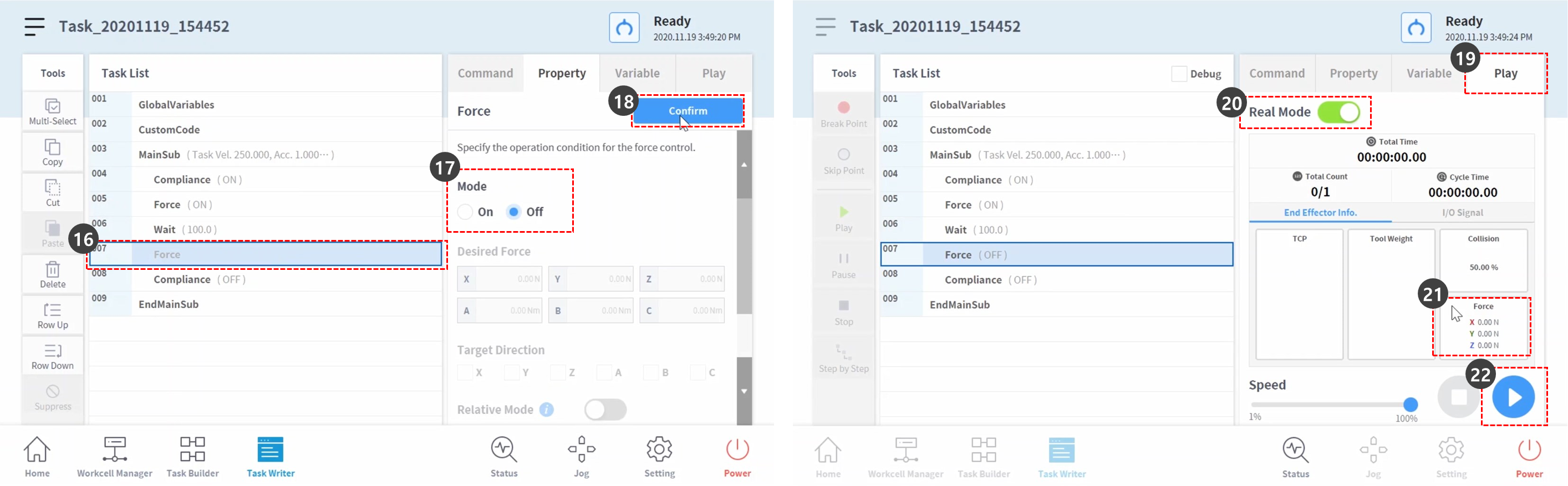
Select the Force command from the seventh line of the task list.
-
Set the mode as the following: Mode Off disables Force Control.
-
Mode: Off
-
-
Press the Confirm button.
-
Select the Play tab.
-
Enable the Real Mode toggle button.Once the toggle button becomes enabled, the button lights up green.
-
Check if the TCP force of each axis is 0. This force value is the size of external force currently applied on the robot end TCP.
-
Press the Play button.
-
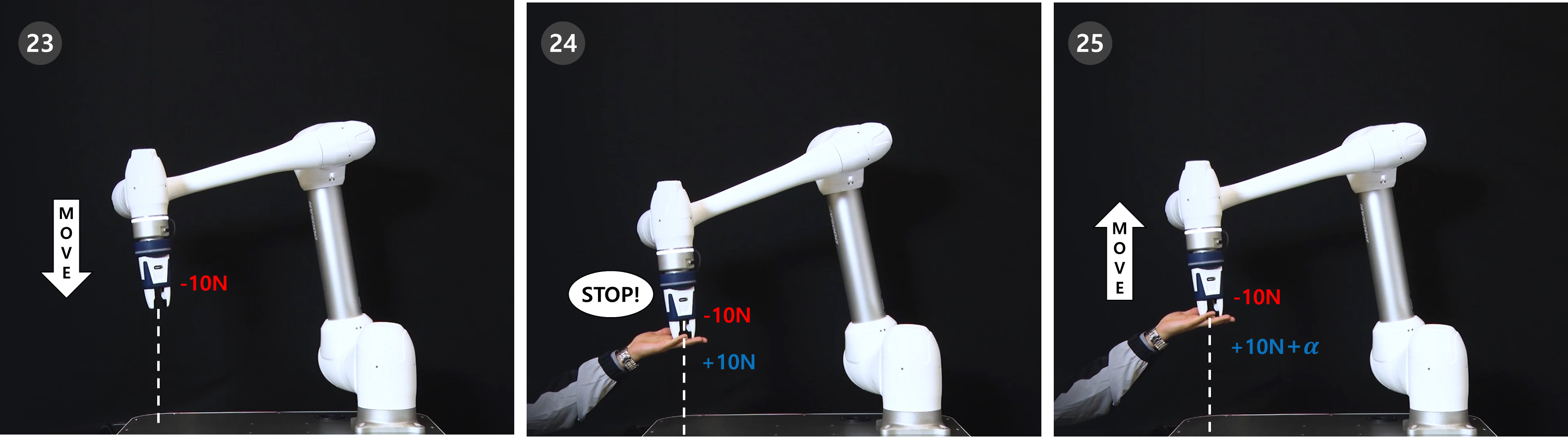
-10N of force is applied on the robot end TCP causing the robot to slowly move in the Z-axis direction.
-
The robot end repels the robot movement in +Z-axis direction, the opposite of the robot movement direction. When the force moving the robot and the force repelling robot movement reach a balance, the robot will maintain its position as if it stopped.
-
If a force greater than +10N is applied on the robot, the robot will comply with the force applied on the robot and move in the force direction.