
-
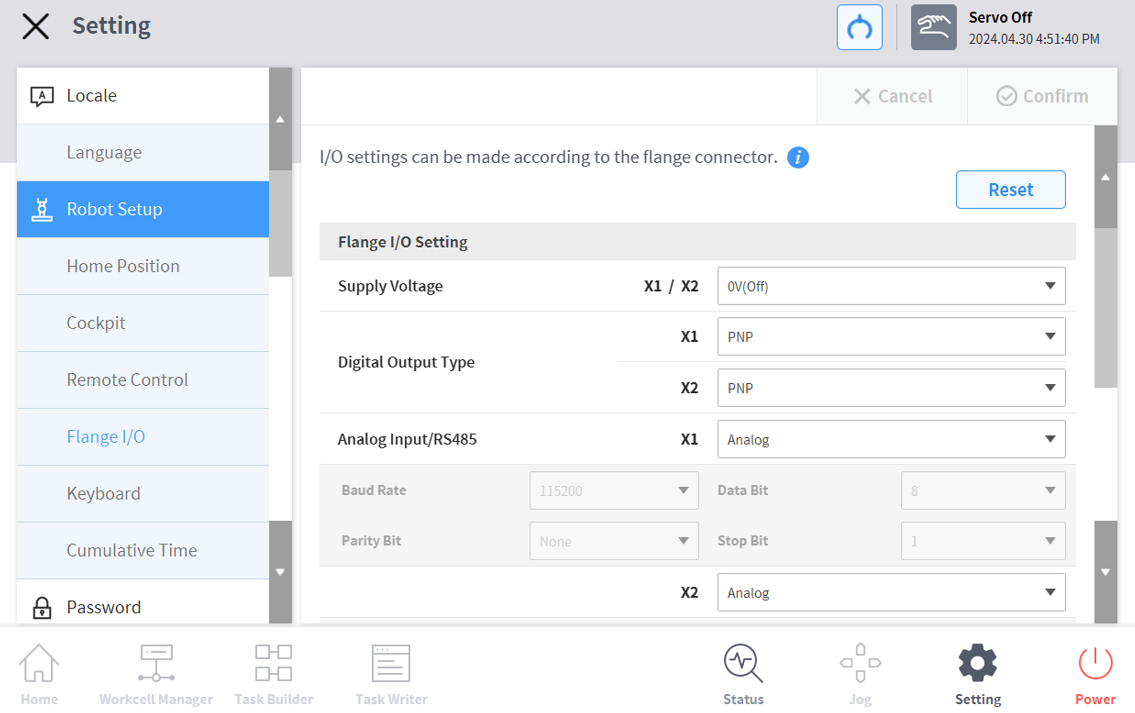
In the Settings menu area, select the Flange I/O menu in Robot Settings (only visible when a new flange is connected)
The currently set information appears in the Settings Management window. -
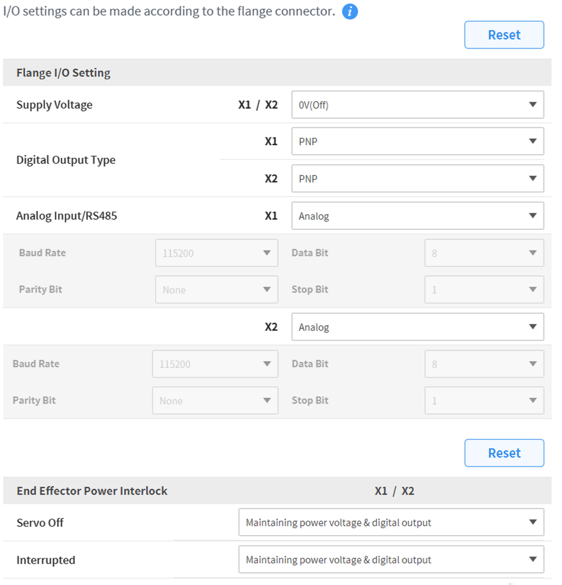
Change options in flange I/O settings (X1/X2)
Supply Voltage0V/12V/24V power supply functionDigital output typePNP / NPNAnalog Input/RS485Use X1/X2 ports as analog input or RS485When selecting RS485, please set Baud Rate, Data Bit, Parity Bit, and Stop Bit. -
Change options for End Effector Power Interlock
Servo OffMaintaining power voltage & digital outputSwitch the power voltage & digital output to 0V and revert to the last state when Servo On.InterruptedMaintaining power voltage & digital outputSwitch the power voltage & digital output to 0V and revert to the last state when reset. -
When finished, press the OK button.
Your environment setup to use flange I/O is now complete.
-
A series only displays X1.