Names and Functions
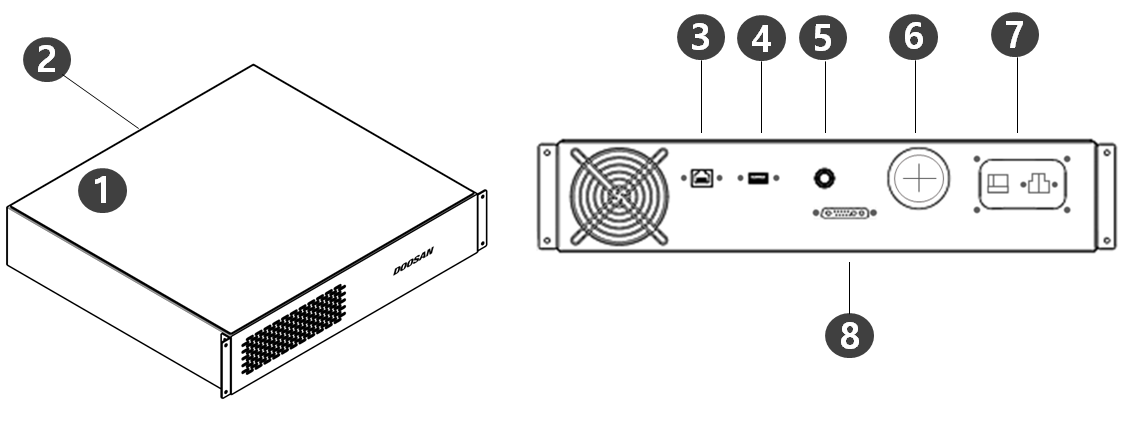
DC Controller (CS-06)
|
No. |
Item |
Description |
|
1 |
I/O connection terminal (internal) |
Connecting with the controllers of other robots or surrounding equipment is not possible. |
|
2 |
Emergency stop button and Smart Pendant connection terminal |
This connects the emergency stop button or Smart Pendant cable to the controller. |
|
3 |
Network connection terminal |
External Internet, TCP/IP equipment and Modbus equipment can be connected to the network router inside the controller. |
|
4 |
USB connection terminal |
Logs generated during robot operation can be saved to a USB storage device, or tasks can be exported or imported. |
|
5 |
Emergency stop button and Smart Pendant connection terminal |
This connects the emergency stop button or Smart Pendant cable to the controller. |
|
6 |
External cable terminal |
Terminal that can connect external devices. |
|
7 |
Power connection terminal |
This connects power to the controller. |
|
8 |
Manipulator cable connection terminal |
This connects the cable of the manipulator to the controller. |
System Configuration
|
No. |
Item |
Description |
|---|---|---|
|
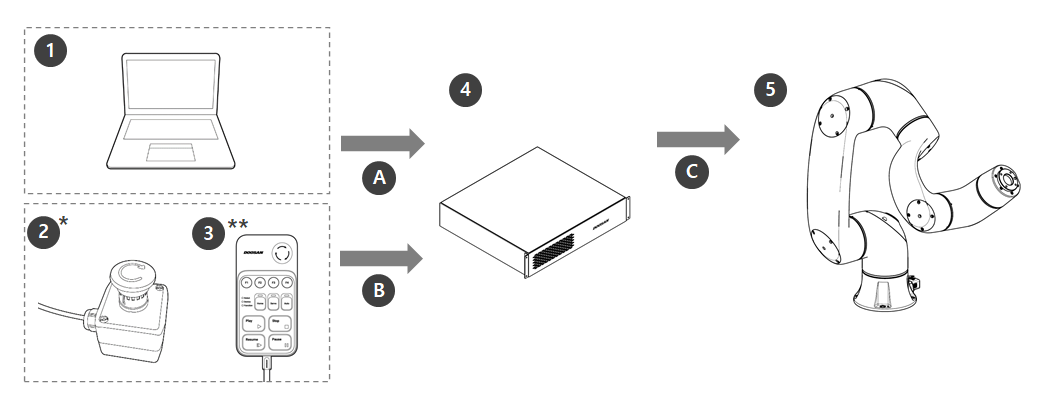
1 |
Laptop |
After installing the DART Platform, a work environment identical to the teach pendant can be set up The laptop is not included in the package and is required when installing and using the DART Platform. |
|
2 |
Emergency Stop Button* |
If a laptop is used as part of the system, it acts as the emergency stop button of the teach pendant. |
|
3 |
Smart Pendant** |
The robot can be easily controlled using a pendant capable of performing simple functions such as turning on the servo ON/OFF or executing/closing preset programs.
|
|
4 |
Controller |
It controls the robot movement according to the pose or movement set by the teach pendant. It features various I/O ports that allow the connection and use of various equipment and devices. |
|
5 |
Manipulator |
It is an industrial collaborative robot that can perform transport or assembly tasks with various tools |
|
A |
Command/
|
|
|
B |
Command |
|
|
C |
Power Supply/
|
|
-
Items are indicated as standard items (*) and optional items (**, sold separately)
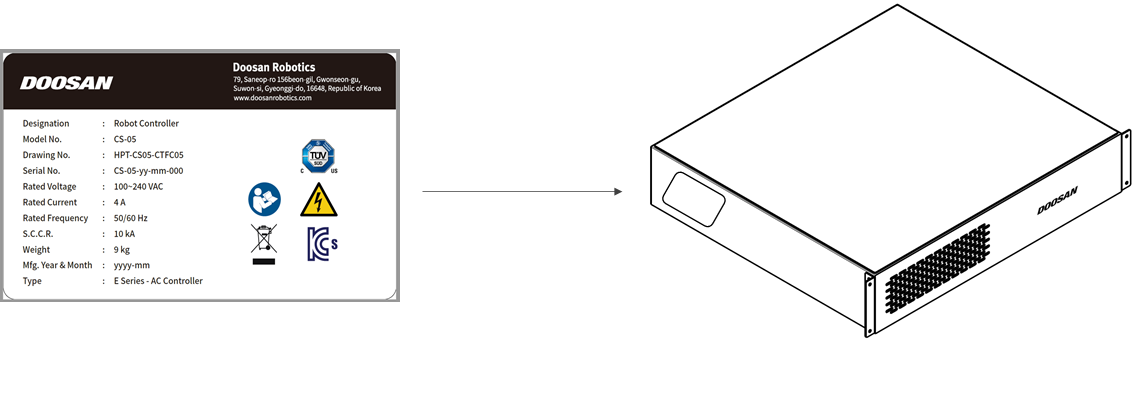
Nameplate and Label