
To move the robot at a specific angle, follow these steps:
-
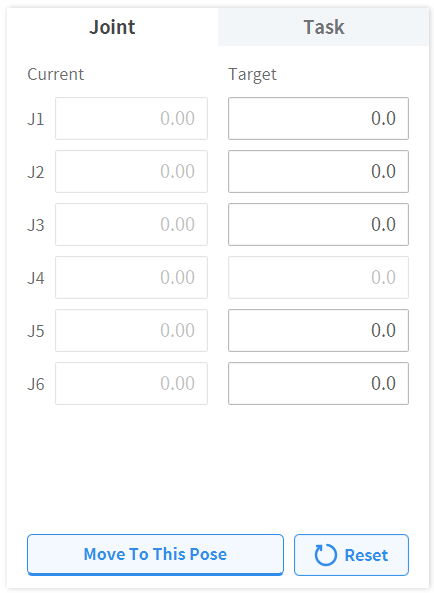
Select the Move tab and select the Joint tab.
-
Enter the target angle of the robot joint. (J4 is disabled for P series models)
-
Enable the Real Mode.

-
Tap and hold the Move to Corresponding Pose button to adjust the robot joint angle.