
To move the robot based on World Coordinates, follow these steps:
-
Select the Task tab on the Jog screen.
-
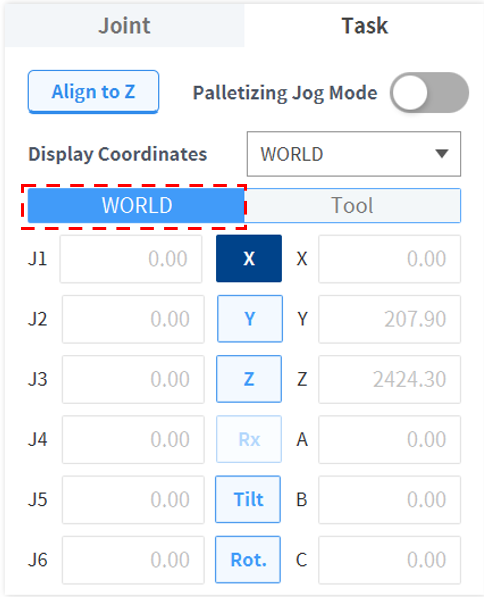
Select the display coordinates to be used as World Coordinates and select World as the reference point of the task coordinates.
-
Select World Coordinates to move. (Rx is inactive for P series models)
-
Press and hold the Direction Button (

