
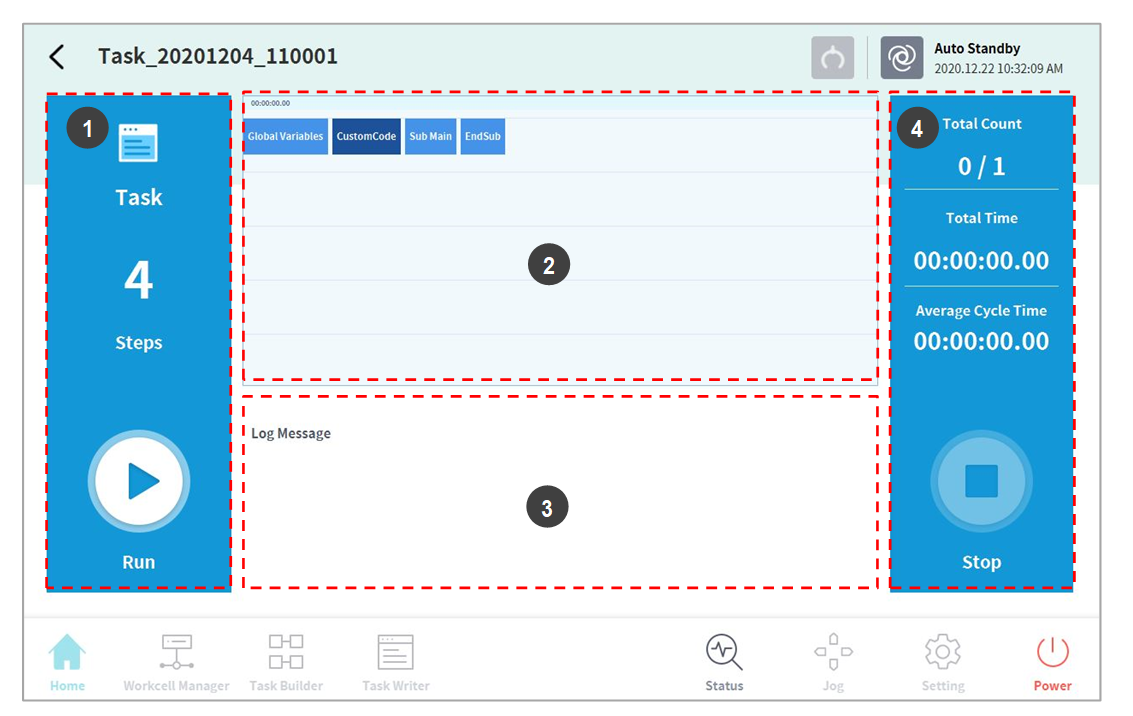
Tap the Execute button on the Home screen to view, execute or stop tasks.
|
No. |
Item |
Description |
|---|---|---|
|
1 |
Start/Pause Task |
The total number of lines of the task program is displayed. Tap the |
|
2 |
Task Information Check |
The command the robot is executing repeatedly can be checked. |
|
3 |
Log Message |
Displays log information of the task. |
|
4 |
Task Execution Information and Stop |
Displays task repetition count, play time and average one cycle execution time. Tap the Stop button to stop the current task. |
