2.12.4 2.12.3 2.12.2 2.12.1 2.12 2.11.2 2.11.1 2.11.0.1 2.10.3 1. M/H Series 2. A Series 3. E Series 4. P Series Korean English Chinese Czech Dutch French German Hungarian Italian Japanese Polish Portuguese Spanish

Turn system power on

Mandatory   Easy   1 min  
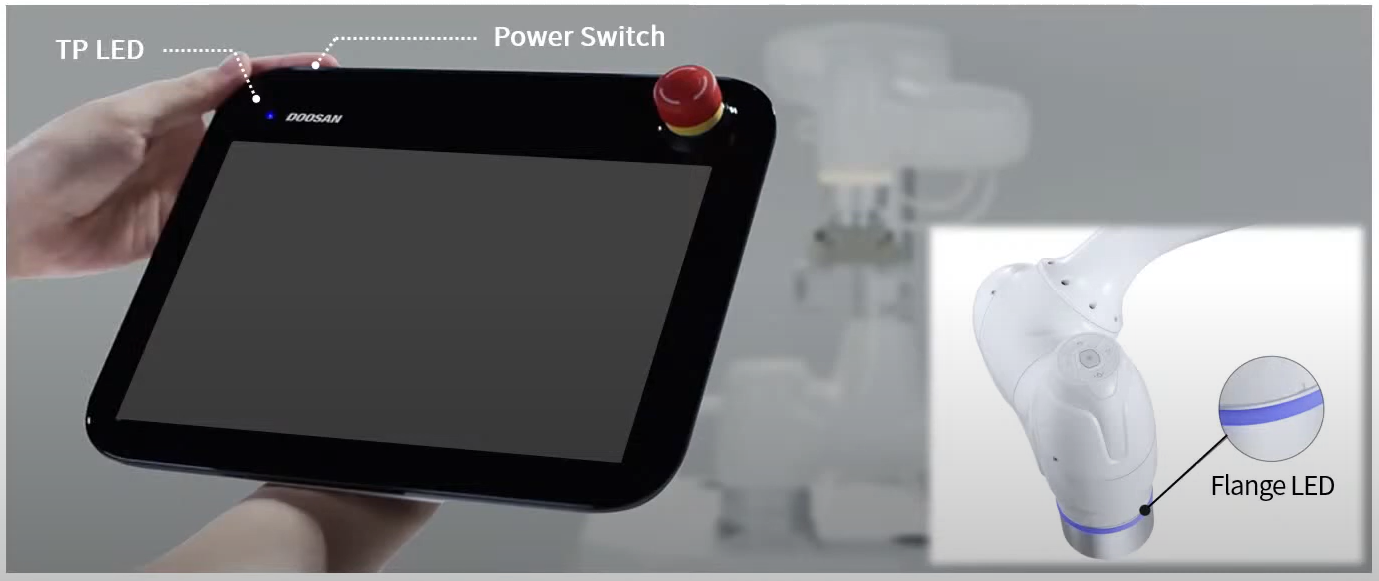
image2022-1-26_14-34-10.png

Turn the system power on again. Press and hold the power button until the teach pendant screen powers up.
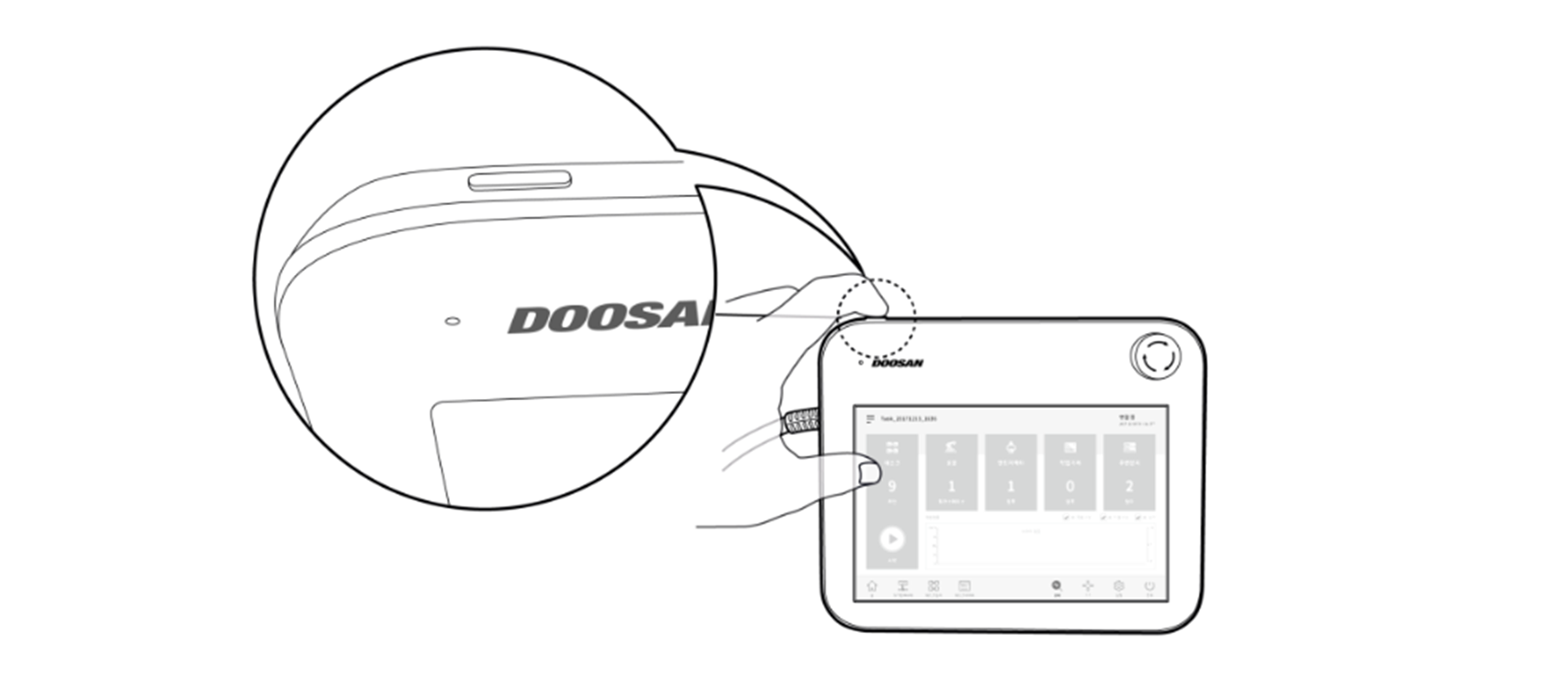
image2021-12-8_17-57-43.png

Only when E-STOP Box is used

Open the controller door, and press and hold the power button located at the bottom right of the Safety board.
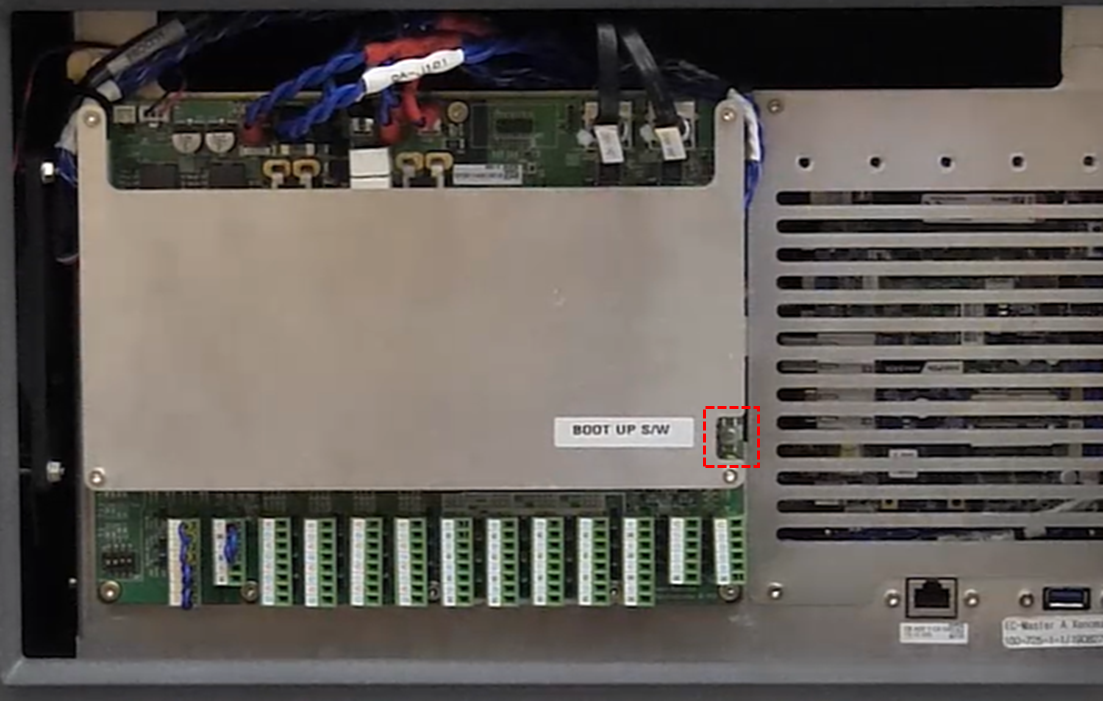
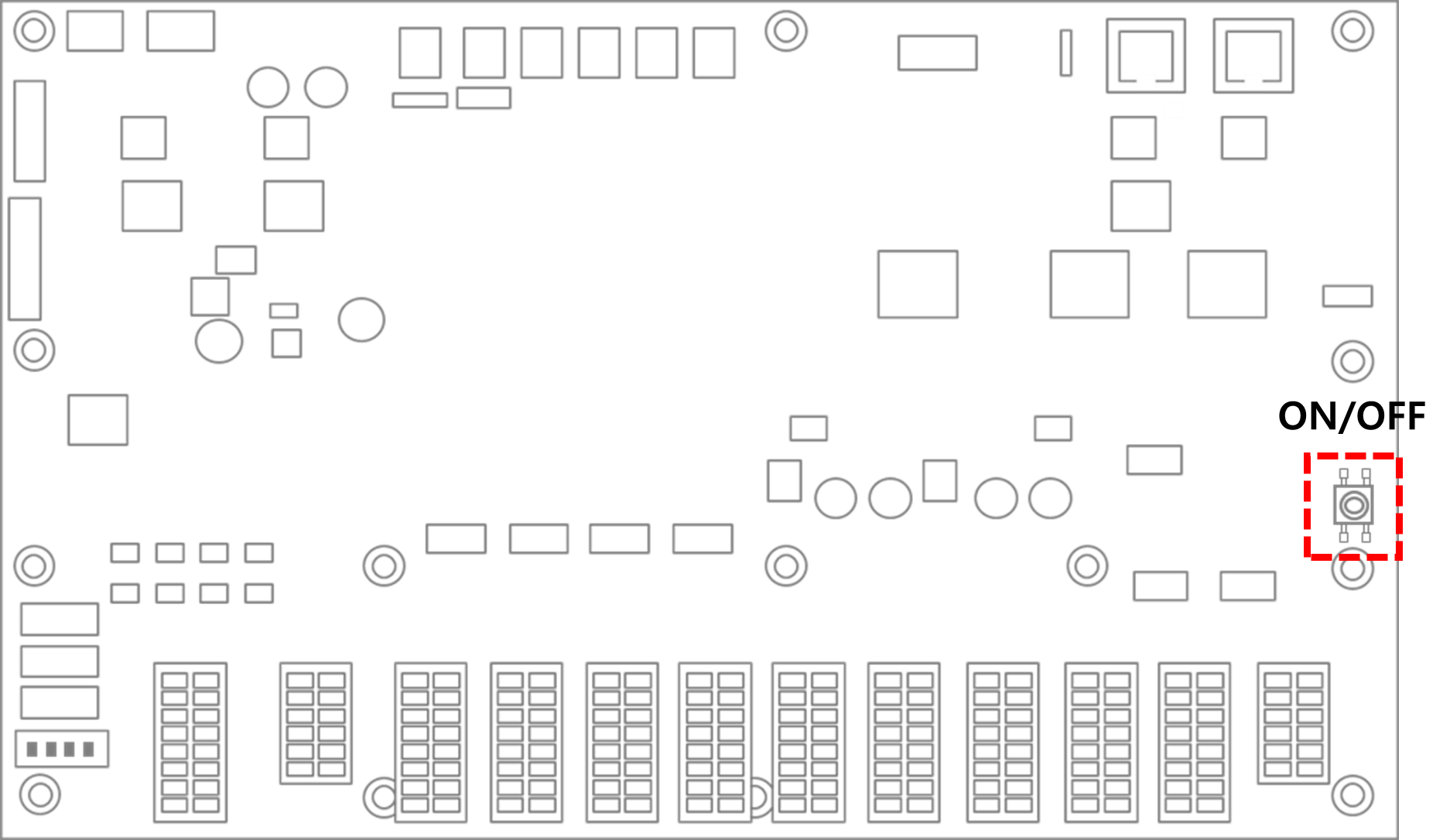
image2022-1-18_22-18-43.png
image2021-12-8_18-2-13.png

When smart pendant (optional) is used

Press and hold the power button on the upper left of the smart pendant.
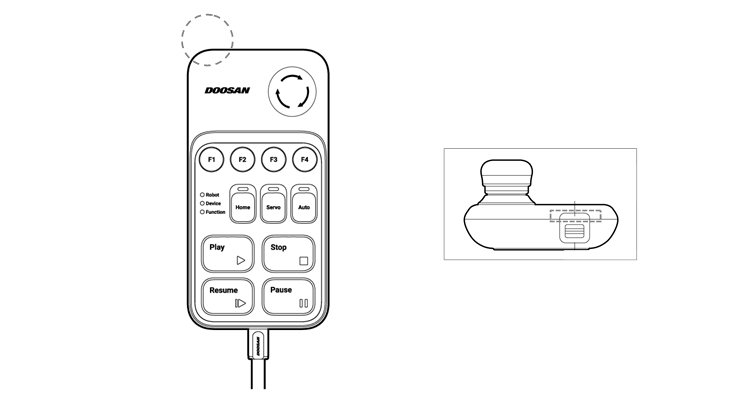
image2021-11-15_17-27-32.png