
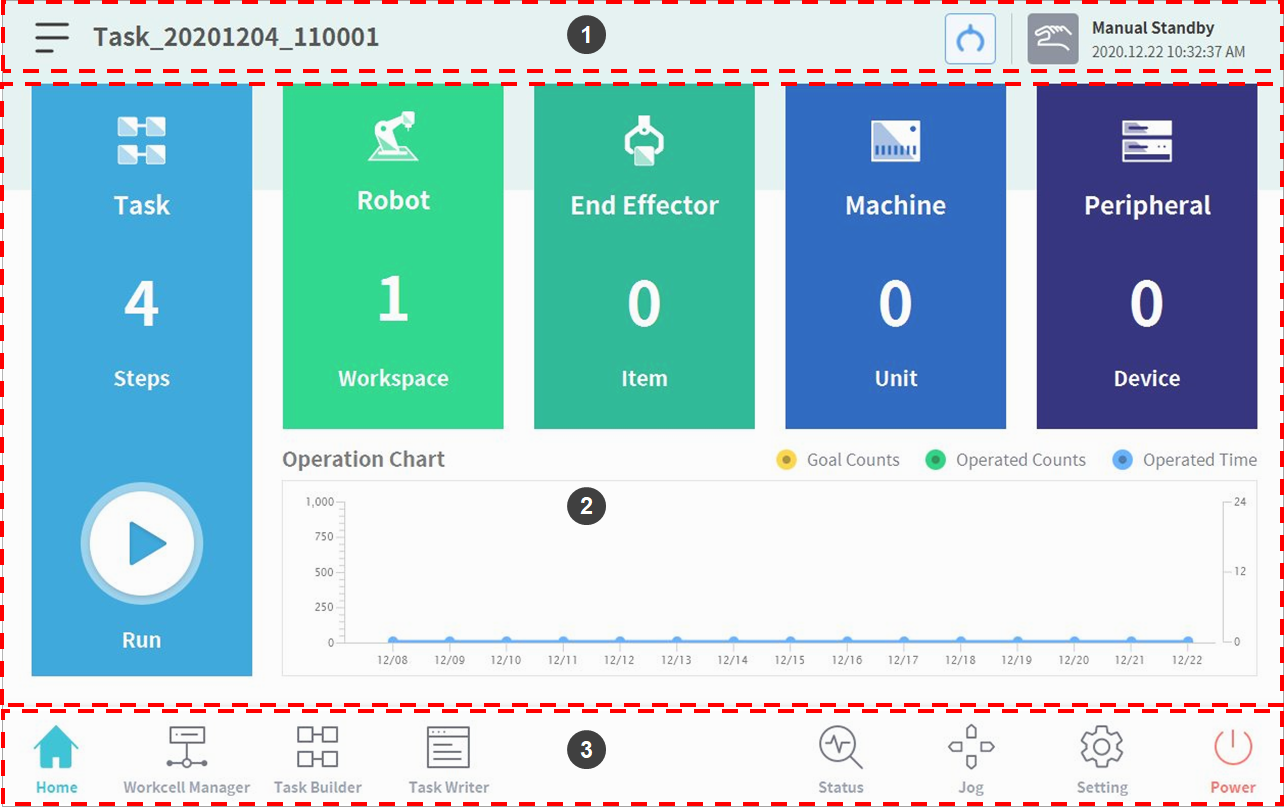
The UI of the system operation program consists of the following:
|
No. |
Item |
Description |
|---|---|---|
|
1 |
Status Display Area |
This area displays the name of the task currently being executed and the current work status. |
|
2 |
Work Screen Area |
This area is where the user enters and changes settings when performing work using the robot. This area is displayed differently according to the selected main menu. |
|
3 |
Main Menu Area |
This area is the main menu of the system, and pressing each menu will go to the corresponding screen. |