
|
No. |
Item |
Description |
|---|---|---|
|
1 |
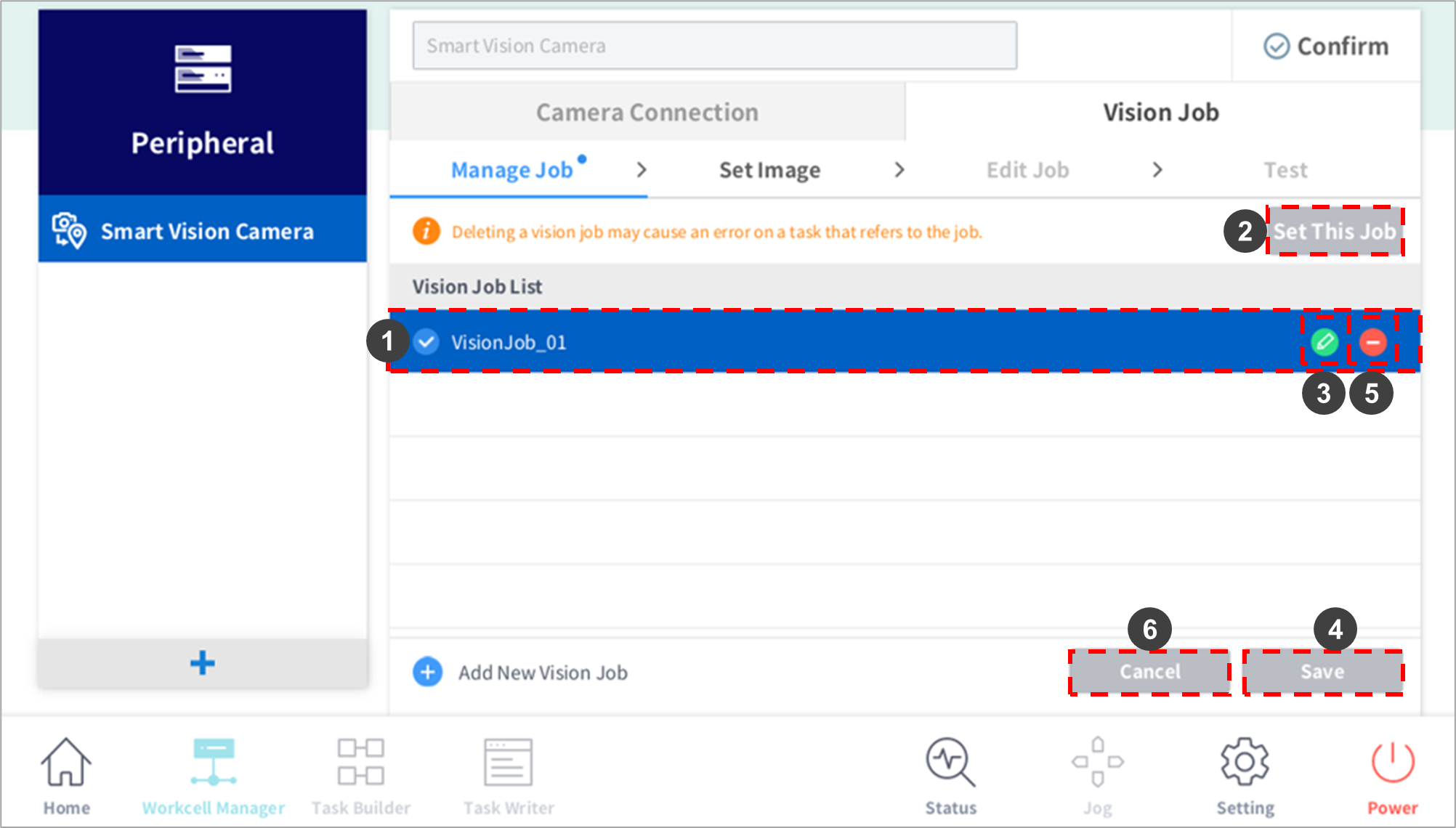
Vision Job List |
The selected vision job is highlighted in blue. |
|
2 |
Set This Job |
The job selected from the Vision Job List is set as the Setting job. |
|
3 |
Edit |
The job selected from the Vision Job List triggers the edit window where the “Job Name” can be edited. |
|
4 |
Save |
Saves the edited vision job name. |
|
5 |
Delete |
The selected job from the Vision Job List is deleted. |
|
6 |
Cancel |
This cancels changes made to the name. |