
|
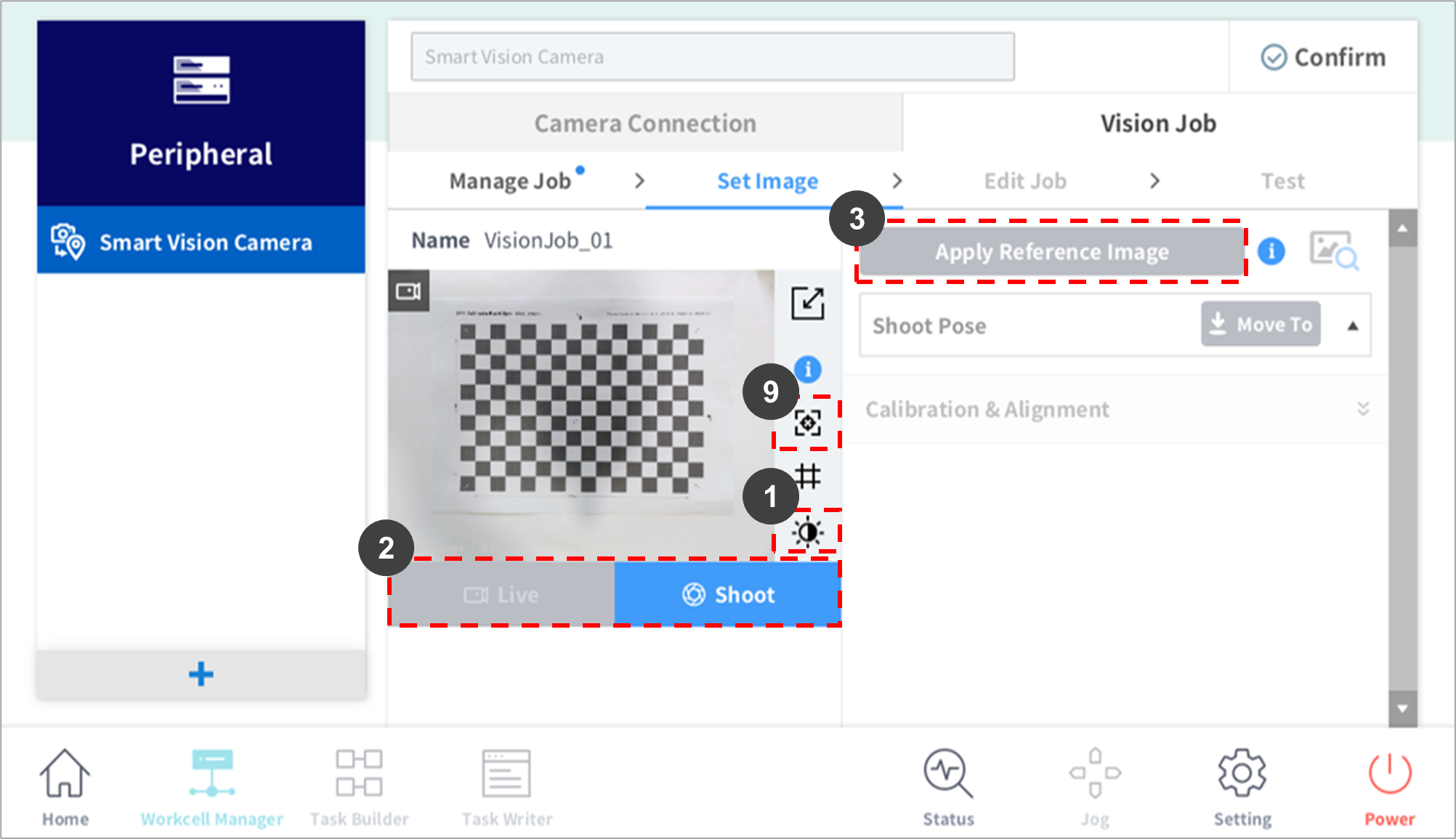
No. |
Item |
Description |
|---|---|---|
|
1 |
Image Brightness Setting |
Displays the LED LIGHT/CAMERA BRIGHTNESS select button. |
|
2 |
Live/Shoot |
|
|
3 |
Apply Reference Image |
|
|
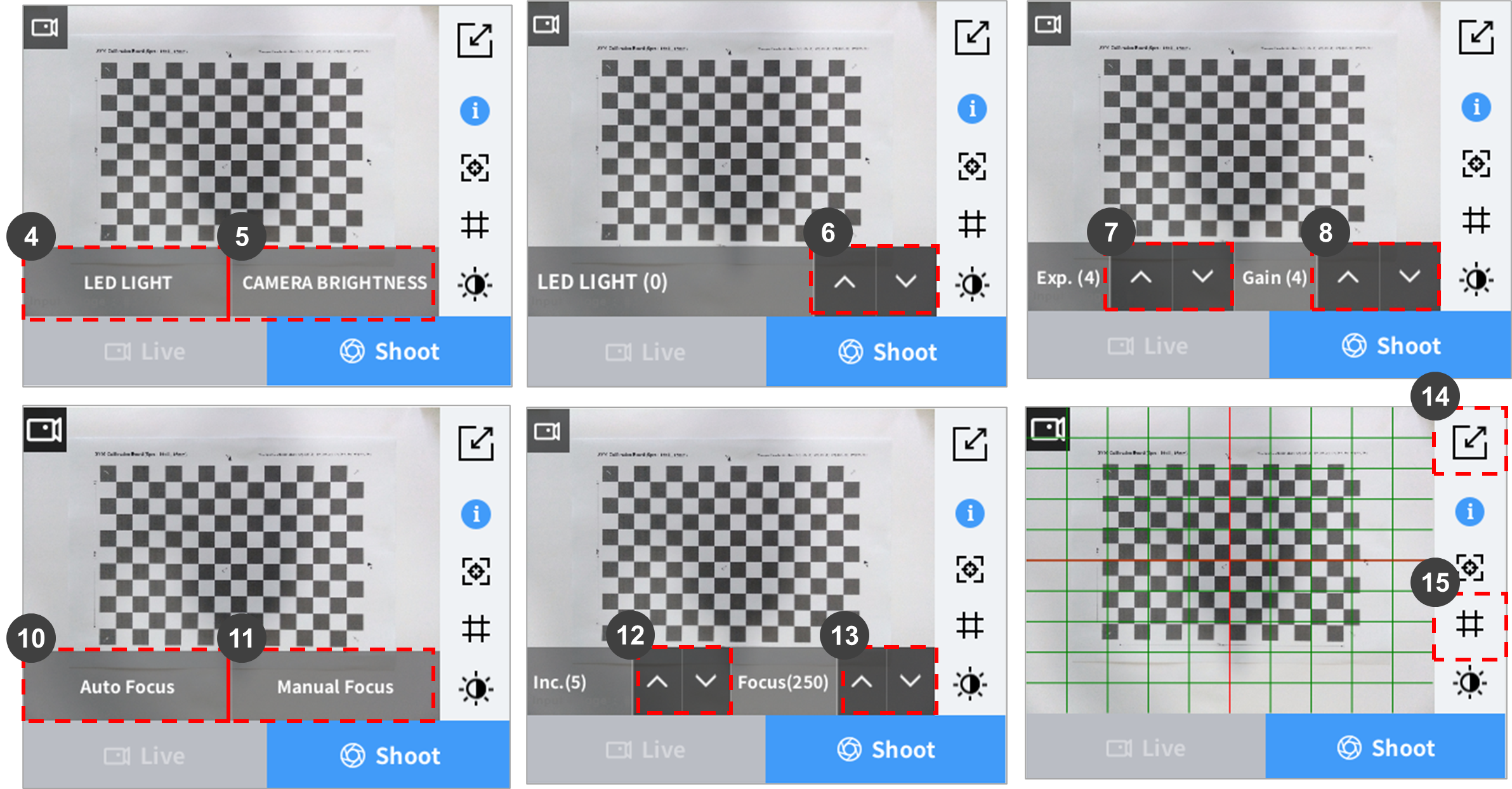
4 |
LED Light |
|
|
5 |
Camera Brightness |
|
|
6 |
Lighting Brightness Setting |
|
|
7 |
Exposure Time Setting |
|
|
8 |
Gain Level Setting |
|
|
9 |
Focus Control |
Camera focus can be adjusted in a range from 0 to 500. The focus must be set clearly prior to Robot-Vision Calibration. |
|
10 |
Auto Focus |
The focus of the camera is adjusted automatically. |
|
11 |
Manual Focus |
Camera focus can be adjusted in a range from 0 to 500. |
|
12 |
Inc |
The value changes in the order of 1, 5, 10, 50, and 100. |
|
13 |
Focus |
The focus increases or decreases by the amount of Inc. |
|
14 |
Full Screen |
Displays the image in the full screen. |
|
15 |
Grid |
Displays a grid on the image. Each grid represents 10% of the screen. |
Camera Brightness Adjustment (Exposure / Gain)
-
It is recommended to start with Gain set at level 1, adjust the Exposure to set the desired brightness, and then adjust Gain to make minor adjustments.
Conditions for a Good Reference Image
-
The edge information of the item to detect must be clear.
-
The size of the item to detect must be within 5%-70% of the overall screen size. It is recommended to set the size of the item to detect to 20%-40%. Use the grid pattern to check the size.
-
The item to detect must be positioned in the center of the screen.
-
Items/patterns other than the item to detect must not be on the screen.
-
The background must have a clear difference in color from the item to detect, and it must not have patterns.