2.12.4 2.12.3 2.12.2 2.12.1 2.12 2.11.2 2.11.1 2.11.0.1 2.10.3 1. M/H Series 2. A Series 3. E Series 4. P Series Korean English Chinese Czech Dutch French German Hungarian Italian Japanese Polish Portuguese Spanish

Change and Disable Password

A password is required to enter a setting with a lock icon ( image-20250605-022236.png ).

To change or disable the password of settings with a lock icon, follow these steps:

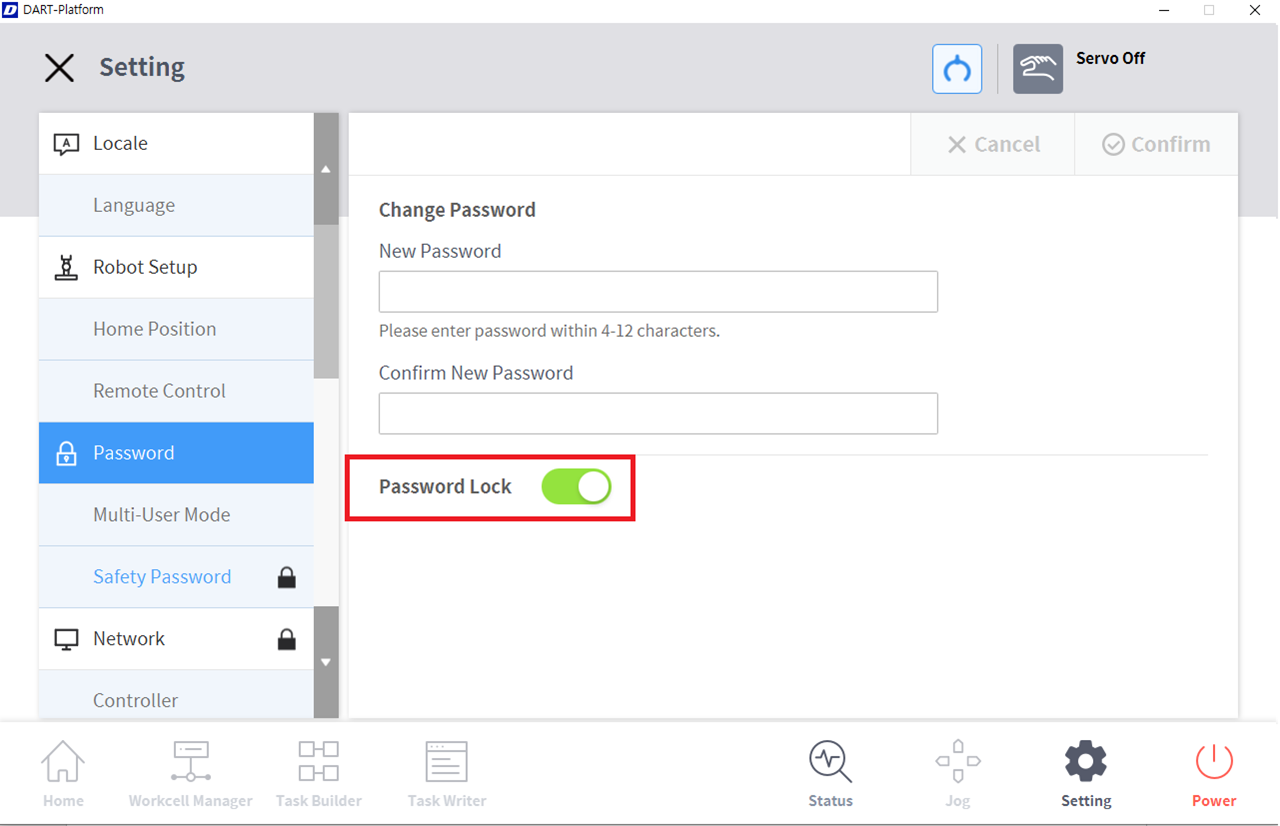
  1. Select Password > Safety Password in the Settings menu.

  2. Enter the current password of the program and tap the Confirm button.

    • The initial system password is admin.

    • To disable the password, tap the Password Lock button and disable.

image2021-11-17_11-50-42.png
  1. Tap the Confirm button.

Note

Even if the password lock is disabled, rebooting the system will enable password lock.