
Mandatory Easy 1 min
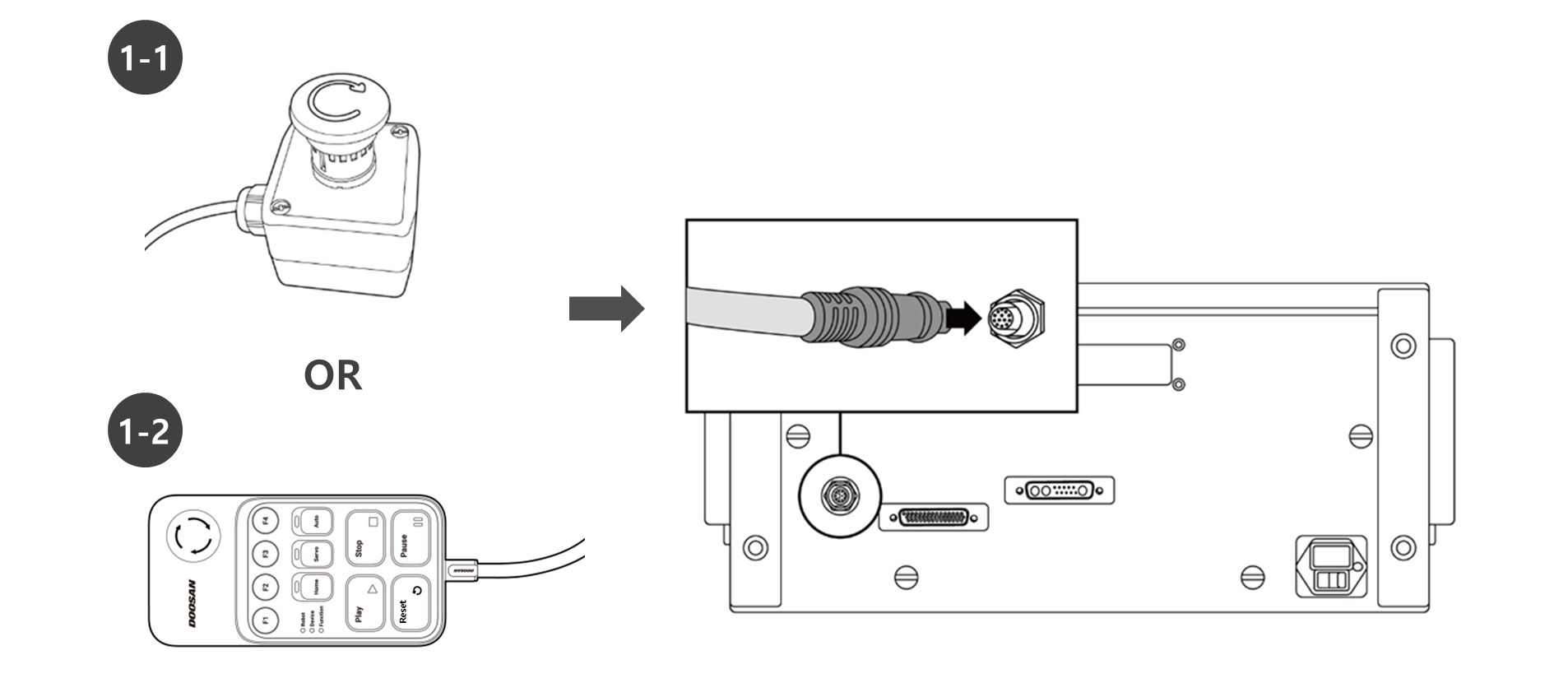
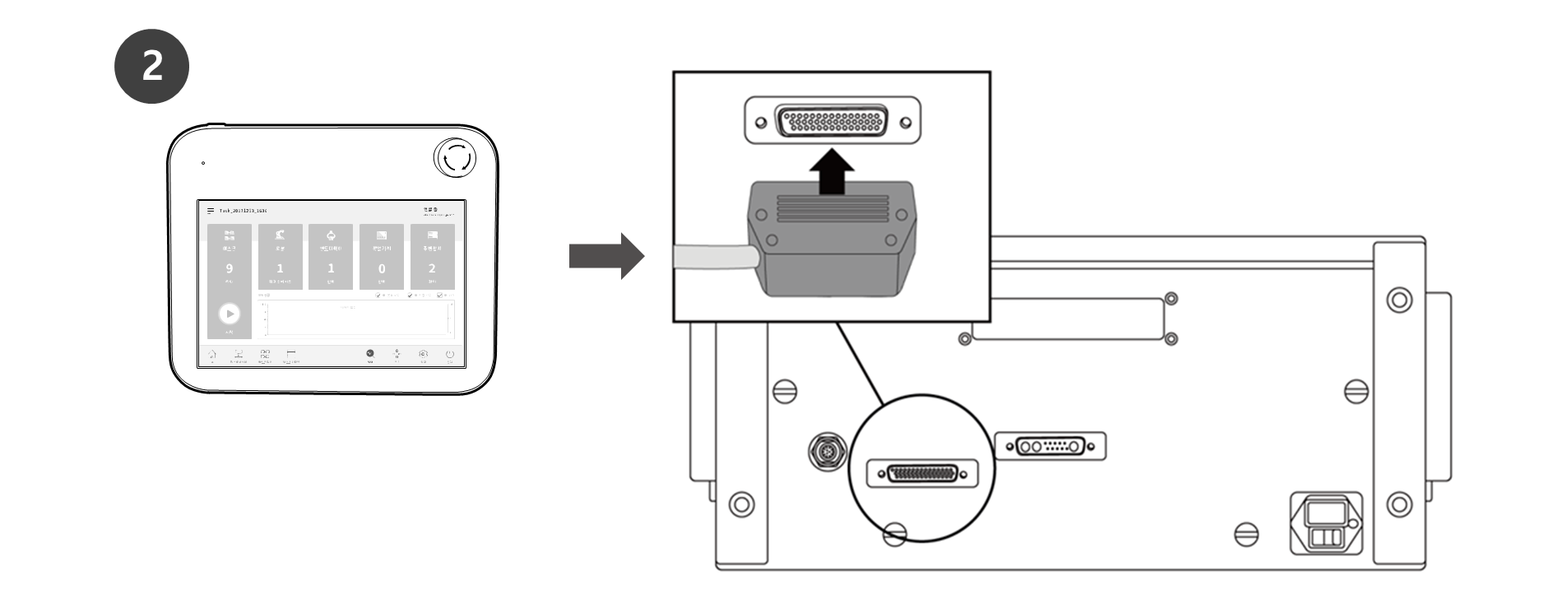
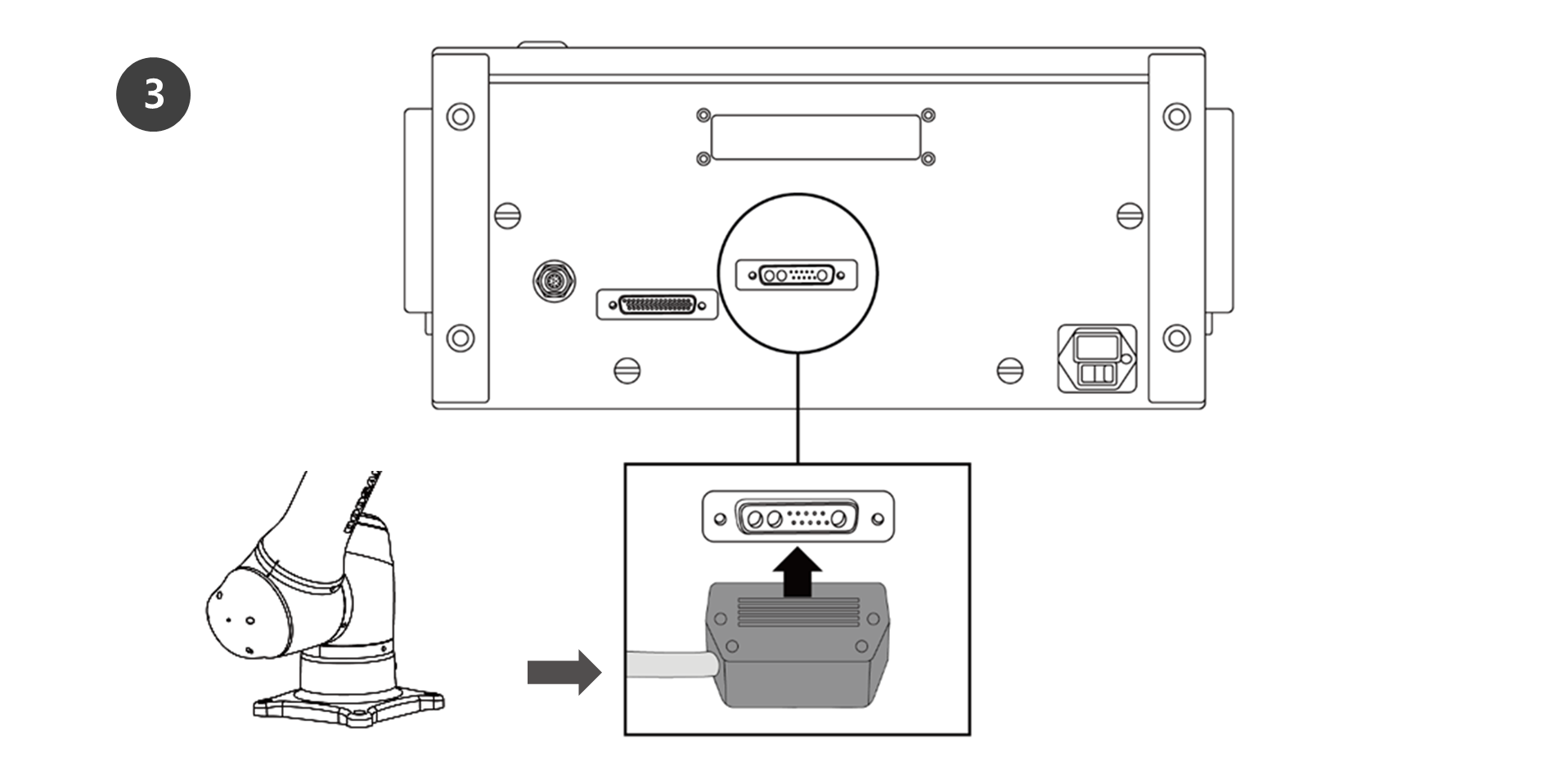
In case of the A Series, connect the emergency stop button cable or smart pendant (optional). Connect the teach pendant (optional) and robot cables to the controller.
-
Connect the emergency stop button cable or smart pendant (optional) cable to the corresponding controller connector and engage the screw lock by turning it clockwise to prevent the cable from becoming loose.
-
Push the teach pendant (optional) cable into the corresponding controller connector until a click is heard. This will prevent the cable from becoming loose.
-
Push the robot cable’s opposite end into the corresponding controller connector until a click is heard to prevent the cable from becoming loose.
Caution
-
Make sure to check that the pins in the cable end are not damaged or bent before connecting the cable.
-
If the noise generated by electromagnetic waves causes issues, it is necessary to install a ferrite core to ensure normal operation. For more information about the ferrite core installation location, refer to the followings: