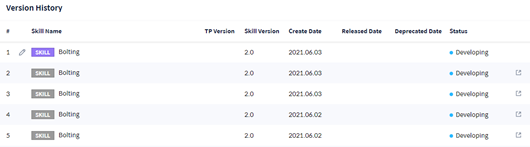
It is a screen to add a new skill or edit the skill added previously. When all required information isentered and saved throughtwo steps consisting of General Info and Workcell Item Setting, creation/editing of Skill information is completed..

General Info
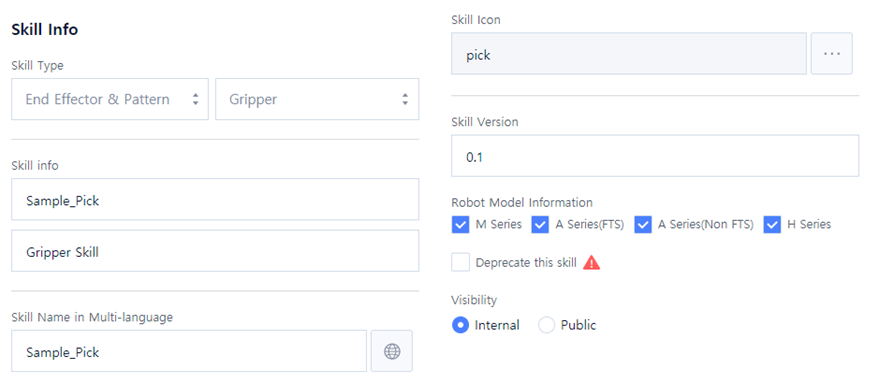
In this step, you can enter basic information such as category, name, description, icon, etc., of the skill.
Skill info
|
Item |
Description |
|---|---|
|
Item |
Description |
|
Skill Type |
Select the Category of Skill Item.
|
|
Skill Info |
Enter the name and description of the skill. |
|
Skill Name in Multi-language |
Select the multi-language code of the skill name displayed in Teach Pendant. |
|
Skill Icon |
Select the skill icon displayed in Teach Pendant. |
|
Skill Version |
Enter the version of the skill. |
|
Robot Model Information |
Check the robot mode to which the skill to be produced is applied. |
|
When Deprecate this skill |
is checked, it sets so that the skill is no longer used. |
|
Visibility |
It sets the visibility of the skill.
|
Version History
It displays the modification history list of the skill being created.