
About this tutorial
This tutorial is about producing WCI (workcell Item) and skill. In this tutorial, It explains how to create a double-acting gripper using digital I/O by WCI and how to add skill.
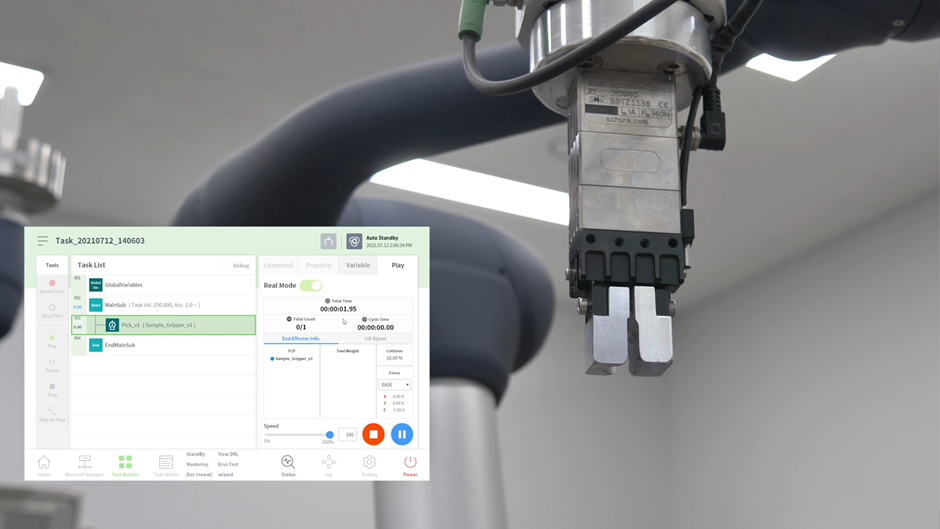
You can learn how to do the following from this tutorial:
-
Create WCI using WCI Writer
-
Create Global functions and variables using Global Function & Variable Writer
-
Create skill using Skill Writer
-
Create WCI/Skill setup file (*.dr3) that can be used in the Workcell Manager at Teach Pendant.
This manual include not only tutorial for double-acting gripper, but also example of 'Creating a single-acting tool WCI&Skill'.
Tutorial on how to create gripper WCI
Create a double-acting gripper by WCI that can be connected to the flange by digital I/O communication method.
-
Enter the basic information of the gripper.
-
Register the digital I/O communication method and configure the UI screen.
-
Add ‘Grasp’ and ‘Release’, which are the essential actions of the gripper.
-
You can create a gripper WCI with the result. The UI of the gripper WCI will be shown as below on Teach Pendant.

Tutorial on how to create gripper skill(Pick&Place)
Create pick and place skill of the gripper.
-
Enter the basic information of the skill.
-
Add pick/place skill.
-
Create and add a robot motion.
-
Create and add an I/O action.
-
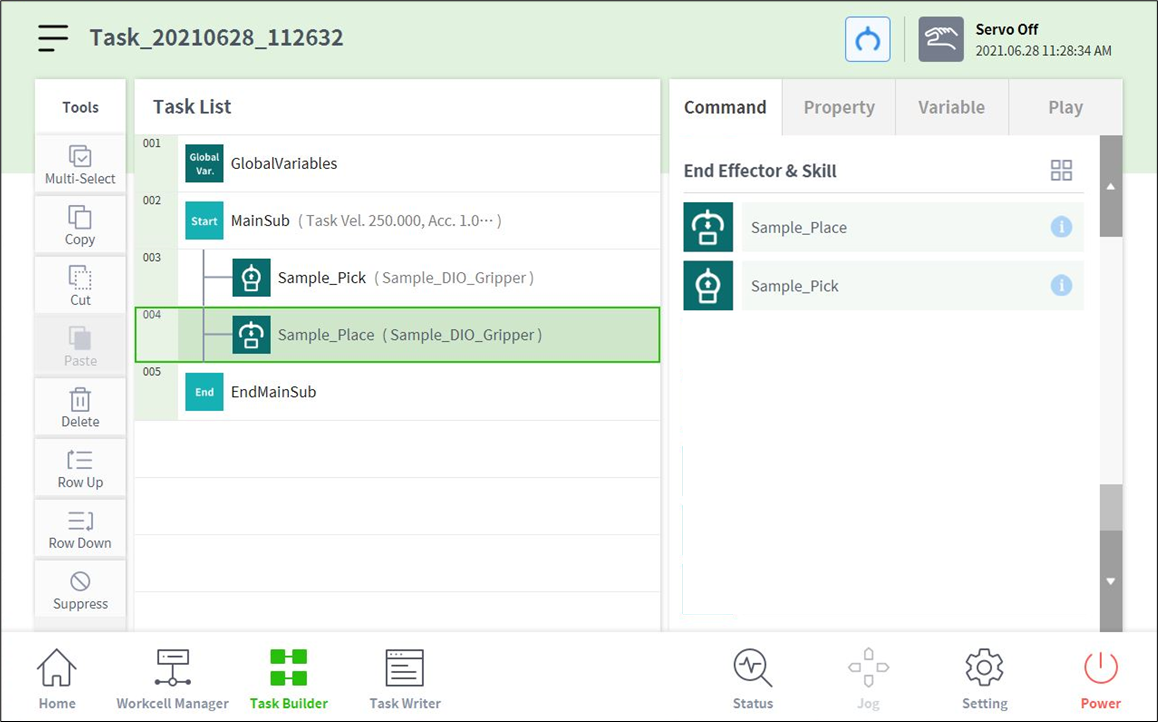
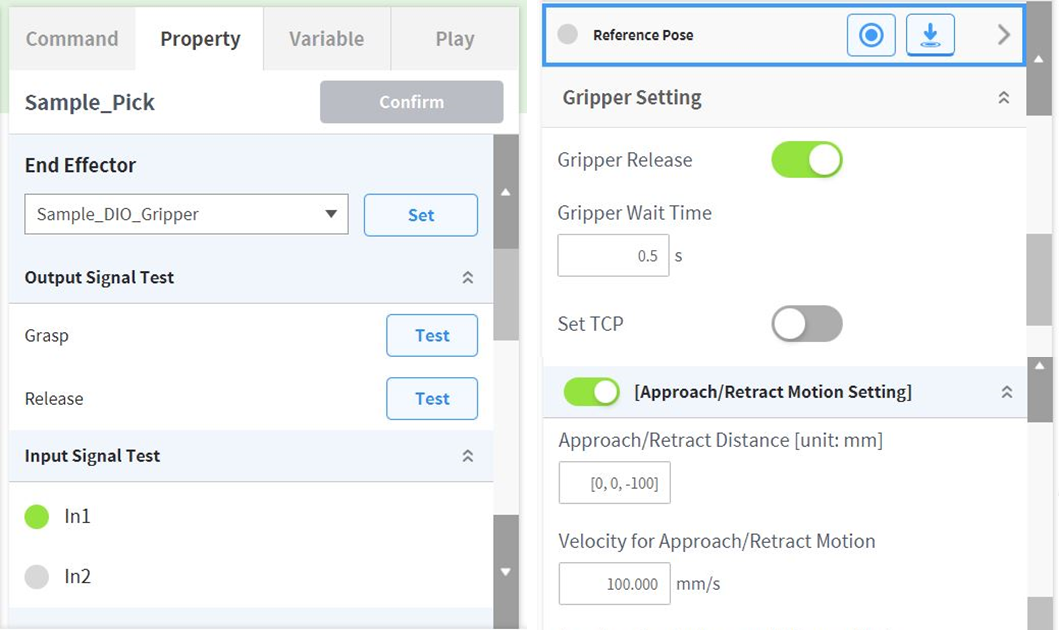
You can create a gripper WCI with the result. The UI of the gripper WCI skill will be shown as below on Teach Pendant.
Doosan Robotics provides a sample for this tutorial on the App Builder web page. You can create a double-acting gripper WCI and Pick&Place skill simply by copying the following sample.
WCI Writer
-
Sample_DIO_Gripper

Skill Writer
-
Sample_Pick_v2
-
Sample_Place_v2
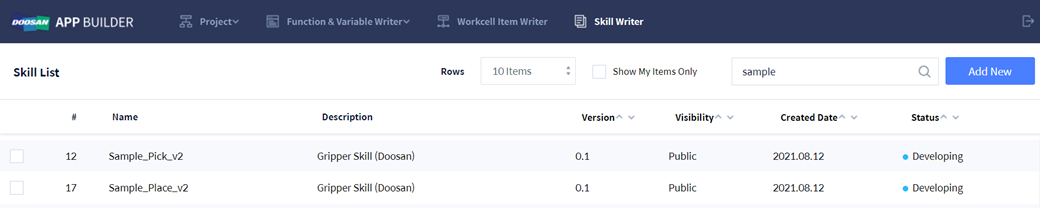
Depending on the version of the sample, the description of this example and the contents of WCI and skill provided as a sample may not be the same.