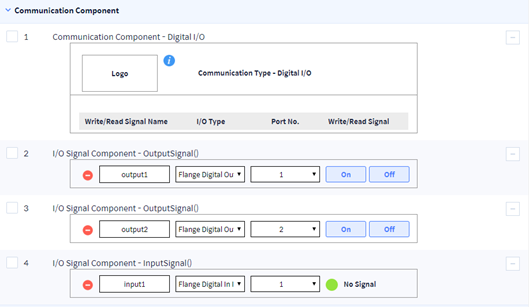
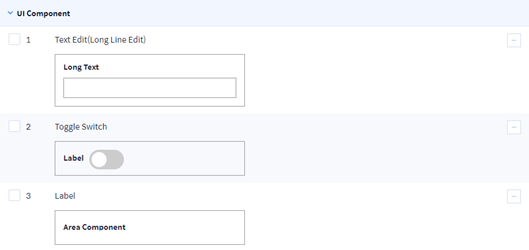
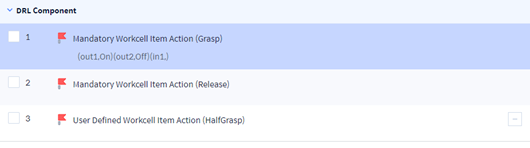
It is a screen to add a new Workcell Item or edit the Workcell Item added previously. Through two steps consisting ofGeneral Info and Workcell Item Setting,enter and save all necessary information to complete creating/editing Workcell Item information..

General Info
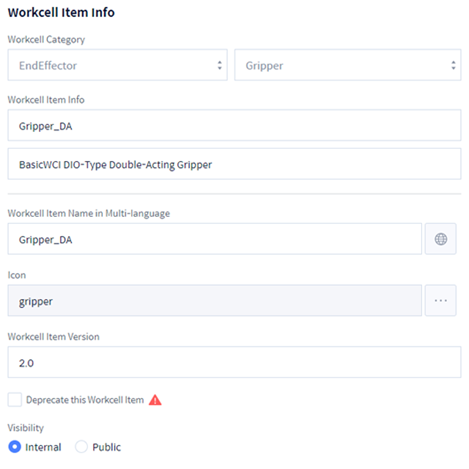
In this step, you can enter basic information such as category, name, description, icon, etc., of Worcell Item.
Workcell Item Info Area
|
Item |
Description |
|---|---|
|
Workcell Category |
Select the Category of Workcell Item.
|
|
Workcell Item Info |
Set the name of the Workcell Item. Only English characters and "_" symbols can be entered, and the maximum length is 20 characters. Also, the name must start with a capital letter. |
|
Workcell Item Name in Multi-language |
Set the name of the WorkcSet the name of the Workcell Item using multi language code.ell Item using multi-language code. Enter directly or select a multi-language code supported by Appbuilder. |
|
Icon |
Set the icon to be displayed on the top controller. Select the icon supported by Appbuilder (optional). |
|
Workcell Item Version |
Set the version of the Workcell Item. |
|
Deprecate this Workcell Item |
Deprecate when not using the Workcell Item anymore. |
|
Visibility |
Set authority to view and edit the Workcell Item.
|
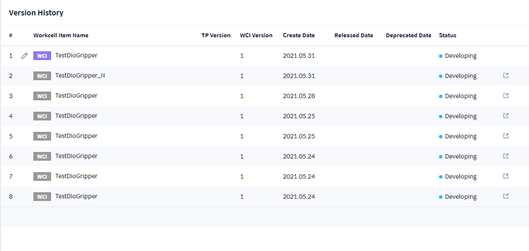
Version History Area
It displays the modification history of the registered item.
Preview List
Display the communication type added, output and input signal, UI component, and DRL component. You can set the detail by selecting each item.