
Function to select project item
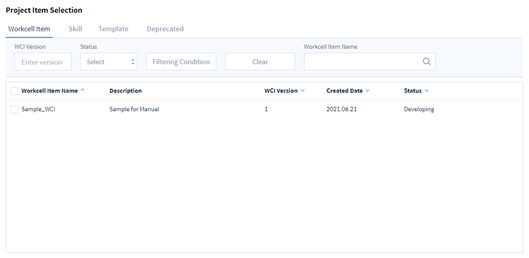
|
Item |
Function |
|---|---|
|
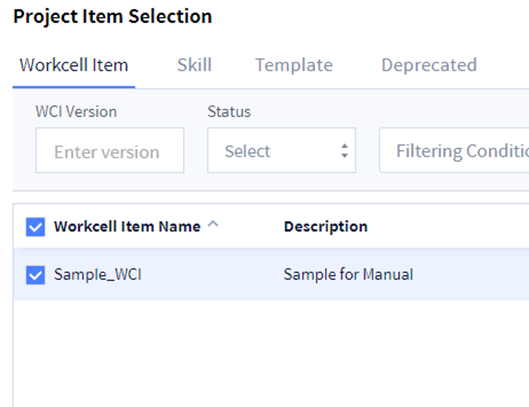
Workcell Item |
It outputs the list of Workcell Items created by the user in Workcell Item Writer. |
|
Skill |
It outputs the skill list created by the user in Skill Writer. |
|
Template |
It outputs the Template list created by the user in Template Writer. |
|
Deprecated |
It outputs the list of items created by the user that are in deprecated status. |
|
Filter |
|
|
Sort |
Click the arrow on each item to sort by that item. |
Create Project
How to create
Click the Add New button on the top right to output the setting screen to create project.
Project creating function
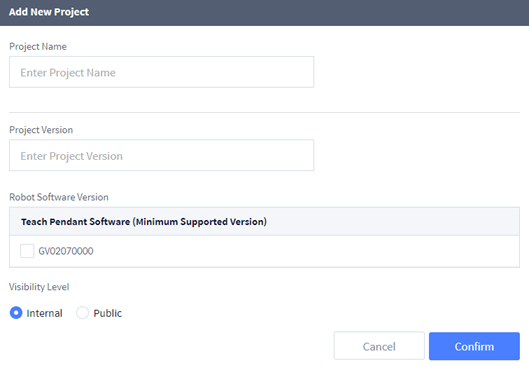
|
Item |
Function |
|---|---|
|
Enter Project Name |
Text field to enter the project name |
|
Project Version |
Text field to enter the project version |
|
Robot Software Version |
Minimum TP version to use the project |
|
Visibility Level |
|
|
Cancel |
Cancel the project created |
|
Confirm |
Create a project with the input value |
Project Manager List
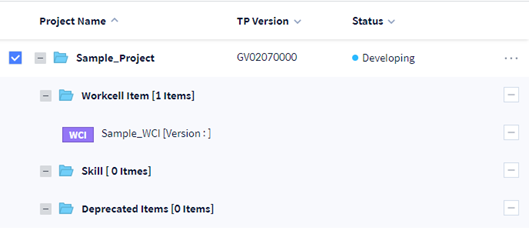
Add a project
1. Select the project to add an item.
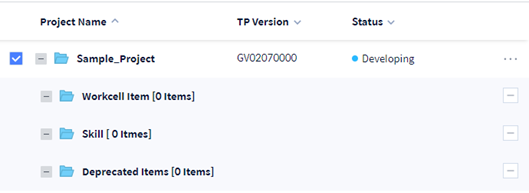
2. Select the item to be added.
3. Click Add To Project button at the bottom right.
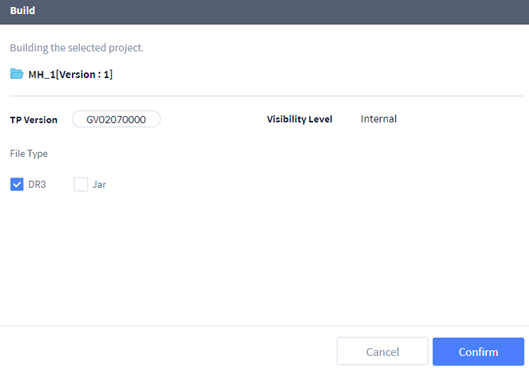
Project build function
|
Item |
Function |
|---|---|
|
TP Version |
Output the minimum TP version to use the project |
|
Visibility Level |
Output the visibility level of the project |
|
File Type |
|
|
Cancel |
Cancel the project build |
|
Confirm |
Build the project as the file type selected. |
Project list function
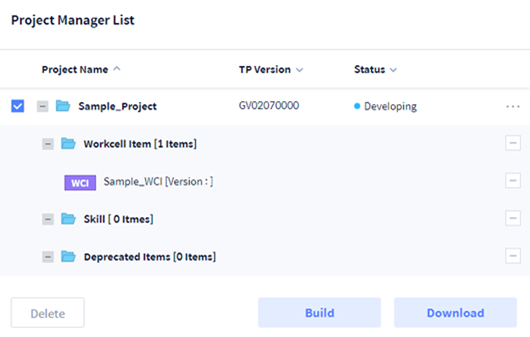
|
Item |
Function |
|---|---|
|
Project Name |
Project Name |
|
TP Version |
Minimum TP version to use the project |
|
Status |
Project status |
|
|
Exclude the item from the project |
|
Delete |
Delete the selected project |
|
Build |
Build the selected project |
|
Download |
Download the build file of the selected project |
