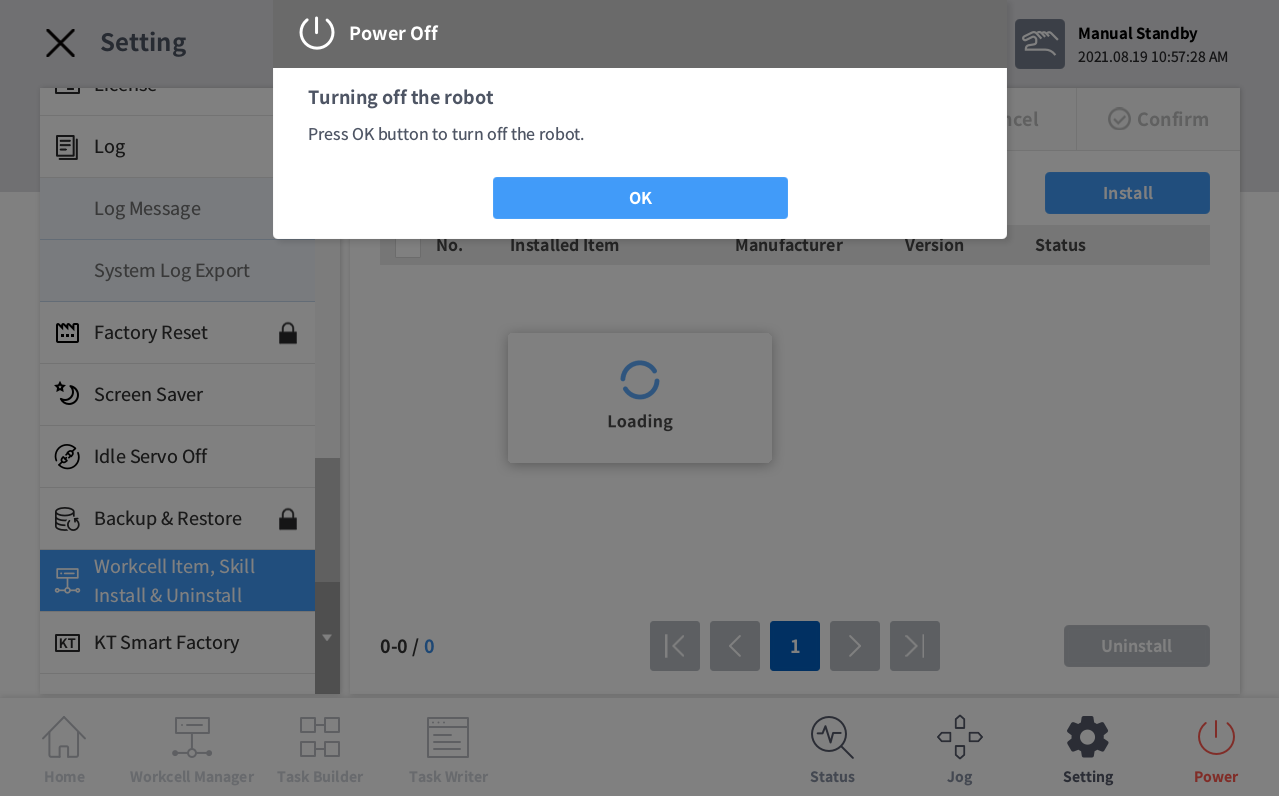
In order to install the DR3 file, need to connect the USB containing the DR3 file to the PC (corresponding to the controller in a real robot).
-
Enter the image setting screen.
.png?cb=7a9058355a6a8d209ef44649667193a6)
-
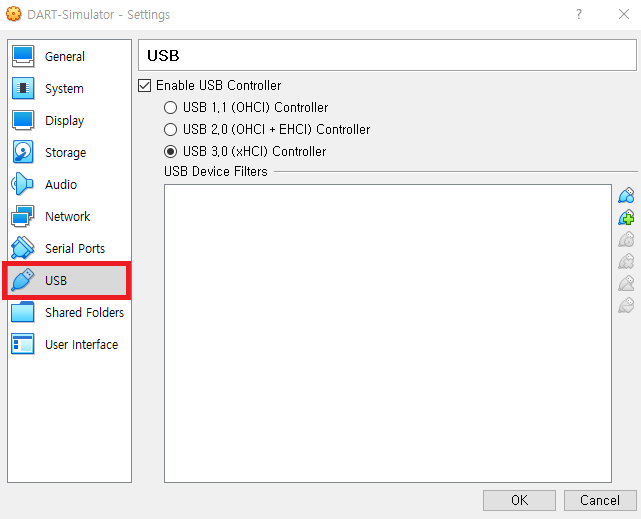
Enter the USB setting screen.
-
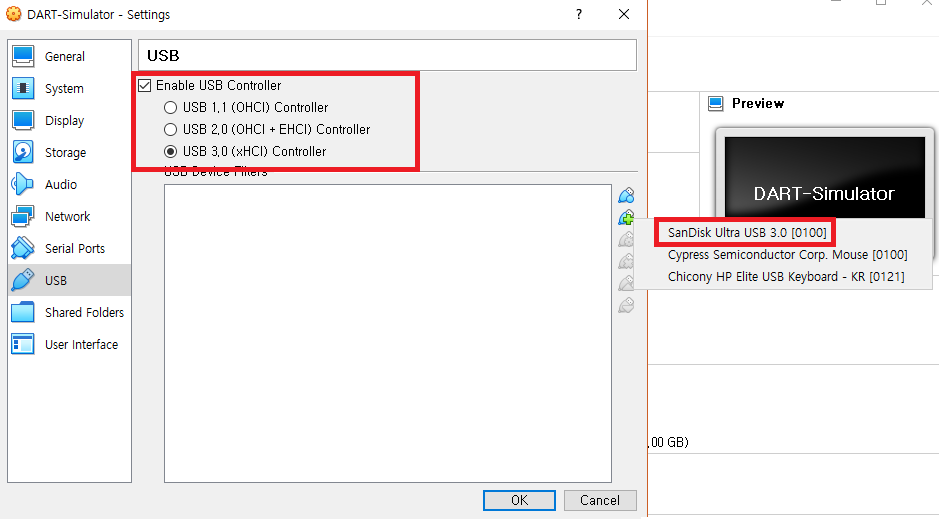
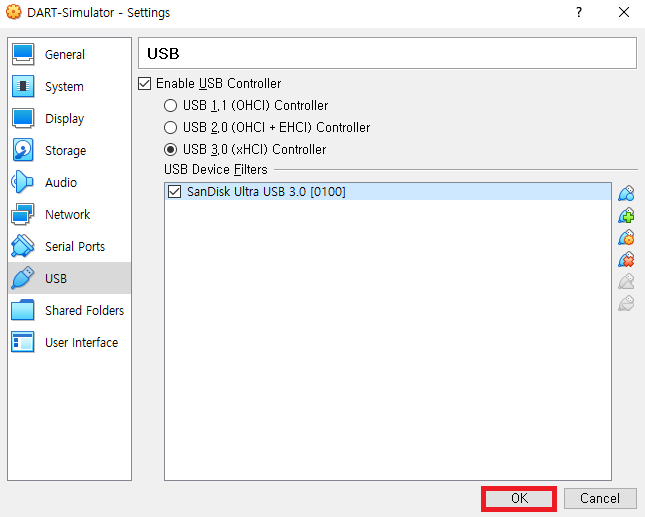
Check the USB Type where the DR3 file is located, select the USB and press the OK button.
-
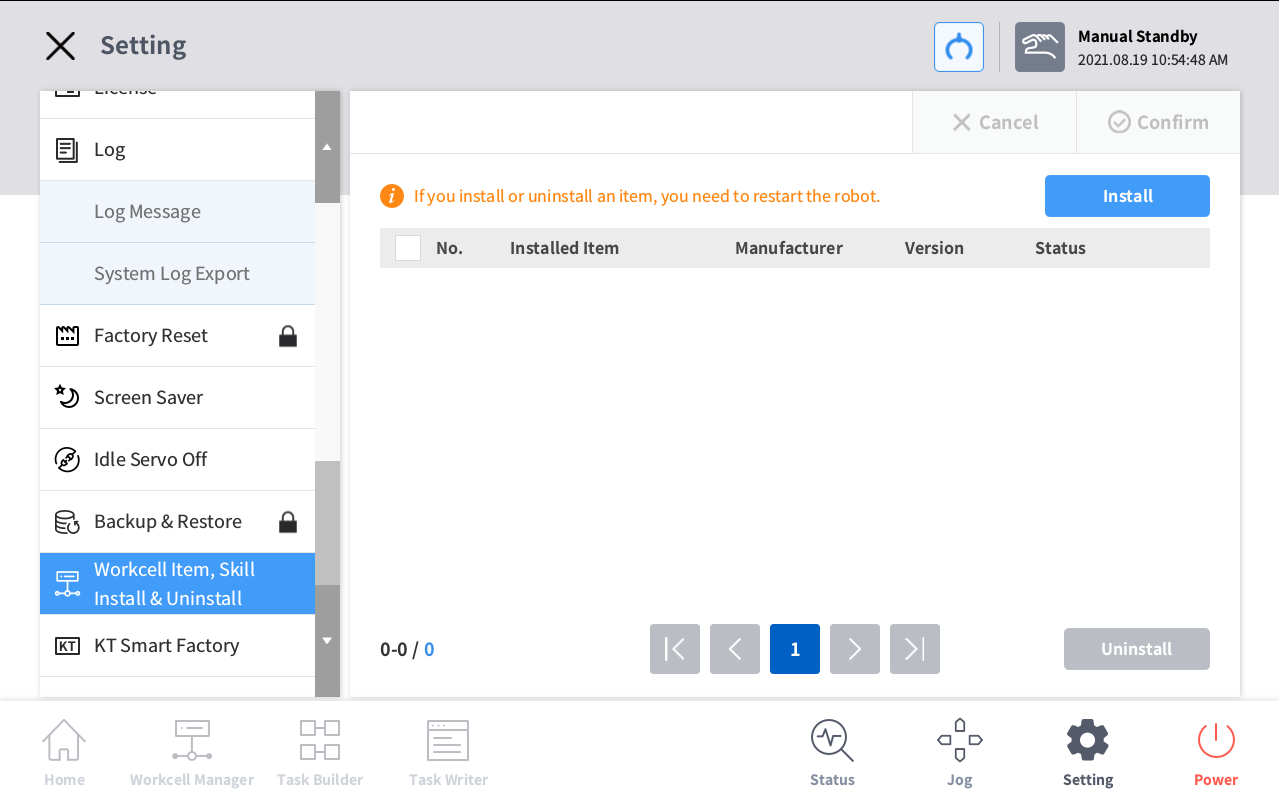
Enter the DR3 installation screen after running DART-Simulator.
-
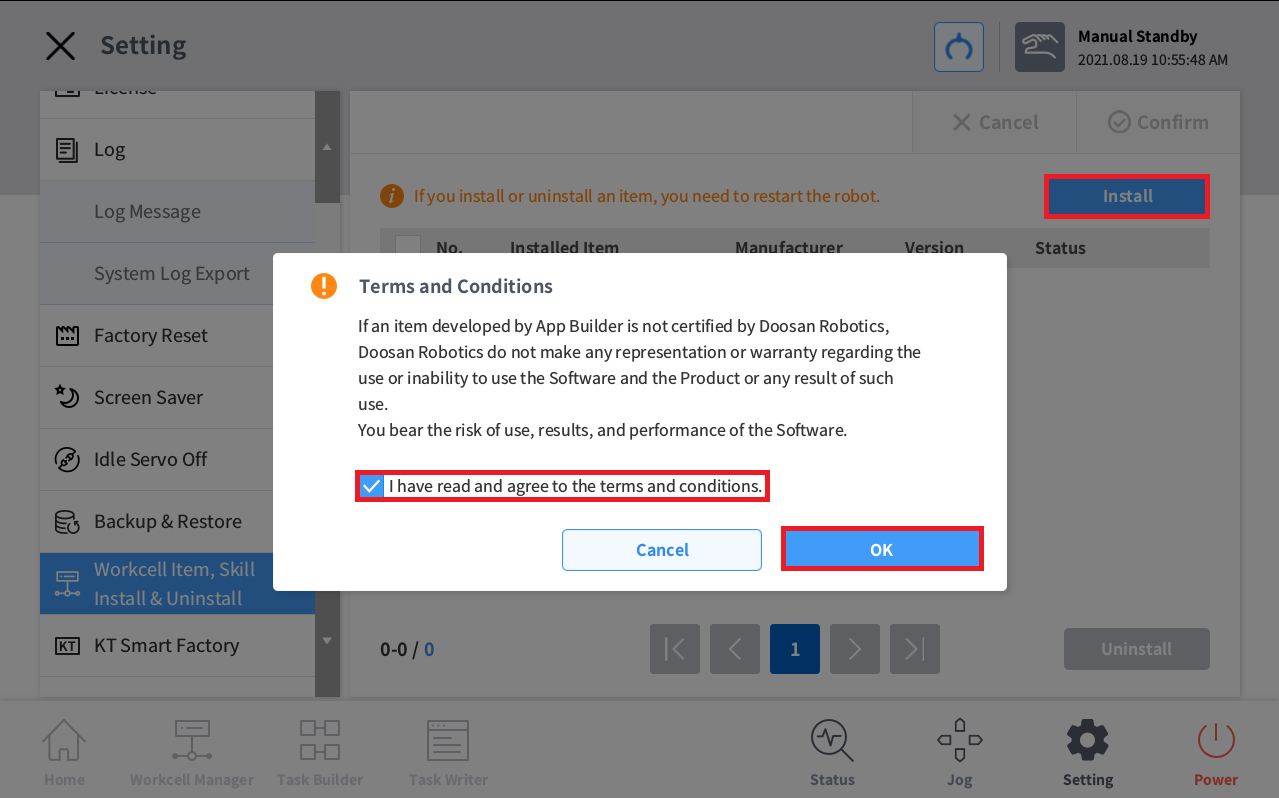
Enter the installation screen.
-
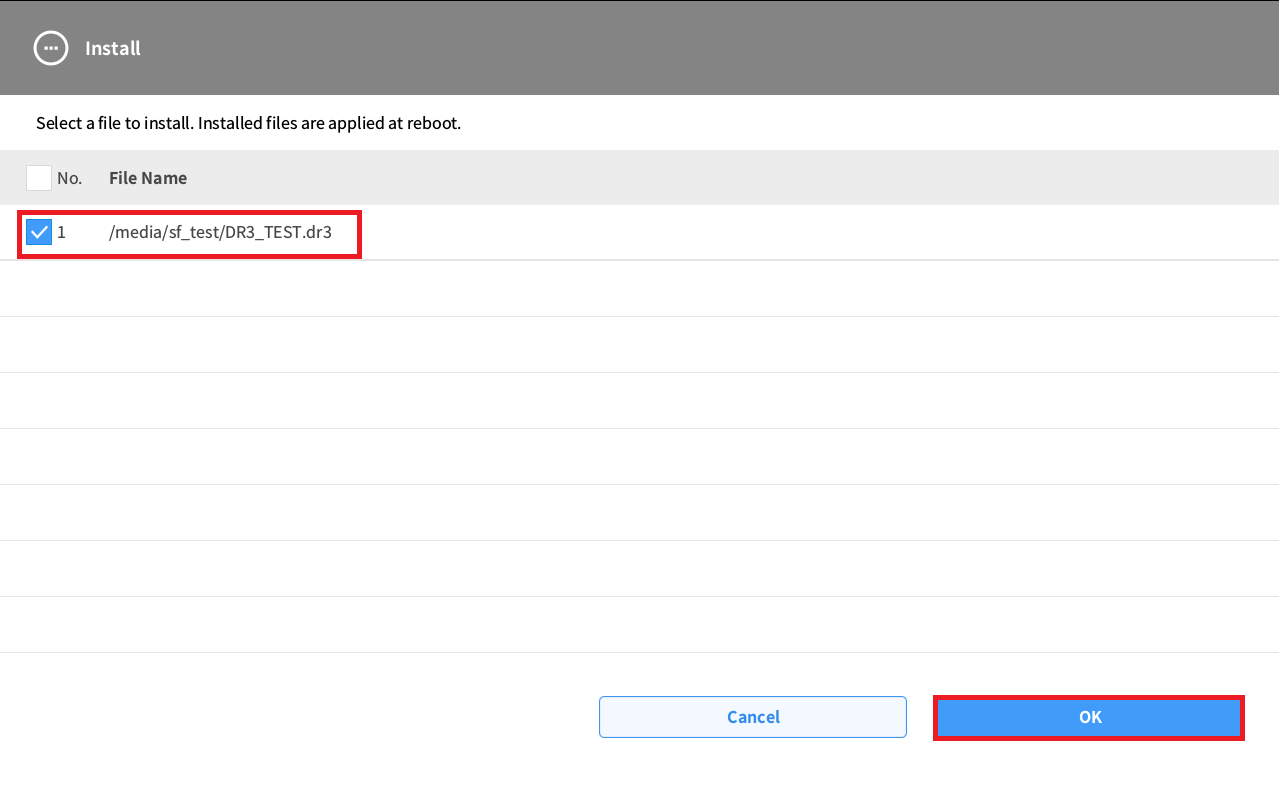
Select the DR3 file copied to USB and confirm.
-
After installation, restart the program to complete the operation.