
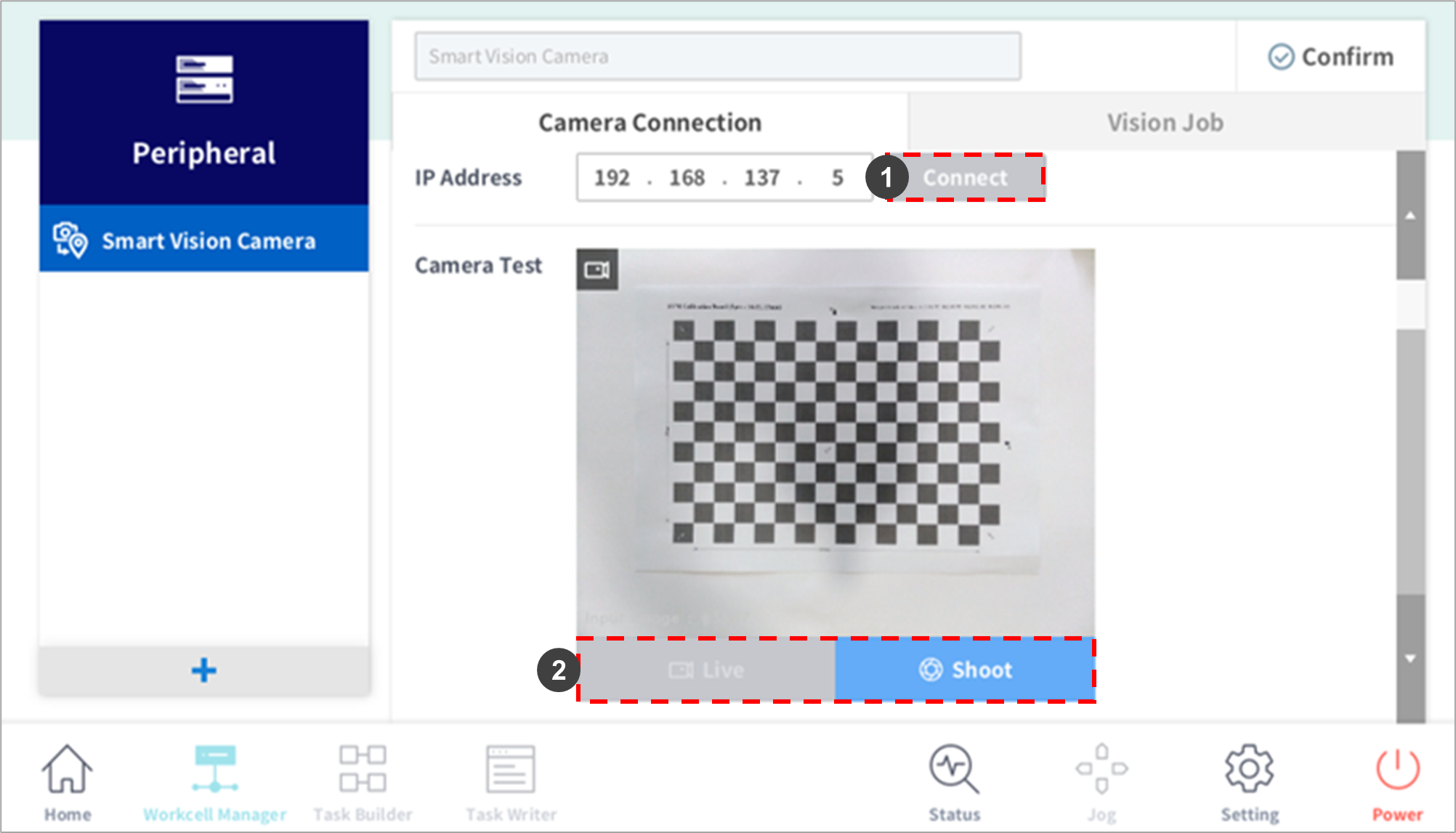
|
No. |
Item |
Description |
|---|---|---|
|
1 |
Connect |
The camera IP address is a static IP, and the default address (192.168.137.5) is used for connection. After connection is successful, the Connect button is disabled. |
|
2 |
Live – Shoot |
Check the image in the camera's viewfinder to see if the camera is working properly. Live: Displays the streaming image. Shoot: Displays the static image in the camera’s field of view. |
If the LAN/communication cable physically disconnects the SVM
-
When the cable is physically removed while the Smart Vision Module (SVM) and Teach Pendant (TP) are connected, the power to the SVM and TP must be turned OFF/ON.
Status indicator LED function
-
The status indicator LED on top of the SVM module operates in five modes: power not connected, power supplied, connection standby, communication connected and processing.
|
|
Smart Vision Module Status Indicator LED |
LED Operation |
|
|---|---|---|---|
|
1 |
Power not connected |
Power off |
|
|
2 |
Power connected – OS booting |
Solid Red |
|
|
3 |
Normal operation – Connection standby – Communication not connected |
Solid Green |
|
|
4 |
Normal operation – Standby – Communication connected |
Solid Blue |
|
|
5 |
Normal operation – Processing – (item recognition, teaching/save/loading) |
Blink Blue |
|


