
|
No. |
Item |
Description |
|---|---|---|
|
1 |
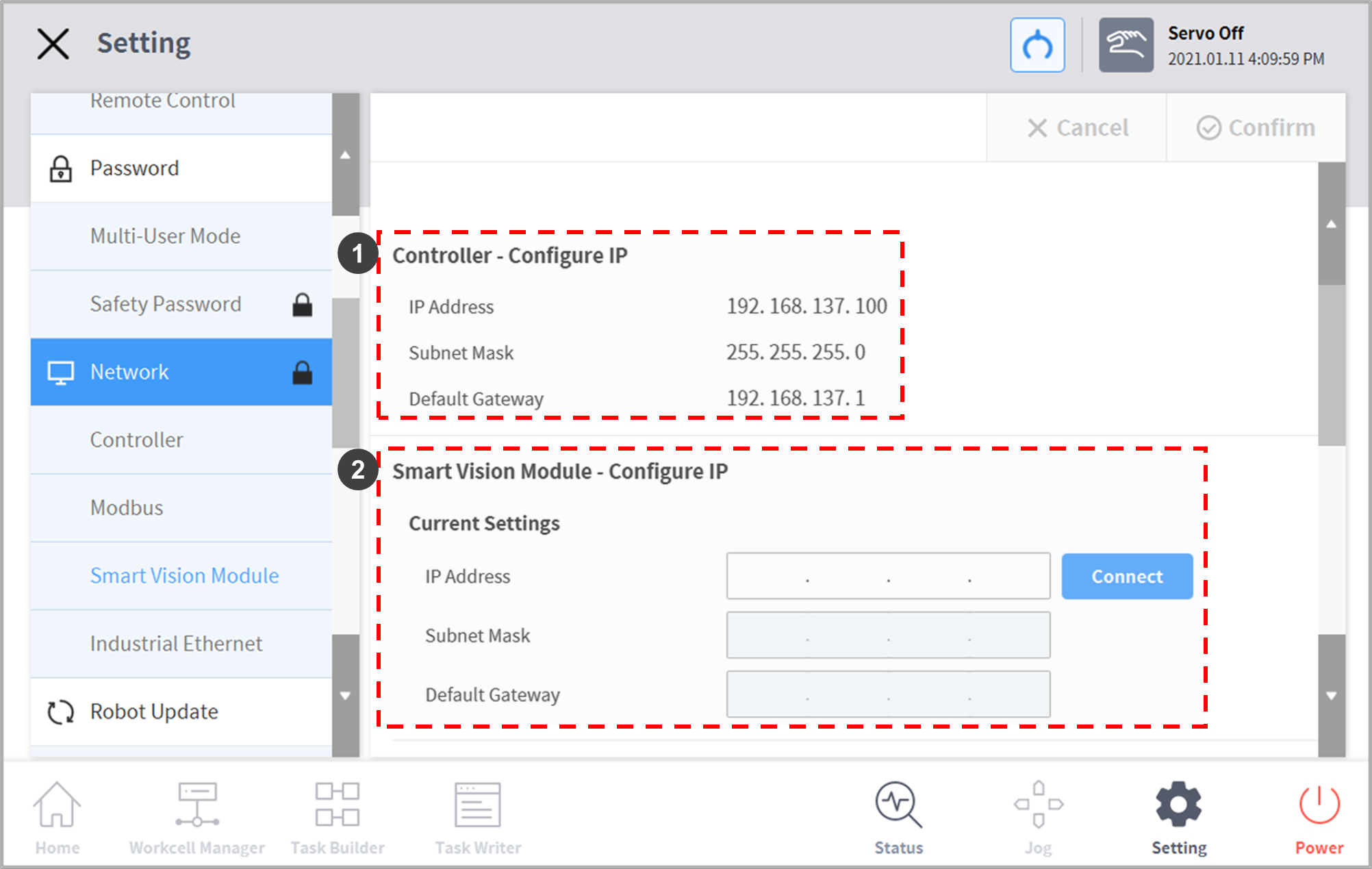
Controller – Configure IP |
Displays IP address of the controller |
|
2 |
Smarst Vision Module – Configure IP |
Enter and connect the IP address of the camera.
|
|
3 |
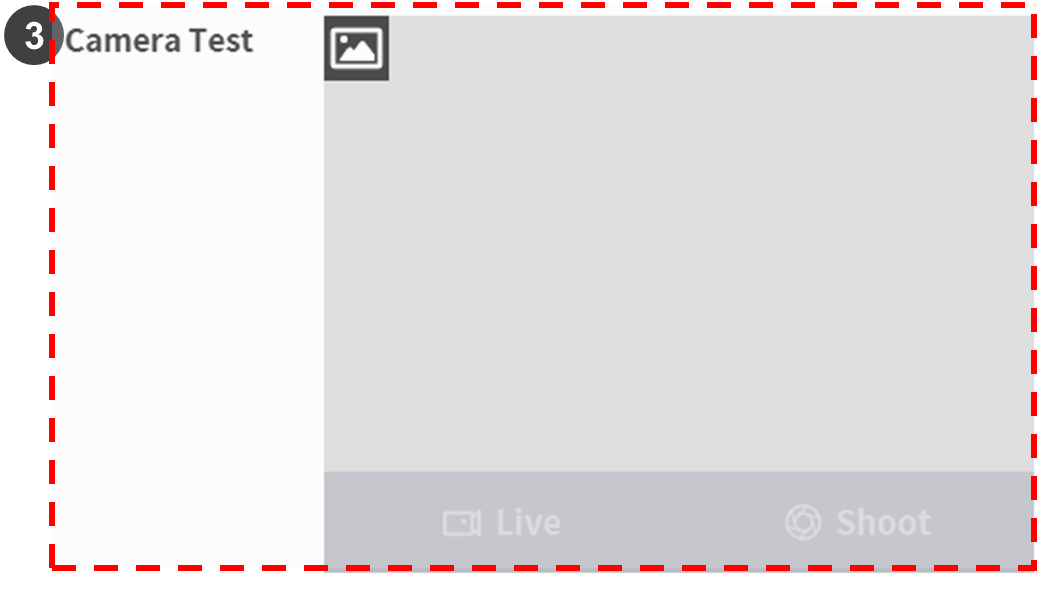
Camera Test |
Check that the controller and the cemera are properly connected.
|