
Restores the robot system to a specific version the user chooses.
-
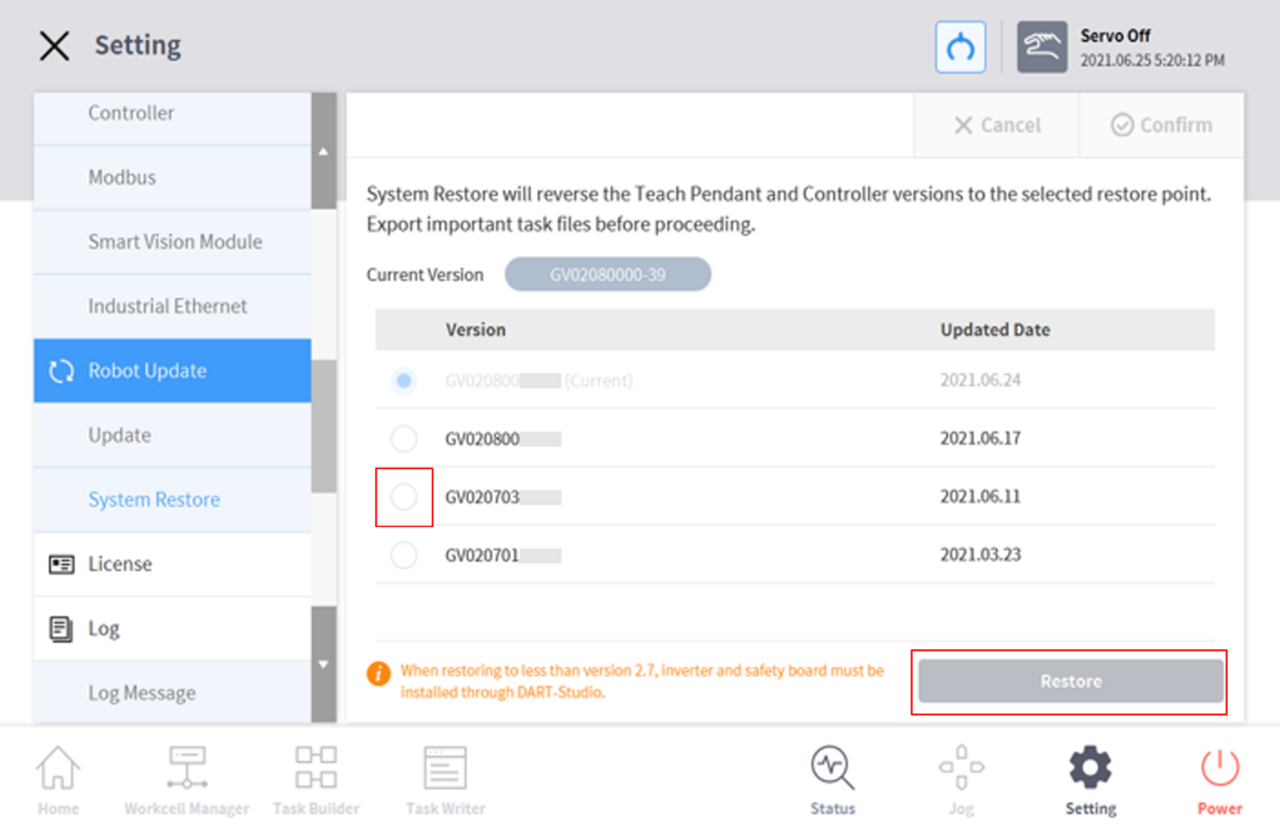
Select Robot Update > System Restore in the Setting menu.The last five versions installed on the robot system are displayed.The current version is displayed with the Radio button selected.
-
Select the Radio button of the version to be restored.The Restore button is enabled.
-
Press the Restore button.
-
Restart the system when restore is complete.
-
If the system is accessed via Windows, the system restore function is not available.
-
If one of the following issues occurs on an A Series product after System Restore, please refer to "Friction Calibration" to perform friction calibration.
-
If an issue makes direct teaching control difficultIf direct teaching does not operate properly even the tool weight and weight center point settings are correctIf the robot moves too fast or applies too much force when direct teaching is attemptedIf control in a specific direction is difficult when direct teaching is attemptedIf collision detection occurs frequently while the collision sensitivity is set to the default setting
-
If error “2.9015” occurs sporadically in the teach pendantError 2.9015: The external force of the robot tip has exceeded the safe range.