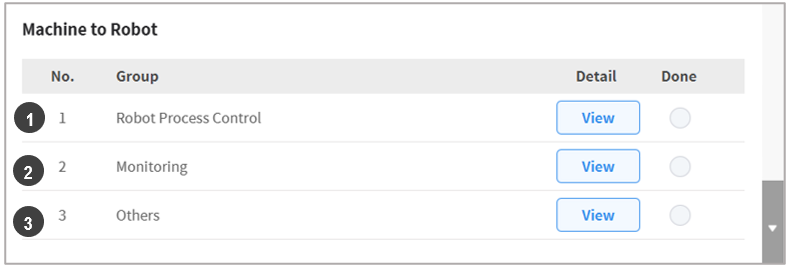
용접기에서 로봇으로 보내는 신호들을 설정합니다. 아래의 그림에서 ➊Robot Process Control, ➋Monitoring, ➌Others 신호 설정을 합니다.
|
번호 |
항목 |
설명 |
|---|---|---|
|
1 |
Robot Process Control |
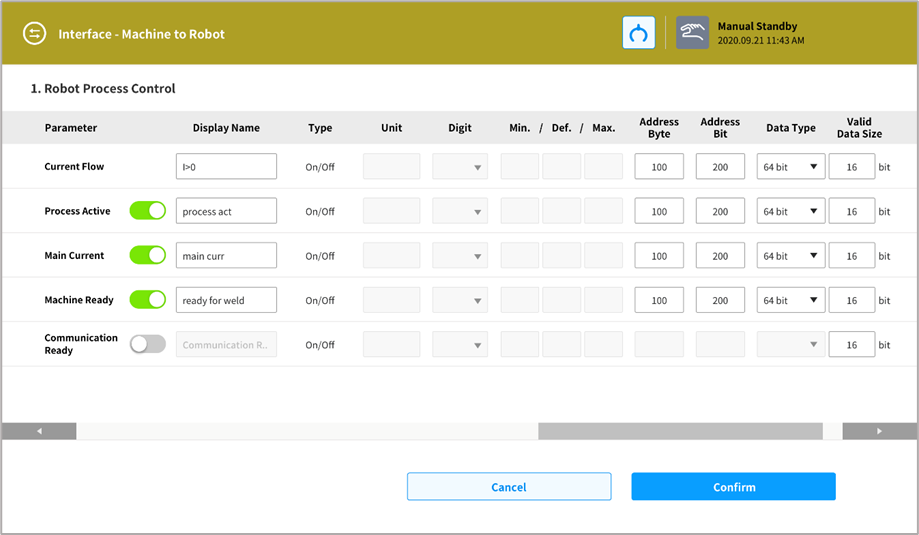
(필수 설정 항목 포함) 용접작업 시 로봇-용접기 간 연동을 위한 신호 중 용접기에서 로봇으로 전송하는 신호를 설정합니다. Current Flow(전류발생중), Process Active(용접공정 수행중), Main Current(본전류발생중), Machine Ready(용접기대기중), Comm. Ready(통신대기중)에 대해 설정합니다. |
|
2 |
Monitoring |
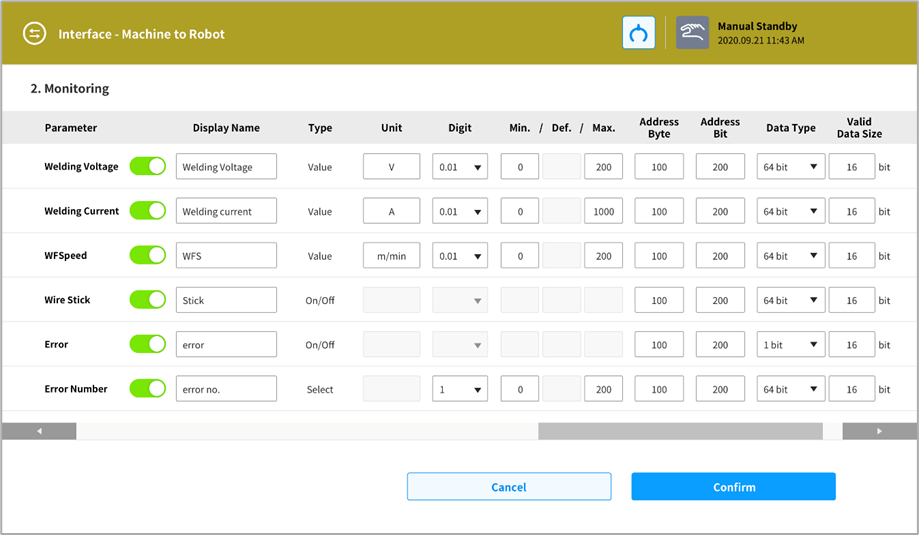
용접 중 용접상태 정보인 용접전압(Welding Voltage), 용접전류(Welding Current), 와이어송급속도(WFSpeed), 와이어융착(Wire Stick), 용접에러발생(Error), 용접에러번호(Error Number)를 설정합니다. |
|
3 |
Others |
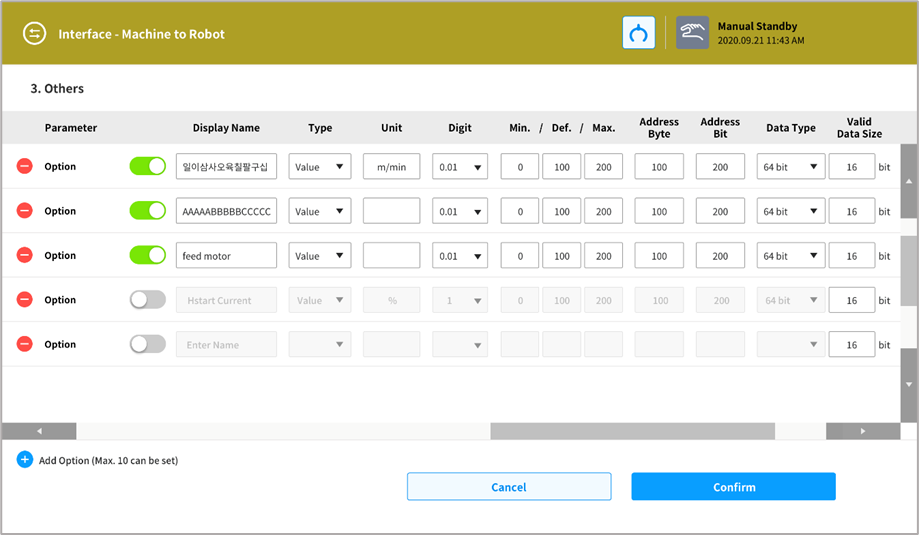
필요한 항목들을 추가하여 설정할 수 있습니다. 최대 10개를 추가할 수 있습니다. |
Group1) 용접공정 제어신호 (Robot Process Control)
Group2) 용접 모니터링 신호 (Monitoring)
Group3) 기타 모니터링 신호 (Others)