
It is a screen to check the existing Global Variable item created.
Full screen
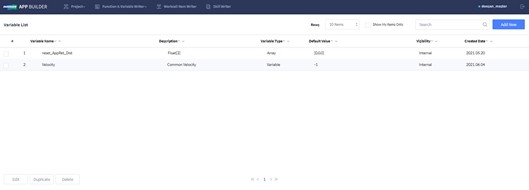
It displays the list of the Global Variable created by the user.
Option display area

|
Item |
Description |
|---|---|
|
Rows |
Set the number of items to be displayed per page in List screen. The number can be set to 10, 20, 30, or 100. |
|
Show My Items Only |
Click the button to search only items you have prepared from the list. |
|
Search |
Filter only the items including the words entered by the user based on Variable Name. |
|
Add New |
Go to the screen to create a new global variable. |
List display area

|
Item |
Description |
|---|---|
|
Variable Name |
It displays the name of the Global Variable Item. |
|
Description |
It displays the description of the Global Variable Item. |
|
Variable Type |
It displays the data type of the Global Variable.
|
|
Default Value |
It displays the default value of the variable. |
|
Visibility |
It displays the visibility of the Global Variable Item.
|
|
Created Date |
It displays the date the item was created. |
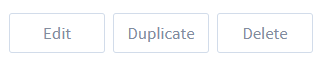
Button area at the bottom
|
Item |
Description |
|---|---|
|
Edit |
Go to the screen to edit the selected Global Variable Item. |
|
Duplicate |
Copy the selected Global Variable Item. |
|
Delete |
Delete the selected Global Variable Item
|