Create Group
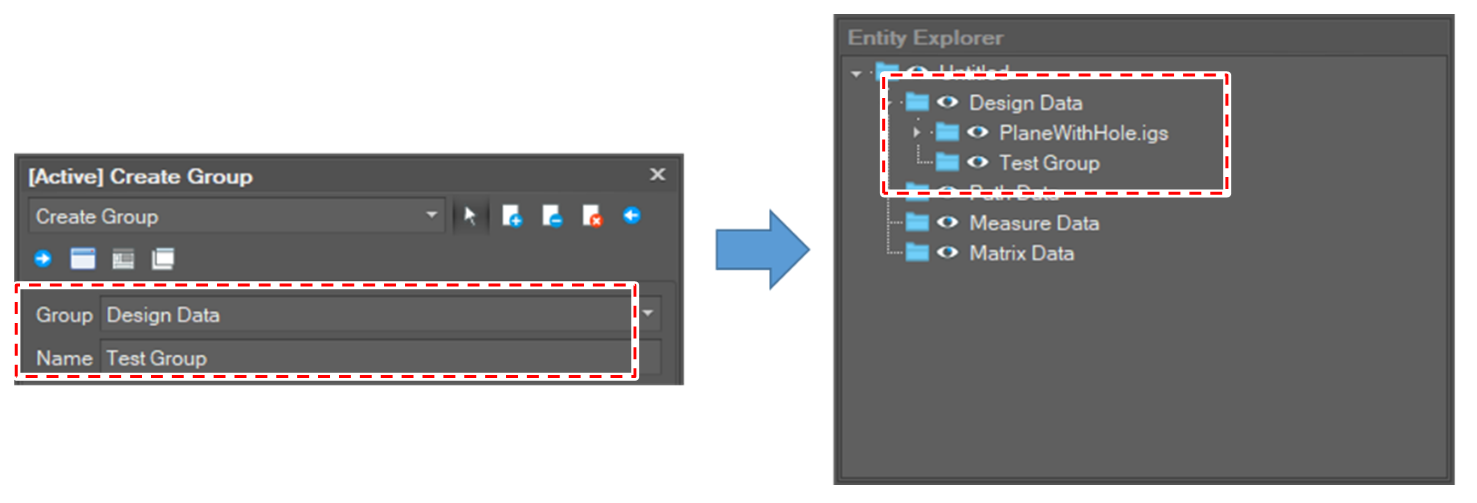
The function creates a group object.
-
Click [Create Group] button in the menu bar.

-
Select [Create Group] option in the active window.
-
Select the owner group of the new object.
-
Set the name of the new object.
-
Select the [Create] button.
Change Group
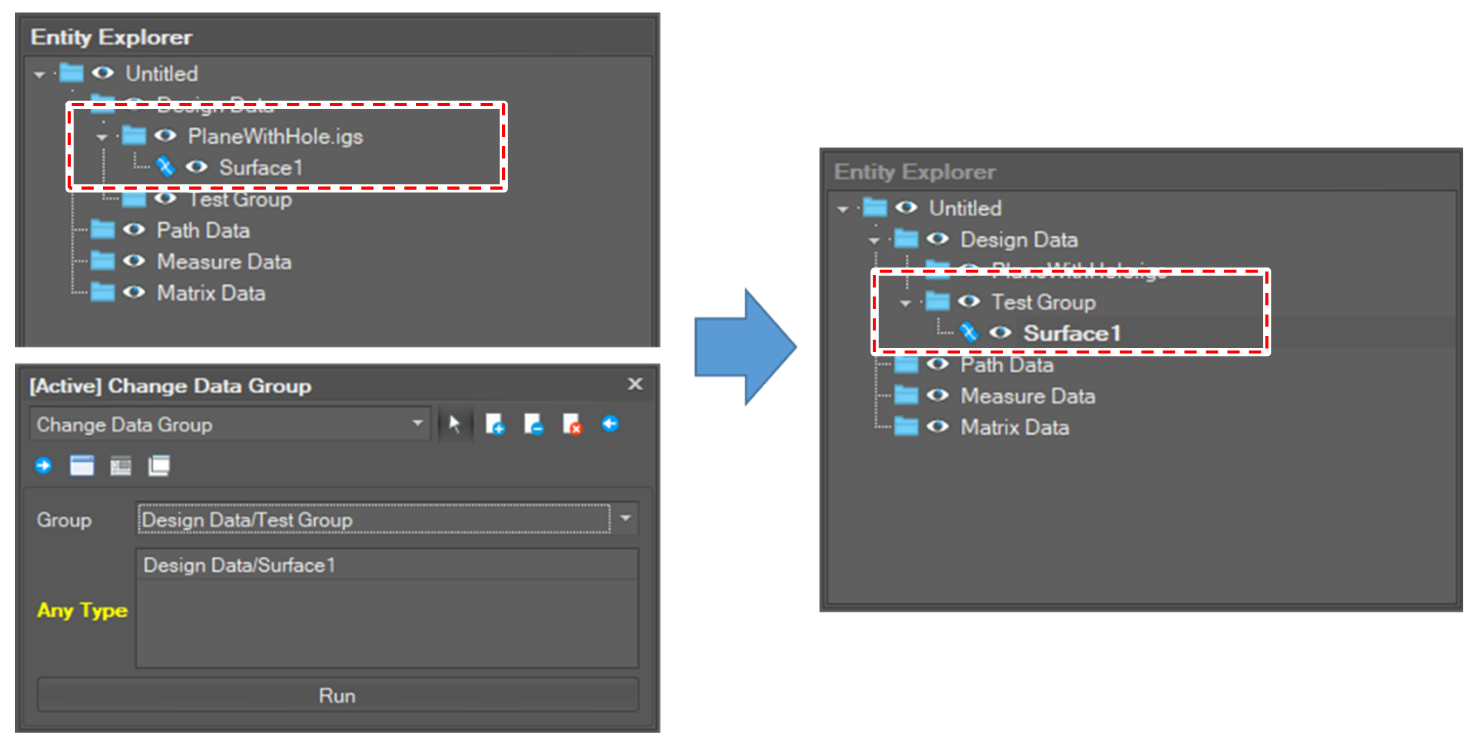
The function changes the owner group of the selected objects. In other words, the selected objects move into the selected group.
-
Click [Create Group] button in the menu bar.
-
Select [Change Data Group] option in the active window.
-
Select a group to which the selected object will belong.
-
Select objects to move.
-
Click the [Run] button.