Provides the ability to create points at specific locations for path creation or other geometry creation.
Crate point at picking position
The function creates a point object at picking position.
-
Click [Create Point] button in the menu bar.

-
Select [Create picking point] option in the active window.
-
Set creation option.Group: A group to which newly created object belongs.
-
Select [Enable] button. The [Enable] button is initially selected.

-
Pick object at the 3D view.
If the user clicks an object, a point object is created at that position.
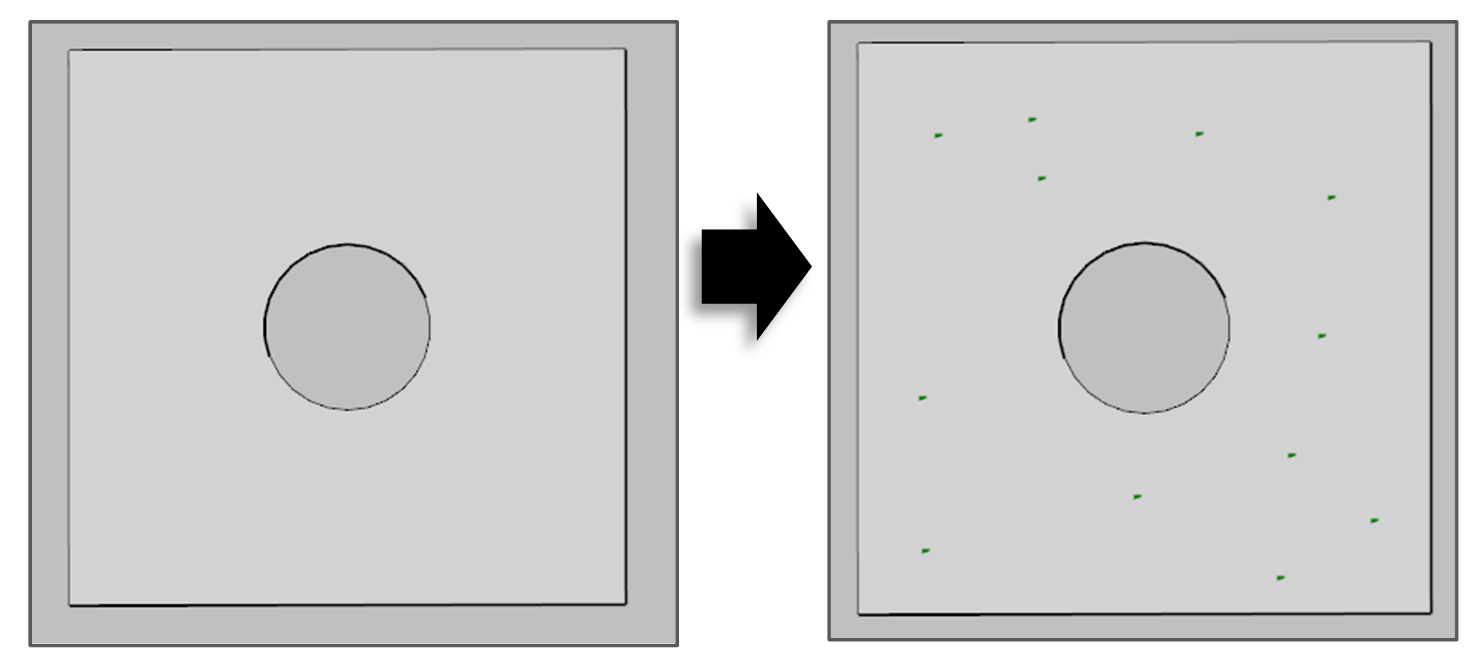
-
If the creation job is done, select the [Disable] button or close the window.
Create feature points
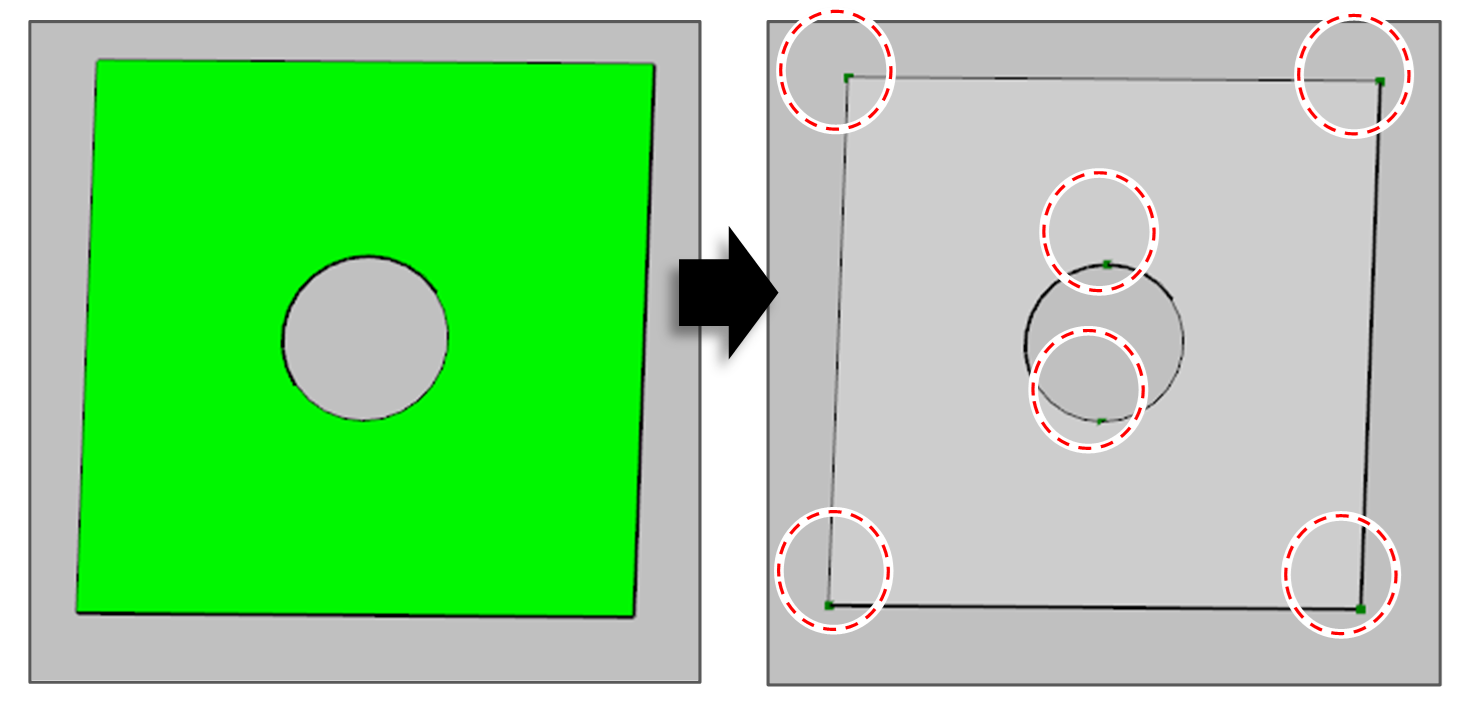
The function creates point objects at the feature position of the selected object. The feature position is as below.
|
Surface |
The Start point and the end point of all curves which belong to the surface. |
|
Curve |
The Start point and the end point of curve. |
|
Path segment |
The path point of the path segment. |
-
Click [Create Point] button in the menu bar.

-
Select [Create Feature Points] option in the active window.
-
Set creation option.Group: A group to which newly created object belongs.
-
Select the [Create] button.
Create Point By XYZ Input
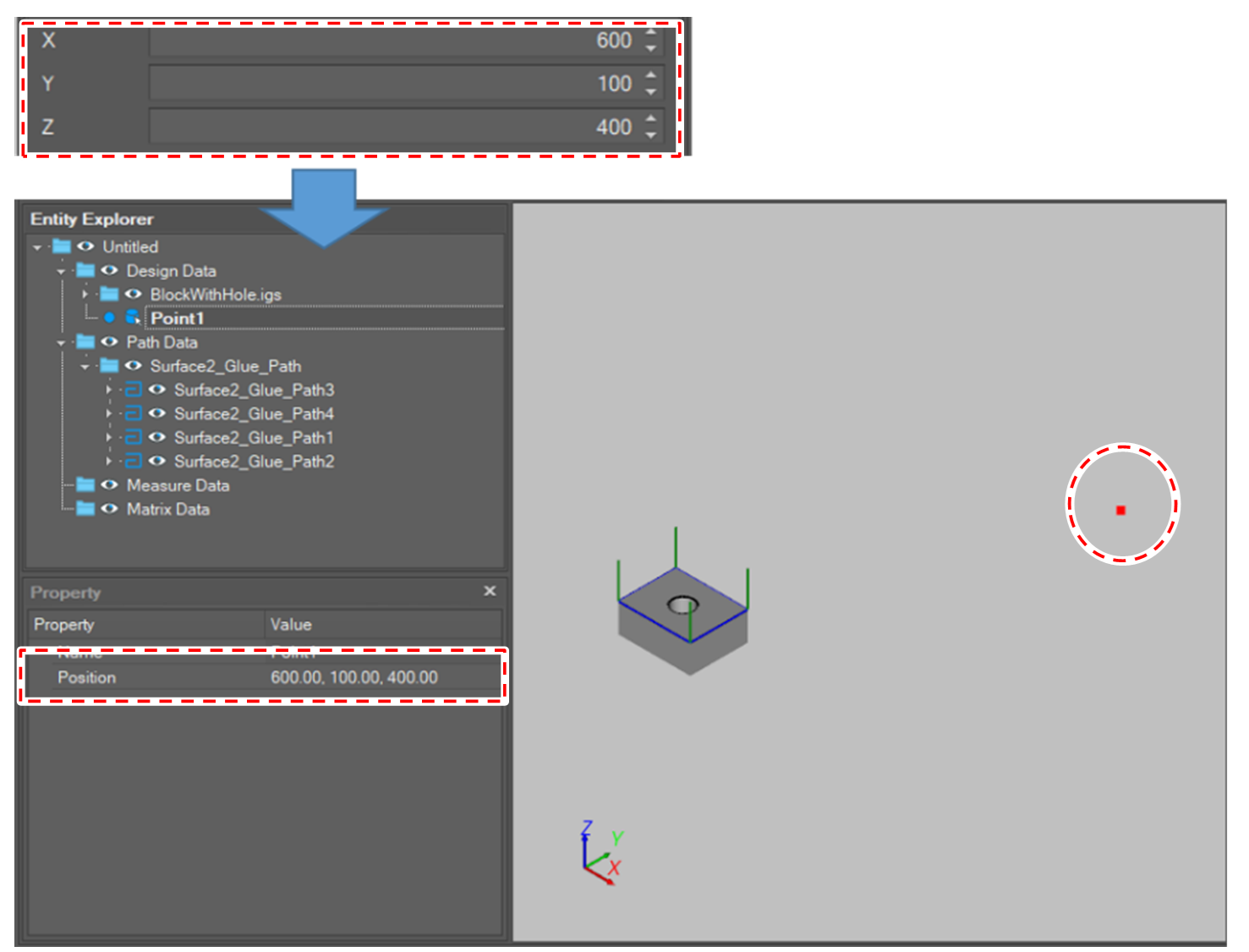
The function create a point object at the position input by the user.
-
Click [Create Point] button in the menu bar.

-
Select [Create Point By XYZ Input] option in the active window.
-
Set creation option.Group: A group to which newly created object belongs.Position(X, Y, Z)
-
Select the [Create] button.
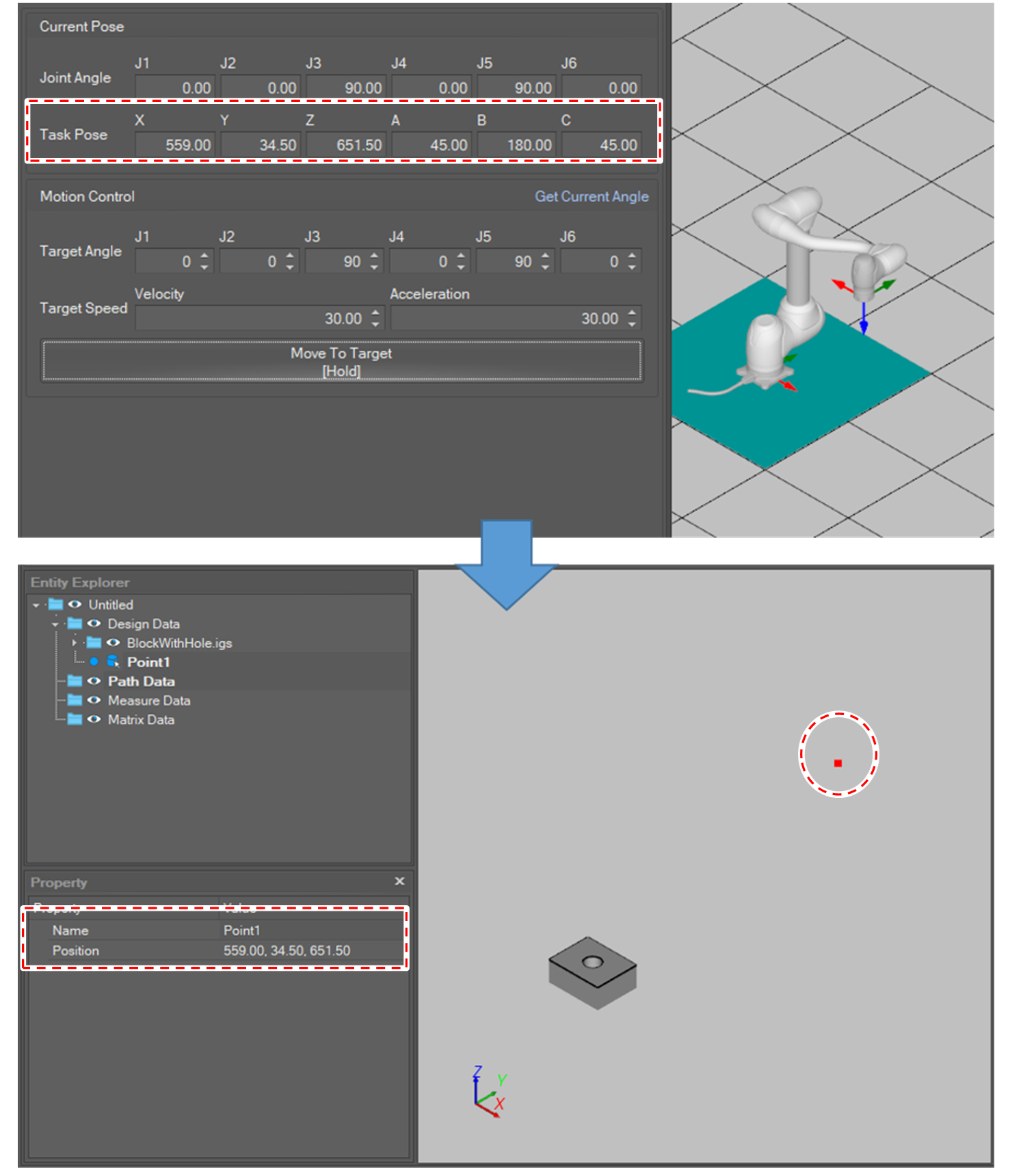
Create Point On TCP Position
The function creates a point at the current robot position.
Before creating a point, the user needs to check the TCP and coordination configuration.
-
Click [Create Point] button in the menu bar.
-
Select [Create Point On TCP Position] option in the active window.
-
Set creation option.Group: A group to which newly created object belongs.Coordinate: The base or world coordinate type.
-
Select the [Create] button.
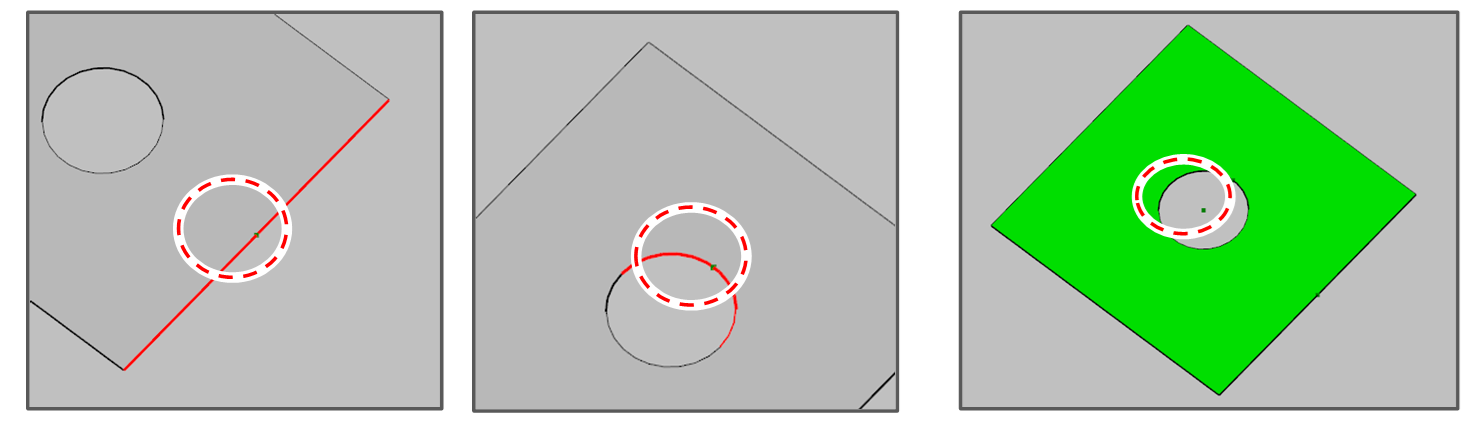
Create Center Point
The function create a point at the center of the selected object.
-
Click [Create Point] button in the menu bar.
-
Select [Create Center Point(From Points)], [Create Center Point(From Curve)] or [Create Center Point(From Mesh/Surface)] option in the active window.
-
Set creation option.
-
Group: A group to which newly created object belongs.
-
-
Select target objects.
The input condition is as below according to the selected function.From Points
More than 1 point object.
From Curve
A curve (or path segment) object
From Mesh/Surface
A surface (or mesh) object.
-
Select the [Create] button.

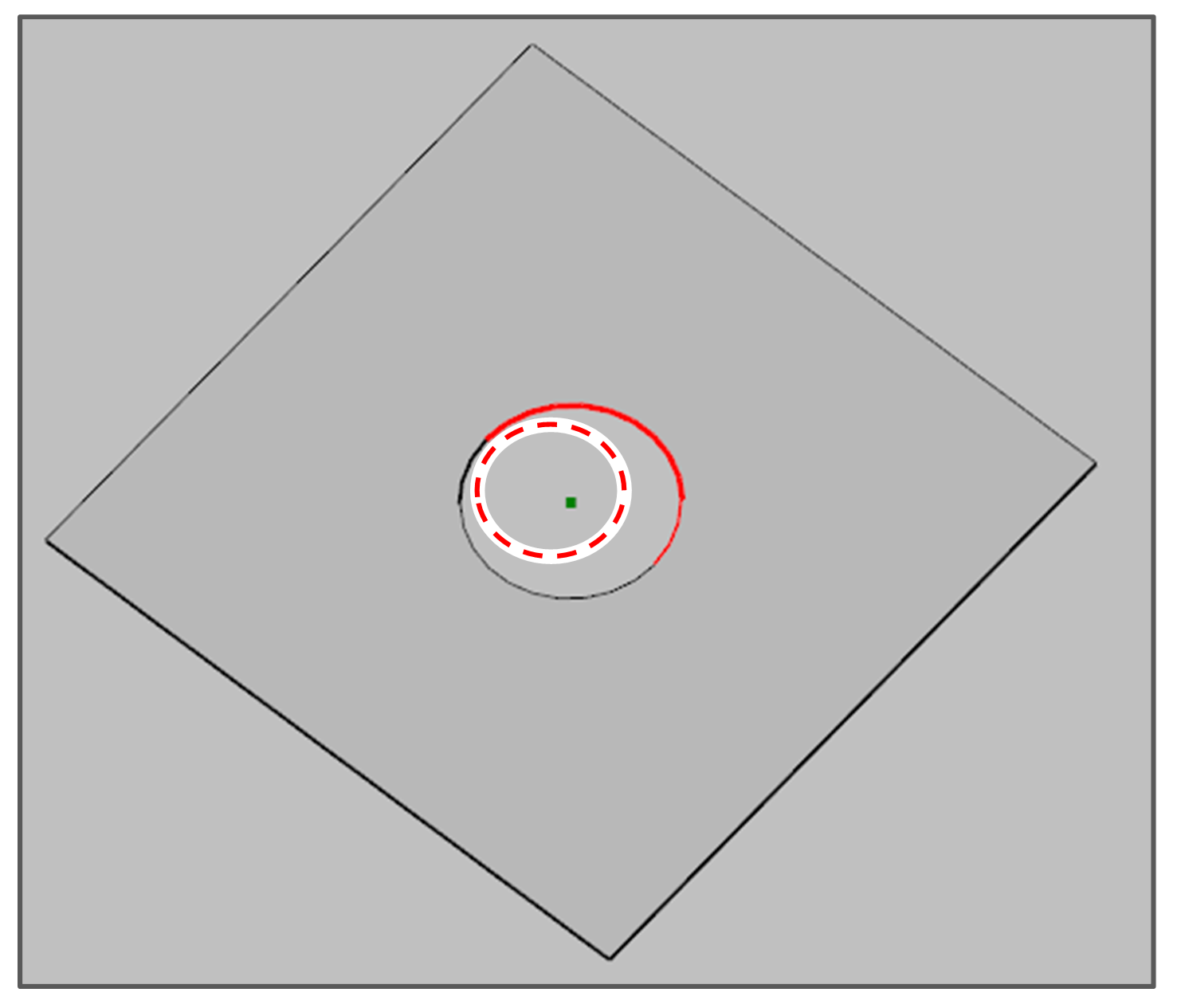
Create Circle Center Point
The function creates a point at the circular center of the selected object.
-
Click [Create Point] button in the menu bar
-
Select [Create Circle Center Point(From Points)] or [Create Center Point(From Curve)] option in the active window.
-
Set creation option.Group: A group to which newly created object belongs.
-
Select target objects.
The input condition is as below according to the selected function.From Points
Equal or more than 3 point objects
From Curve
A curve (or path segment) object
-
Select the [Create] button.
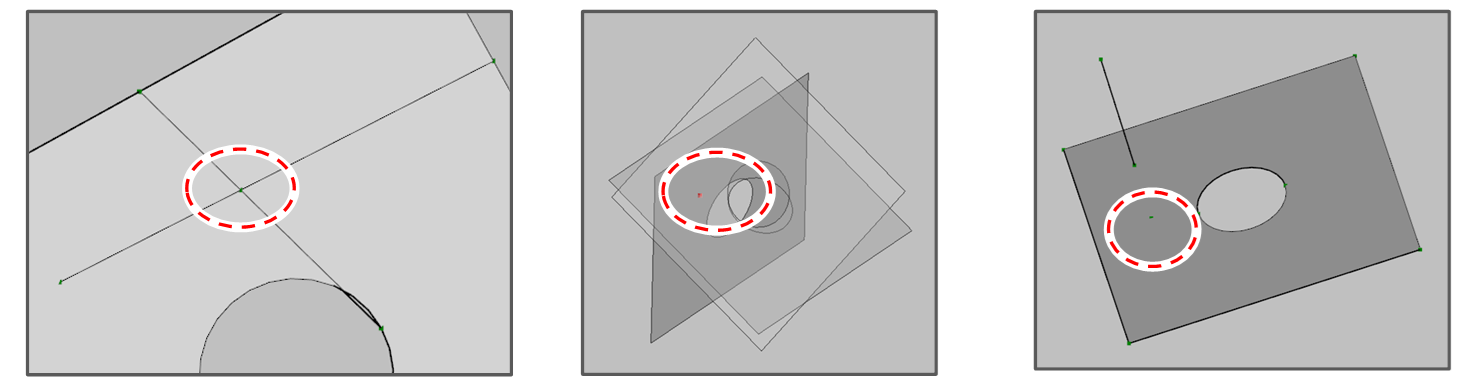
Create Intersection Point
The functions creates a point at the intersection position of the selected objects.
-
Click [Create Point] button in the menu bar
-
Select [Create Intersection Point(From Line-Line)], [Create Intersection Point(From Line-Plane)] or [Create Intersection Point(From 3 Planes)] option in the active window.
-
Set creation option.Group: A group to which newly created object belongs.
-
Select target objects.
The input condition is as below according to the selected function.From Line-Line
2 line (or path segment) objects.
From Line-Plane
A plane object and a line object.
From 3 Planes
3 plane (or mesh) object.
-
Select the [Create] button.

Create Projection Point
The function creates a point at the projection position of a point to the selected curve or surface
-
Click [Create Point] button in the menu bar.
-
Select [Create Projection Point(From Curve)] or [Create Projection Point(From Mesh/Surface)] option in the active window.
-
Set creation option.Group: A group to which newly created object belongs.
-
Select target objects.
The input condition is as below according to the selected function.From Curve
A point object and a curve (or path segment) object.
From Mesh/Surface
A point object and a surface (or mesh) object.
-
Select the [Create] button.
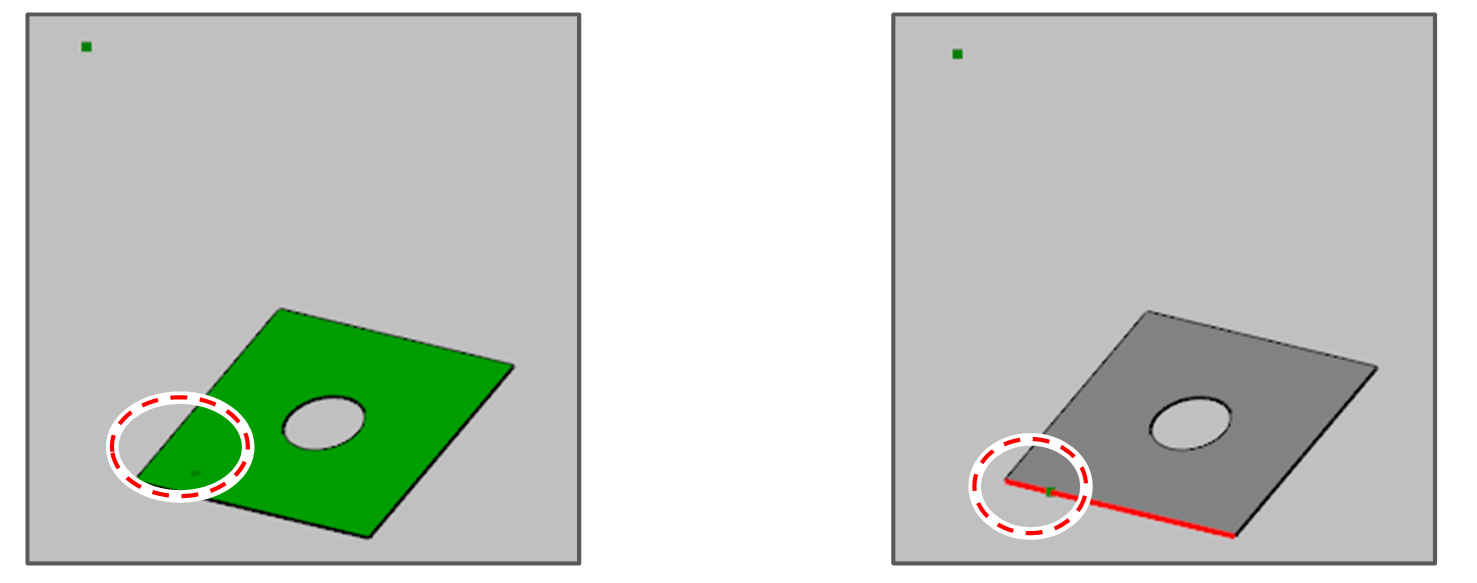

If the point is located outside the curve and surface so that the projection is impossible, a new point is created at the nearest position from the point to the target object.
Create N Points on Curve
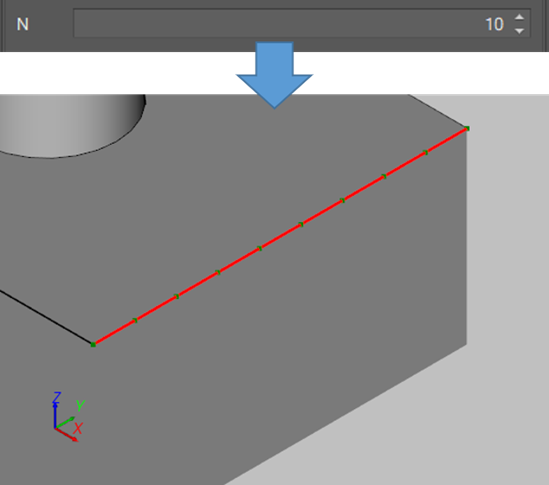
The function creates N even points on the selected curve.
-
Click [Create Point] button in the menu bar.
-
Select [Create N Points on Curve] option in the active window.
-
Set creation option.Group: A group to which newly created object belongs.N: Number of points to create. The number should greater or equal to 2.
-
Select a curve object.
-
Select the [Create] button.