
To apply the created path to the real robot, the object in CAD space should be transformed into the robot space. Or the user can create a path after transforming the CAD model into the robot space.
To transform the object in CAD space into the robot space,
-
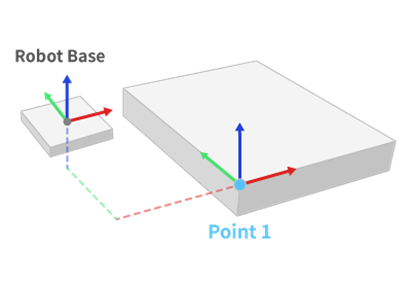
The user should find common points both in CAD model and the real model in the robot space.
-
The user should measure the coordinates of the common points in the robot coordinates.
-
The program calculates the transformation matrix from the source points in CAD space to the target points in robot space.
-
If the user applies the transformation matrix to the CAD model, the model is transformed into the robot space.
The procedure to calculate the transformation from source points to target points is called registration. The program provides several functions for registration.
Point To Point Transformation
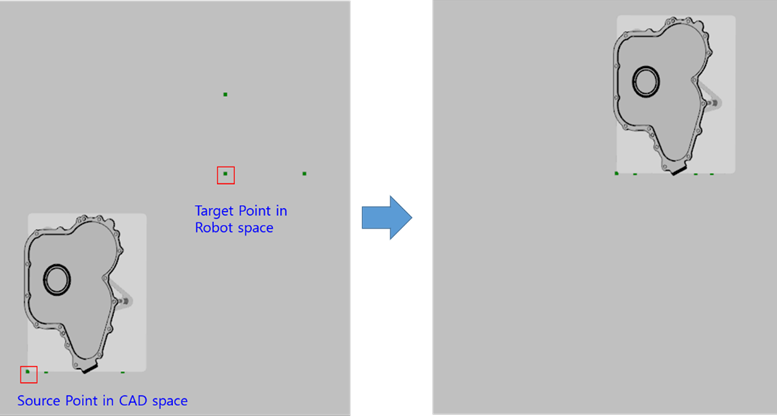
The function creates a transformation matrix which moves the source point to the target point. The function assumes that the coordinates of the model is aligned along all direction both in CAD space and in robot space.
-
Click [Match Objects] button in the menu bar.

-
Select [Point To Point Registration] option in the active window.
-
Set source and target points.

-
Select objects to transform.
-
Click the [Transform] button.
Line To Line Registration
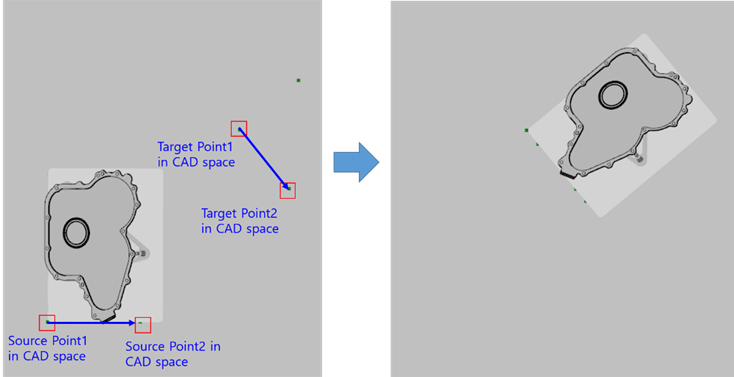
The function creates a transformation matrix which matches the start point and the direction of the source line to the target line. The function assumes that the coordinates of the model is aligned in Z-Axis both in CAD space and in robot space.

-
Click [Match Objects] button in the menu bar.
-
Select [Line To Line Registration] option in the active window.
-
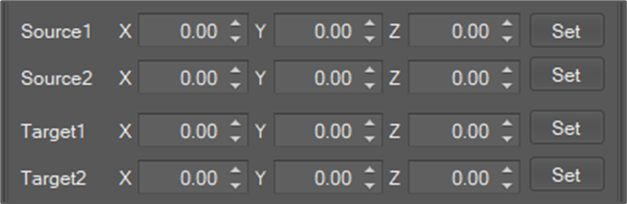
Set source and target points.
-
Select objects to transform.
-
Click the [Transform] button.
Plane To Plane Registration
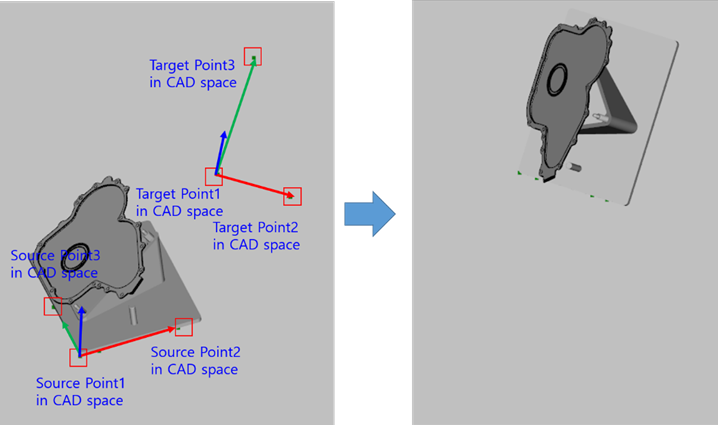
The function creates a transformation matrix which matches the source plane to the target plane.
The function assumes that 3 points compose the plane.
-
The first point decides the origin point of the plane.
-
The second point decides the main axis on the plane.
-
The third point decides the normal direction of the plane.
The transformation first coordinates the origin point and the main axis on the plane and the normal direction of the plane.

-
Click [Match Objects] button in the menu bar.
-
Select [Plane To Plane Registration] option in the active window.
-
Set source and target points.
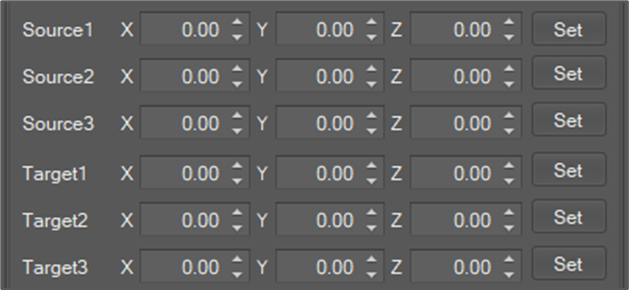
-
Select objects to transform.
-
Click the [Transform] button.
Plane To Plane Registration (2 Lines)
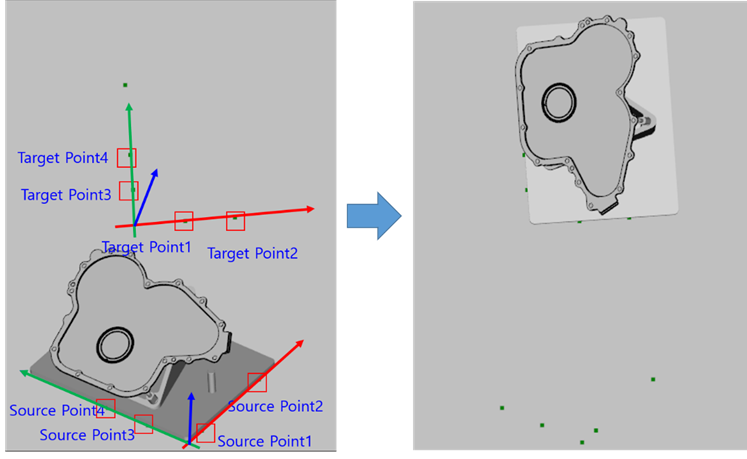
The function provides the same function with [Plane To Plane Registration] except that the function assumes that 4 points compose the plane.
-
The first point and the second point compose a line (line 1).
-
The third point and the fourth point compose a line (line 2).
-
The line 1 decides the main axis on the plane.
-
The product of the line 1 and line 2 decides the normal direction of the plane.
-
The intersection of the line 1 and the line 2 decides the origin point of the plane.
-
Click [Match Objects] button in the menu bar.
-
Select [Plane To Plane Registration (2 Lines)] option in the active window.
-
Set source and target points.
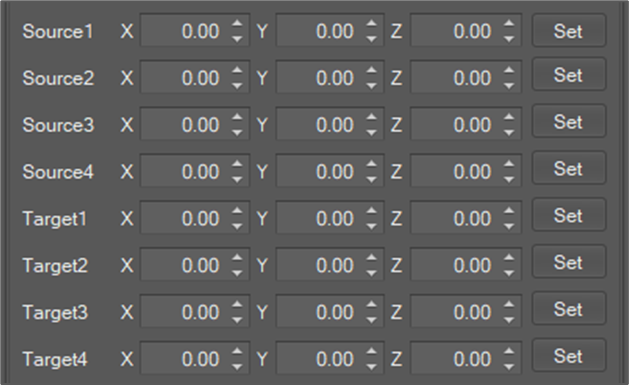
-
Select objects to transform.
-
Click the [Transform] button.
Points To Points Registration
The function creates a transformation matrix which minimize the error between the transformed source points and the target points.
-
Click [Match Objects] button in the menu bar.
-
Select [Points To Points Registration] option in the active window.
-
Set source and target points.
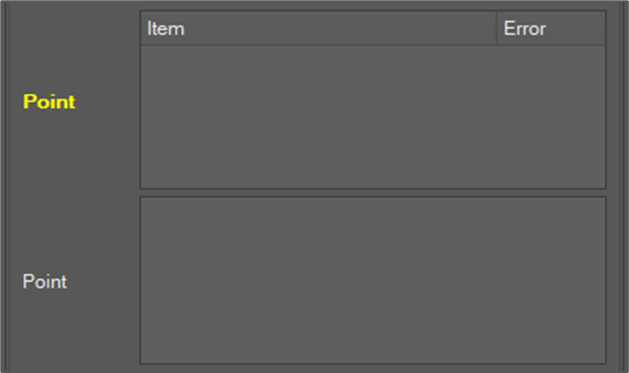
The number of source points and the number of target points should greater or equal than 3 but may be different.
-
Set error tolerance.
The error means the distance between corresponding matching points. The tolerance means the maximum error allowed and decides when the matching iteration stops.

-
Set Also Create Inverse Matrix checkbox

The function calculates a matrix from the source points to the target points. The [Also Create Inverse Matrix] flag allows to create additional interse transformation matrix from the target points to the source points. The inverse matrix is named “MatrixName_Inverse”
-
Set the matrix name and click the [Create Matrix] button.

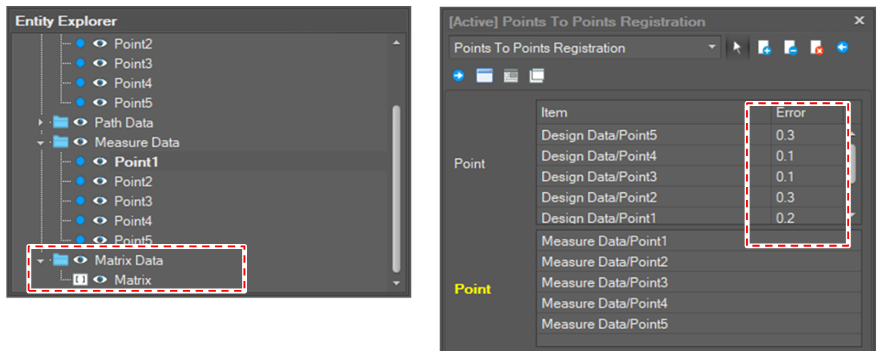
If the matrix is created, the error between the source point and the target point is displayed. The user should evaluate the error to decide whether to use the matrix or not. If the error is beyond the allowance error, add more points or delete outlier points.
Apply Matrix
-
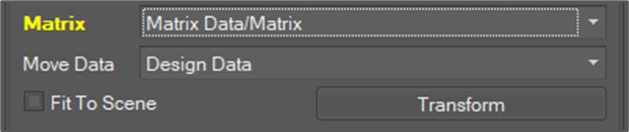
Select the matrix to apply.
-
Select a group to move.
If the transformation matrix is applied, the whole child objects in the group are transformed. -
Click the [Transform] button.
Points To Curves Registration
The function creates a transformation matrix which minimize the error between the transformed source points and the projected points to the curves.
The usage of the function is same as the [Points To Points Registraton]. Please refer to the [Points To Curves Registration] section above.
Point To Surfaces Registration
The function creates a transformation matrix which minimize the error between the transformed source points and the projected points to the surfaces.
The usage of the function is same as the [Points To Points Registraton]. Please refer to the [Points To Curves Registration] section above.