Run a Program Check for a project which has completed the above process.
-
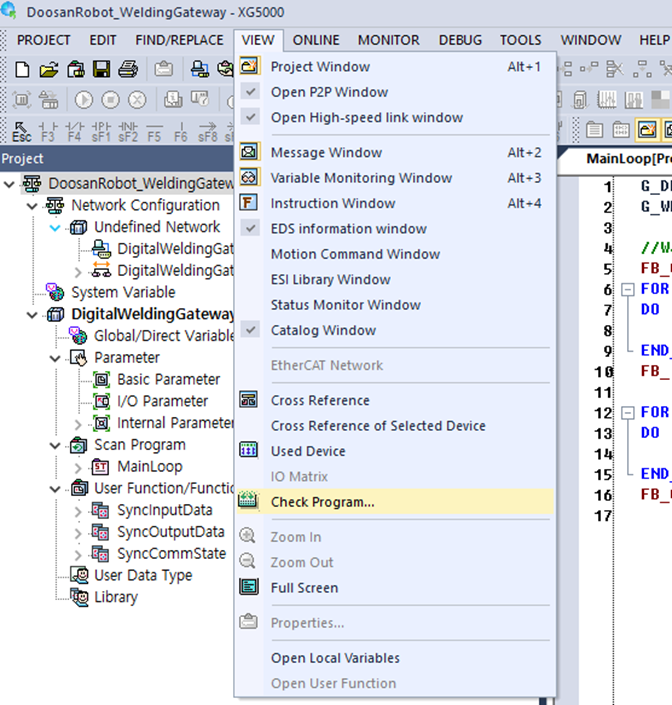
Menu → VIEW → Check Program Click
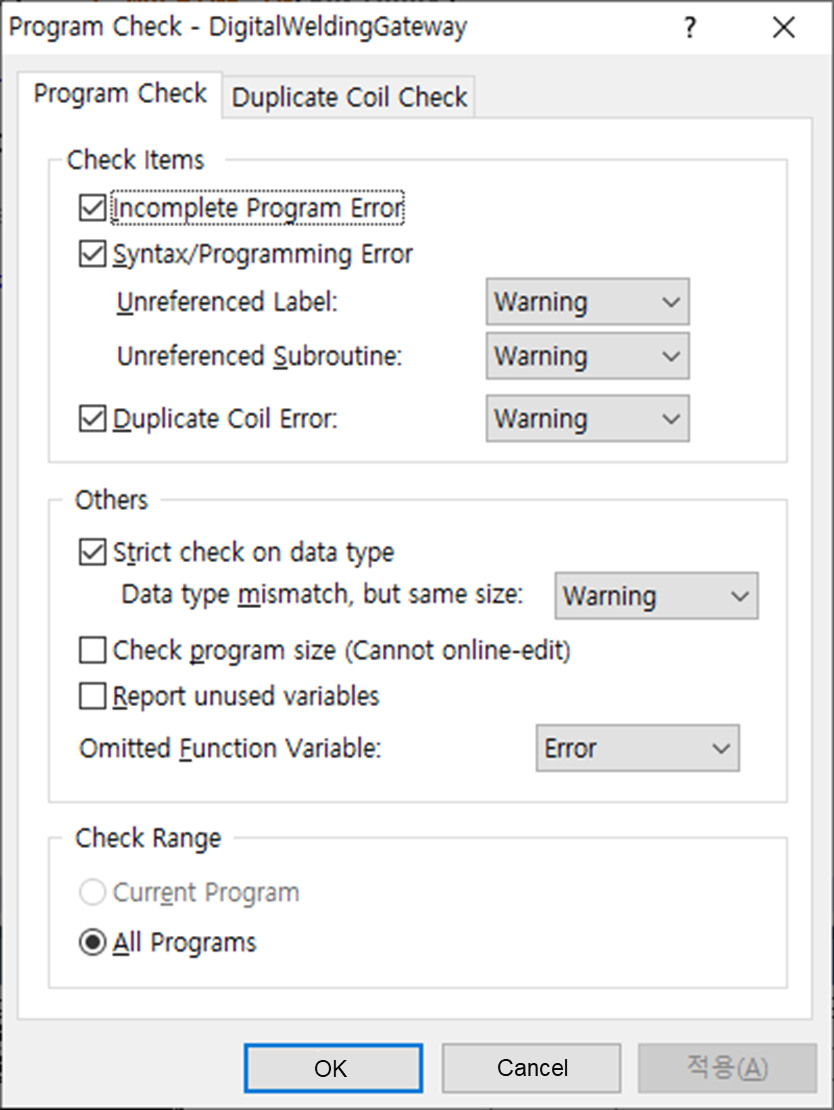
Confirm whether the following options are checked and then press the OK button
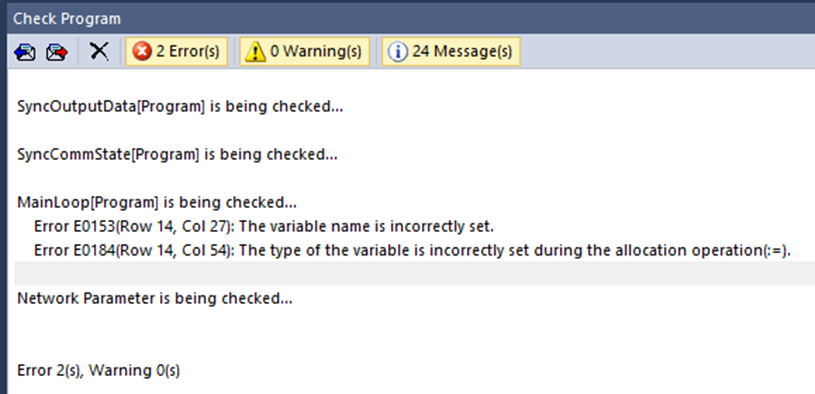
If the following error is displayed after Program Check, add the outstanding variable under Local Variables
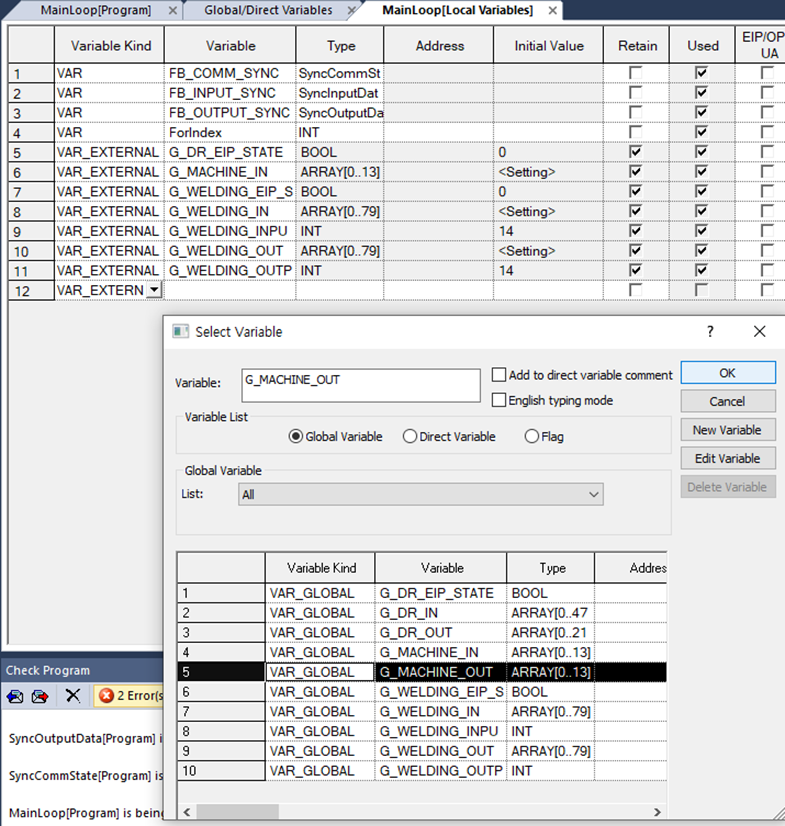
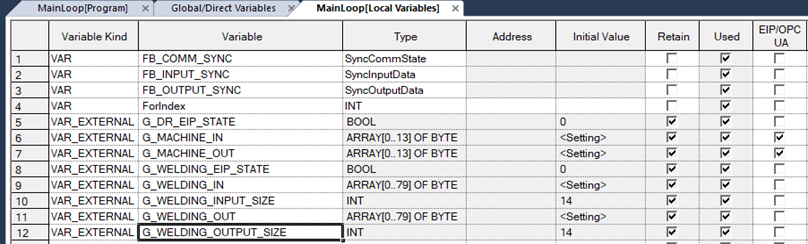
The final variable list within MainLoop is as follows: