
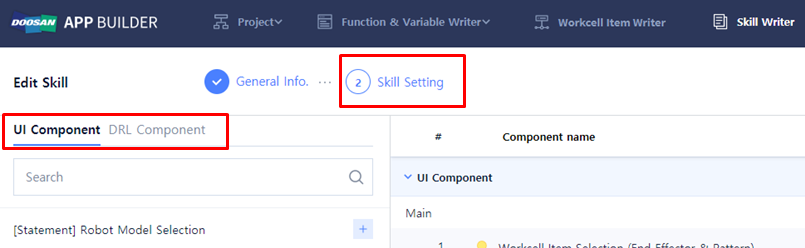
3단계로 'Skill Setting'을 작성해야 합니다. 상단 메뉴에서 'Skill Setting'을 클릭합니다. 이 단계에서는 복동식 그리퍼 Skill에서 사용하는 사용자 입력 화면 UI를 추가하고 Skill 기능을 추가하기 위해 DRL을 작성합니다.
|
항목 |
설명 |
|---|---|
|
UI Component |
DRL에 적용되어 있는 Parameter와 연결 할 수 있는 UI Component 입니다. |
|
DRL Component |
Skill 기능을 사용하기 위해 DRL을 작성 할 수 있는 Component 입니다. |
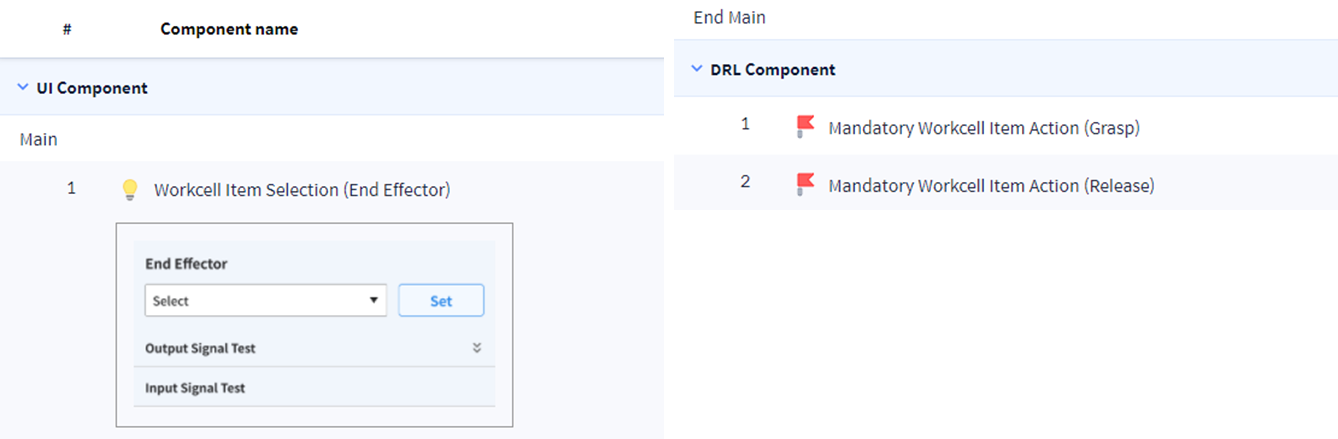
기본으로 추가되어있는 기본 Component는 다음과 같습니다. 이 Component들은 제거할 수 없습니다.
-
UI ComponentWorkcell Item Selection(End Effector)
-
DRL ComponentMandatory Workcell Item Action(Grasp)Mandatory Workcell Item Action(Release)
UI Component Variable Name 설정하기
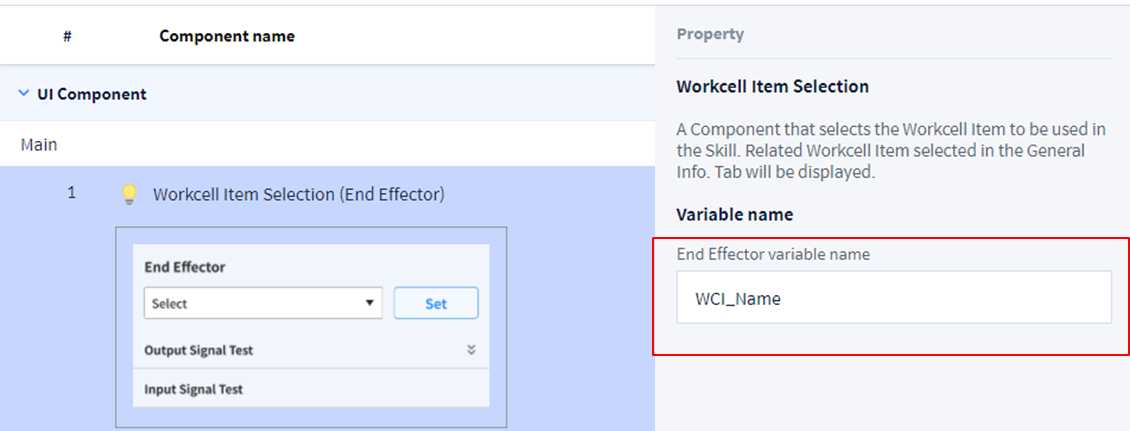
UI Component > Workcell Item Selection(End Effector)을 선택한 후 Property> Variable name 에서 WCI UI Component의 Variable Name을 다음과 같이 설정하십시오.
-
Worcell Item Section (End Effetor)PropertyVariable name: WCI_Name
UI Component의 Variable Name을 설정해야만 Parameter와 UI Component 사이의 연결이 가능해집니다.
