
If bridged network setting is required, the following configuration tasks are required.
-
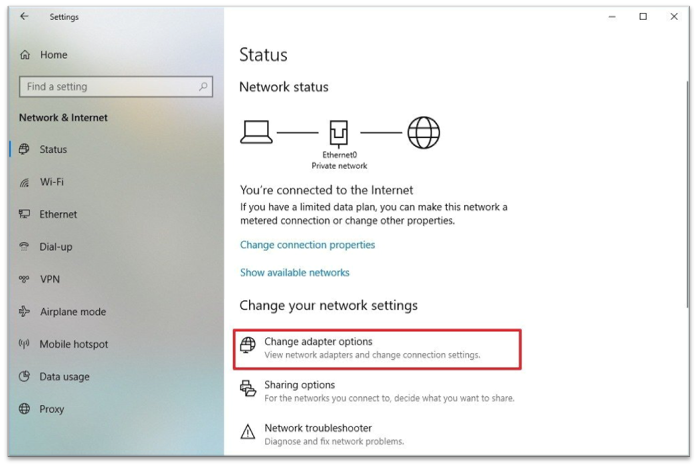
Check the name in “Windows > Setting>Network Status”
-
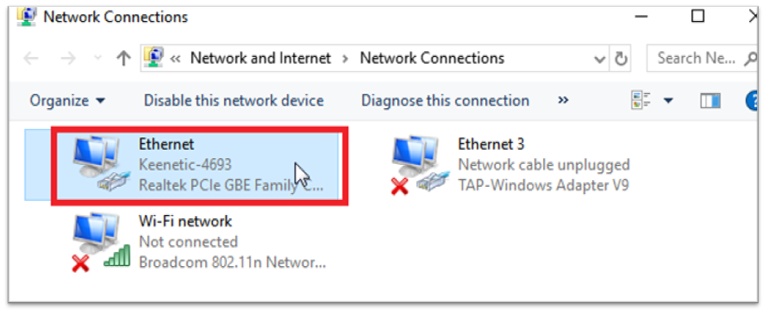
Check the name of the interface currently being used in the network.
-
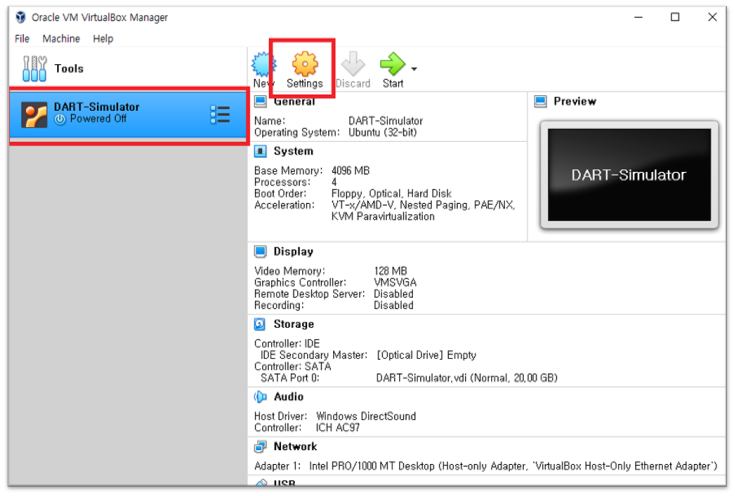
To set up the Netwotk adapter, click “DART-Simulator” and select “Settings” on the right screen.
-
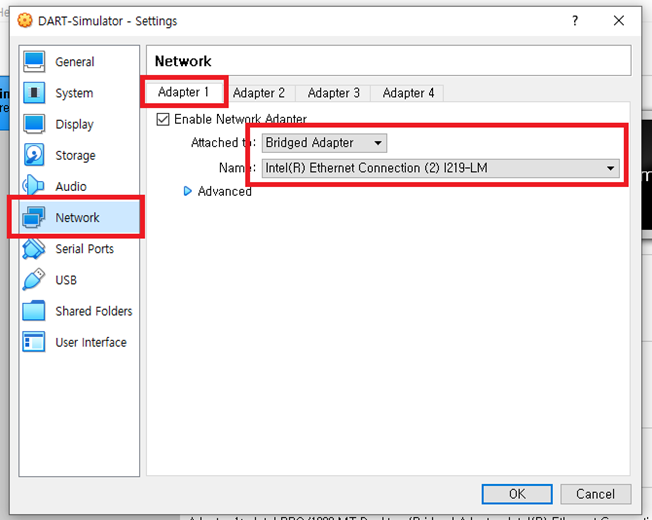
On the network screen, click the “Adapter1" tab to set up Network Adapter.
-
Select each option as follows.
-
Attached to : Bridged adapter
-
Name: Interface name checked in <Step 2>
-