-
Download and install the latest version of virtual box from following link. https://www.virtualbox.org/wiki/Downloads.
-
Extract the downloaded ART-simulation.
-
Run DART-Simulation.vbox.

-
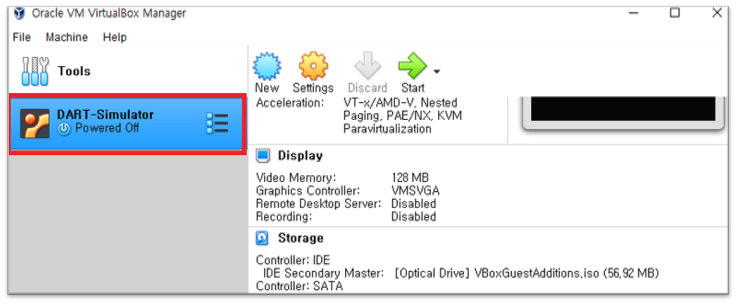
Check the DART-Simulation image in Virtual box manager.
-
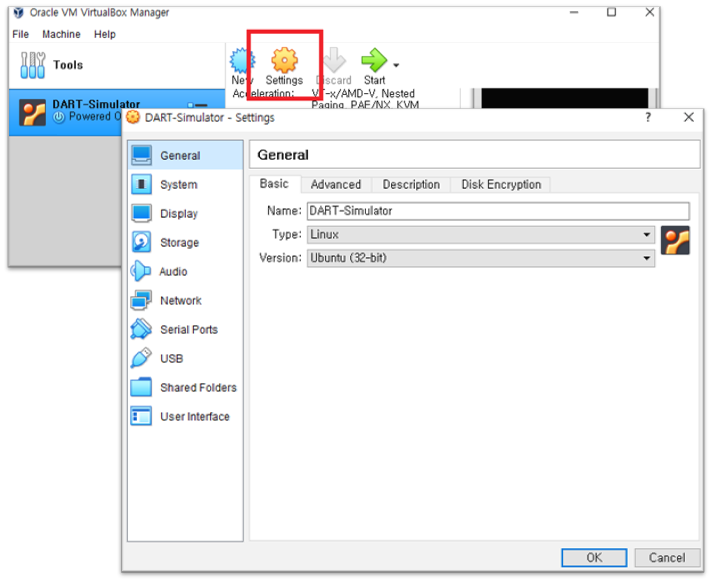
On the left menu, select D ART-Simulation, and then click "Settings ".
-
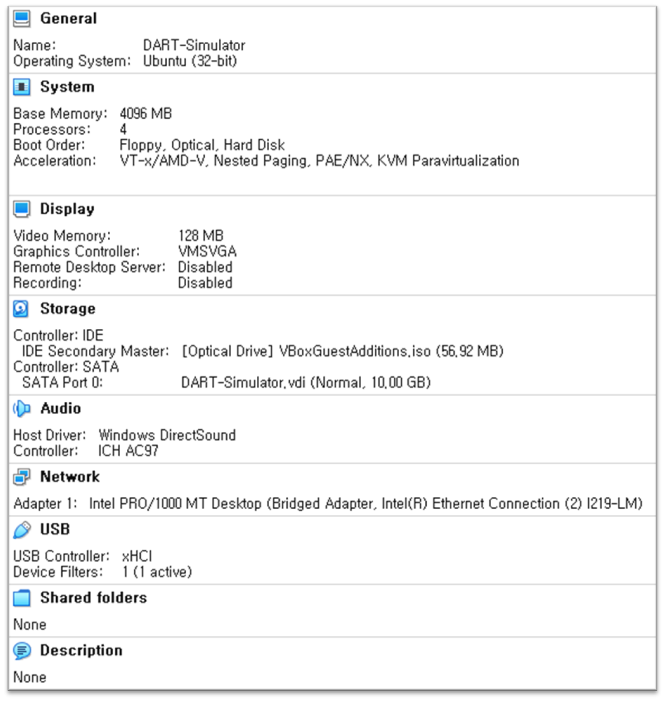
Use the notes below to perform resource allocation and then click the Start button.
-
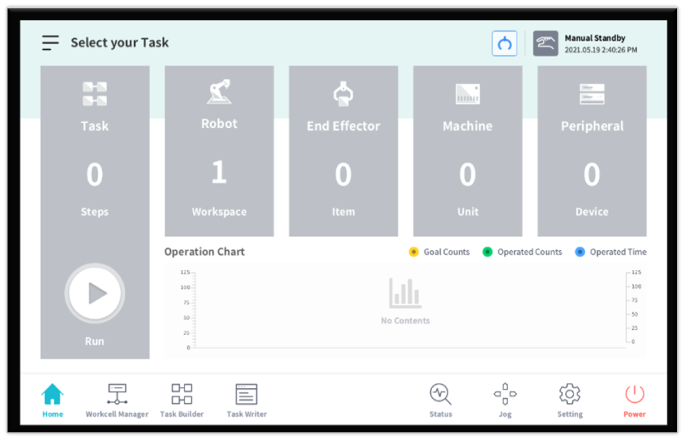
In normal case, the following screen will be displayed.