-
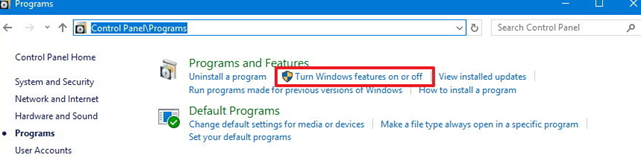
To set BIOS virtualization mode, select “Windows/Control panel >Programs > Turn Window feature on or off”
-
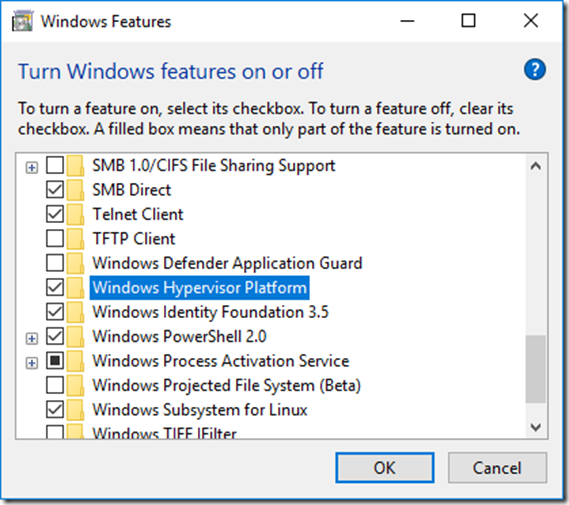
Uncheck "Windows Hypervisor Platform" checkbox in the Windows Feature window to activate it.
If BIOS virtual mode is set, Windows Hypervisor Platform is unchecked.
In this case, skip steps 2 and 3.
-
Reboot Windows.
