
When programming with TB/TW, an Arc Sensing WCI must be created in Workcell Manager.
If the Arc Sensing WCI is configured, you can add an Arc Sensing Command in TB/TW.
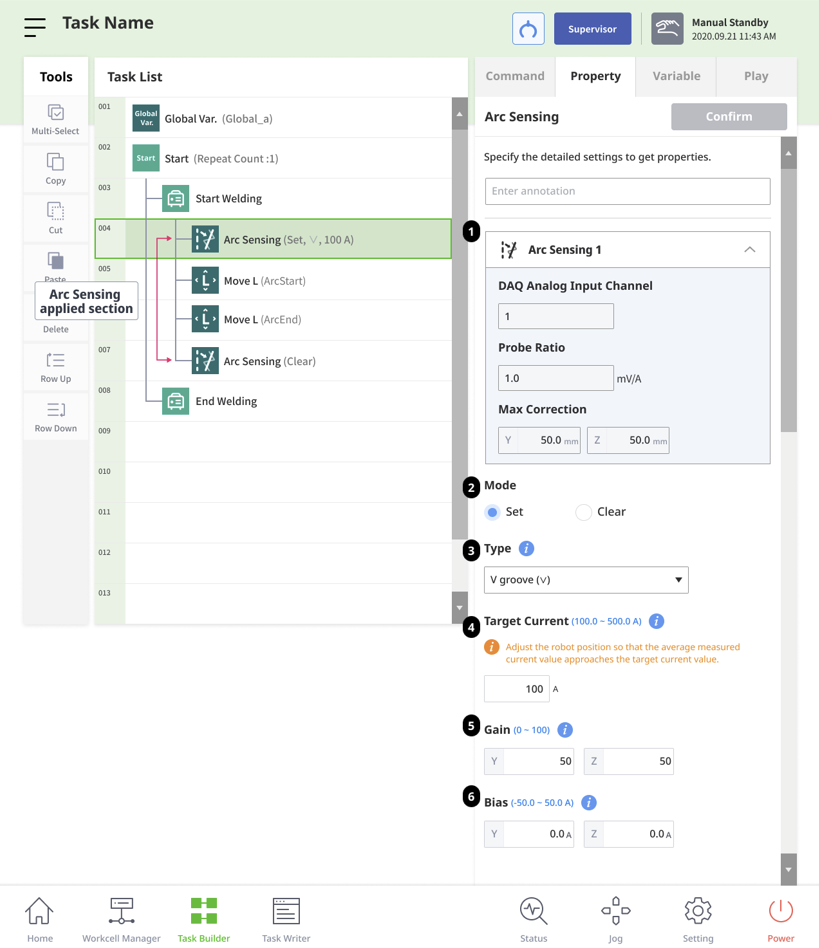
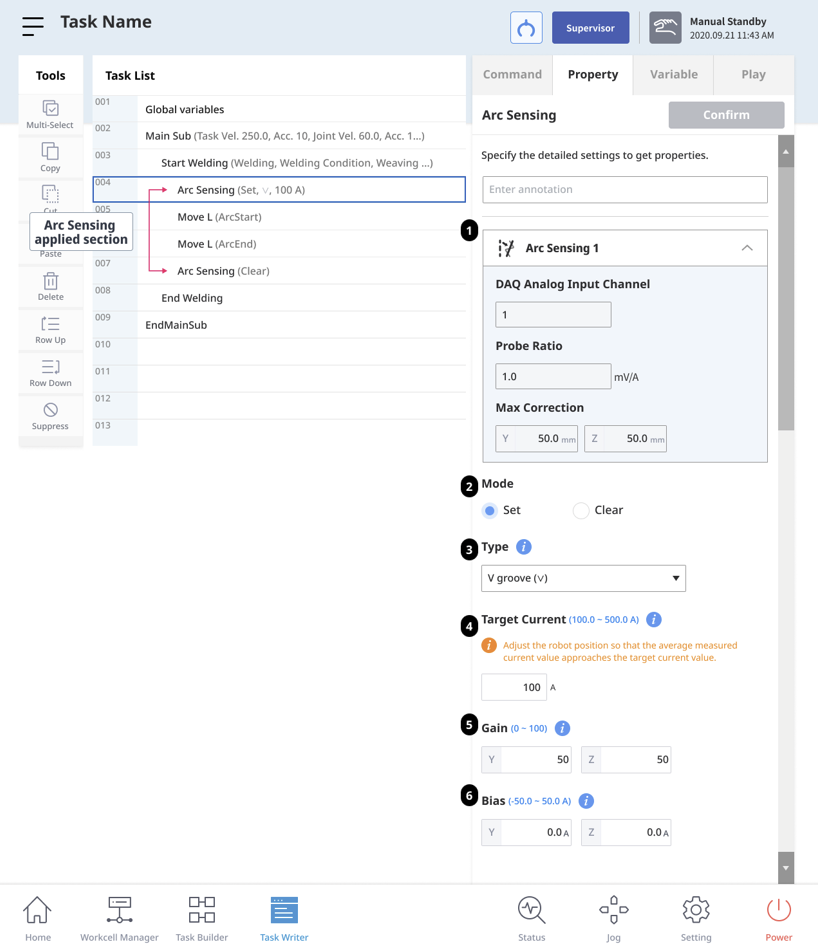
After adding the Arc Sensing item, you can set the following parameters.
Programming with TB
Programming with TW
|
Number |
item |
Description |
|---|---|---|
|
1 |
Arc Sensing WCI |
Shows the currently applied Arc Sensing WCI value. |
|
2 |
Mode |
Specifies whether to Set or Clear the Arc Sensing function.
|
|
3 |
Type |
Sets the welding type.
|
|
4 |
Target Current |
Enter the welding target current value between 100 and 500 (A). |
|
5 |
Gain |
Enter the Arc Sensing correction sensitivity.
|
|
6 |
Bias |
Enter the welding current adjustment value.
|
Note. For Gain and Bias settings, refer to the Arc Sensing Trouble Shooting page.