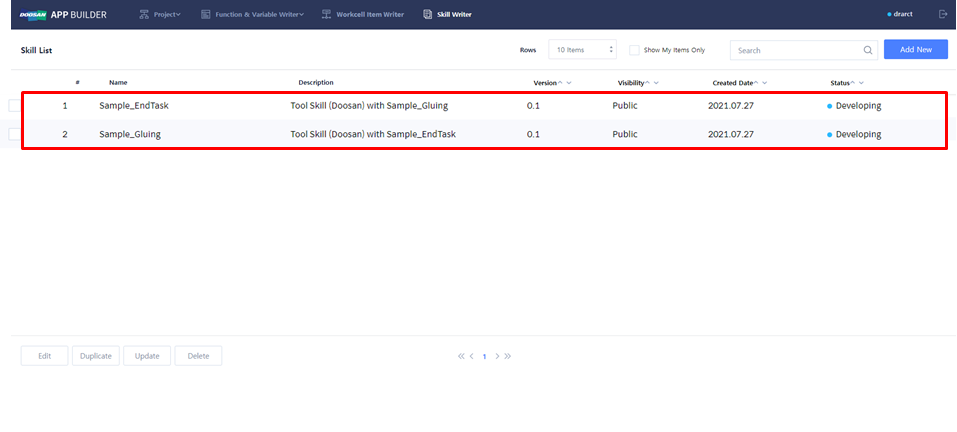
Mandatory WCI Action
WCI와 관련된 필수 기능입니다.
-
Tool → Run/Stop
-
기본 설정이며 선택한 WCI에 따라 Run/Stop 함수의 내용은 달라짐
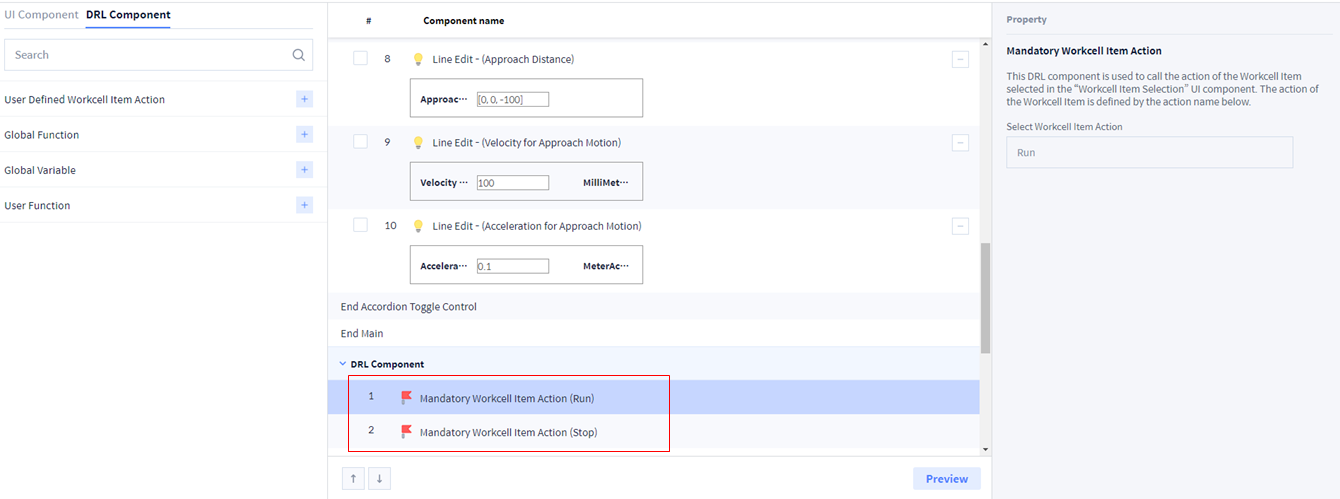
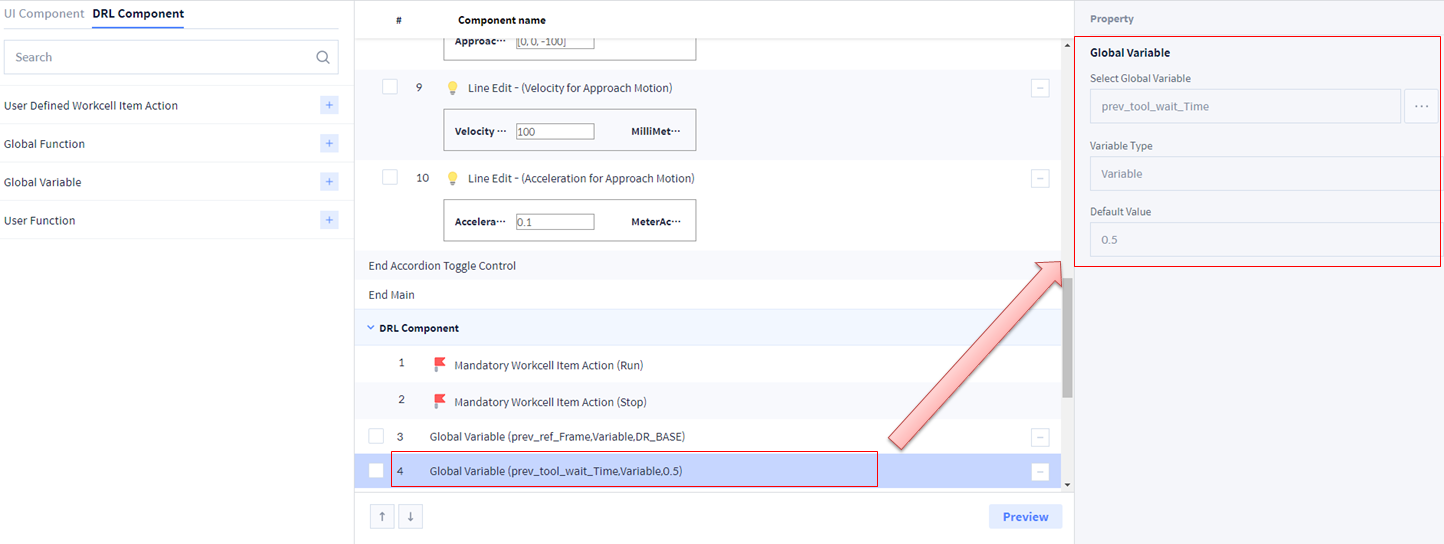
Global Variable
1. Skill에서 사용할 Global Variable을 선택하십시오.
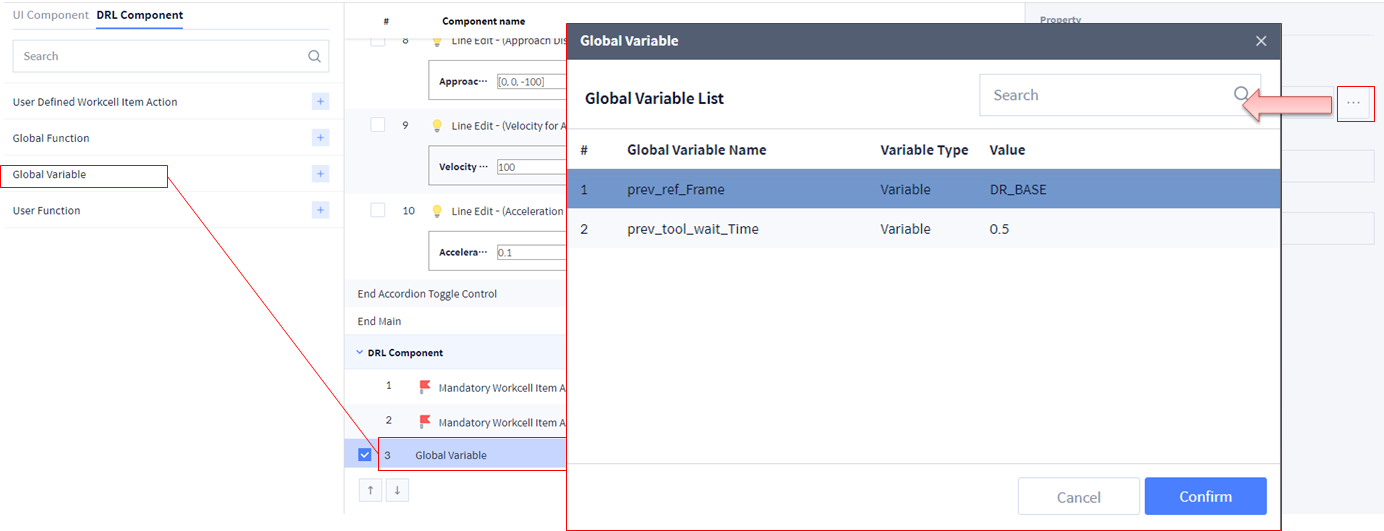
2. Skill에서 사용할 Global Variable을 선택하십시오.
-
Global Variable을 수정하는 경우 재 선택 필요합니다.
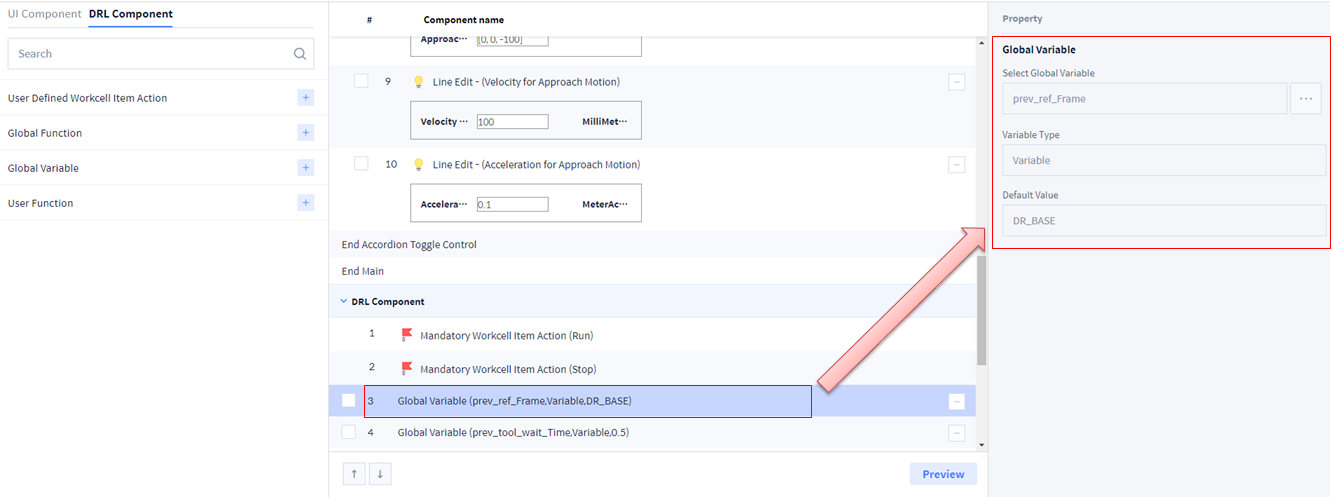
3. Skill에서 사용할 Global Variable을 선택하십시오.
-
Global Variable을 수정하는 경우 재 선택 필요합니다.
Global Function
1. Skill에서 사용할 Global Function을 선택하십시오.
-
Global Function을 수정하는 경우 재 선택 필요
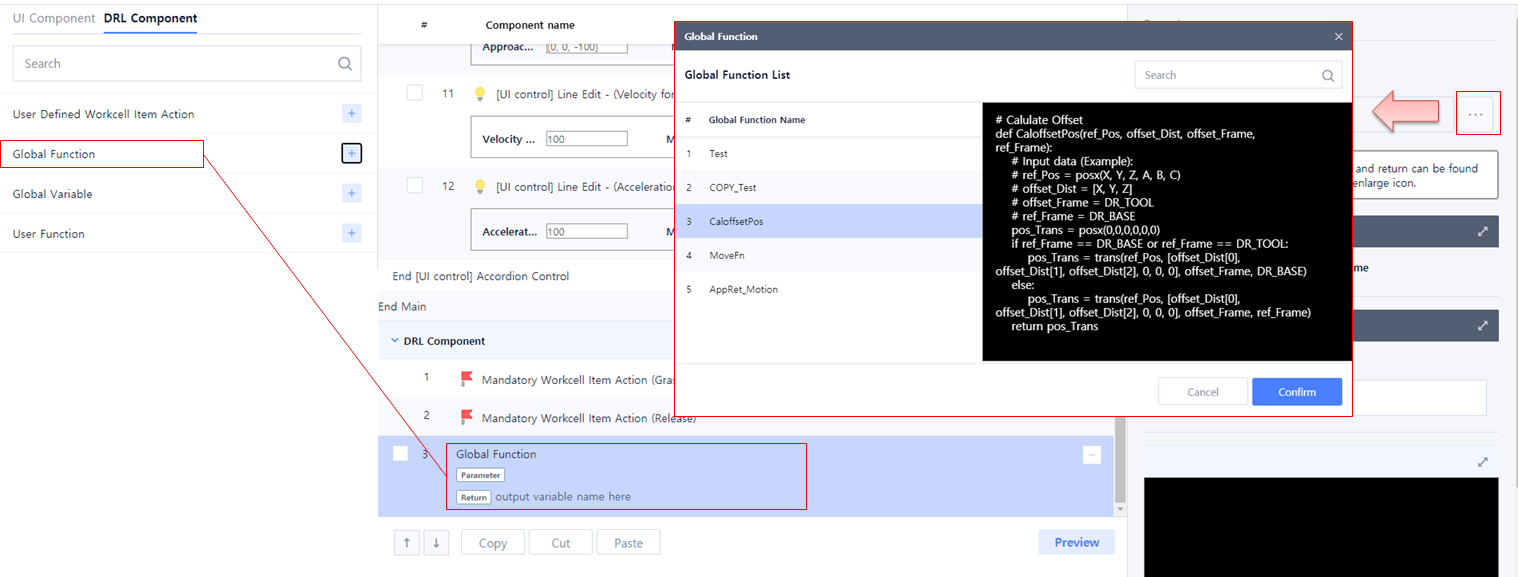
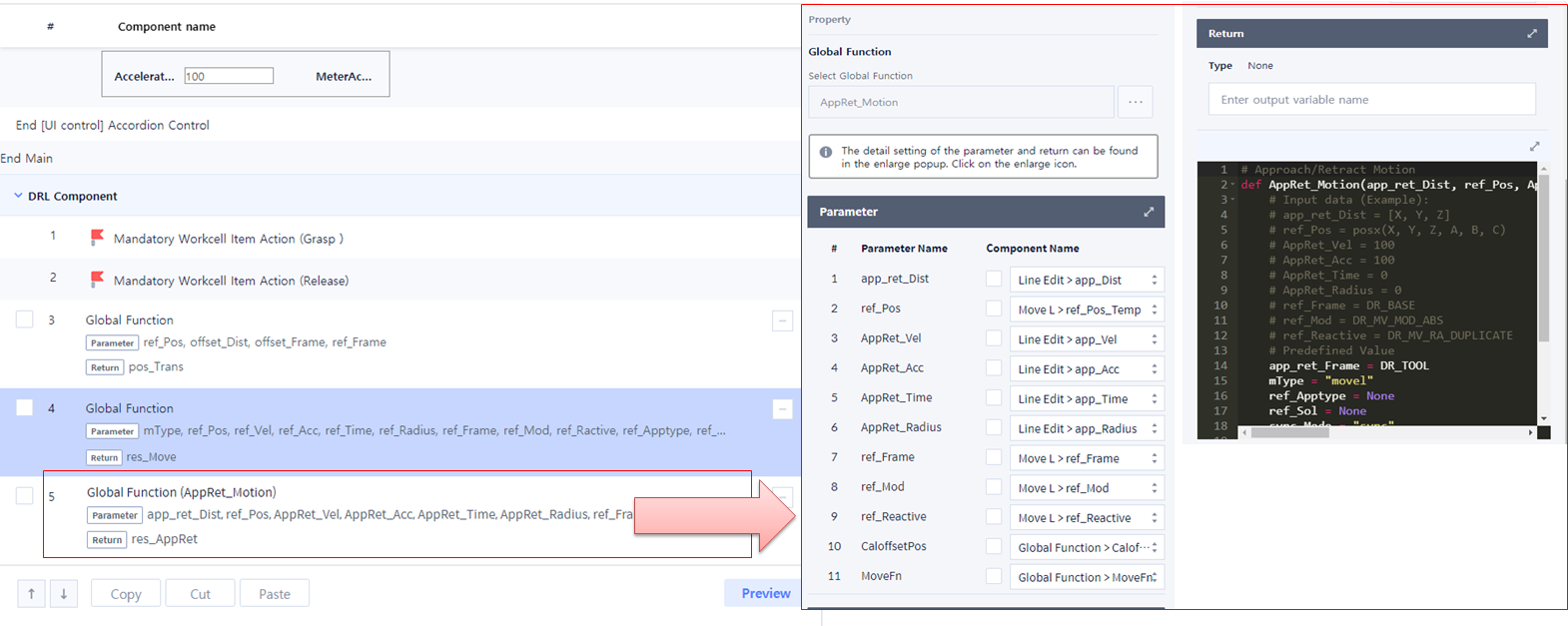
2. 선택한 Global Function에 사용자 입력을 연결 하십시오.
-
Global Function을 수정하는 경우 재 연결 필요.
-
Global Function 입력 값을 User Function에서 연결하는 경우 Global Function 입력 값은 모두 None으로 입력할 수 있습니다.

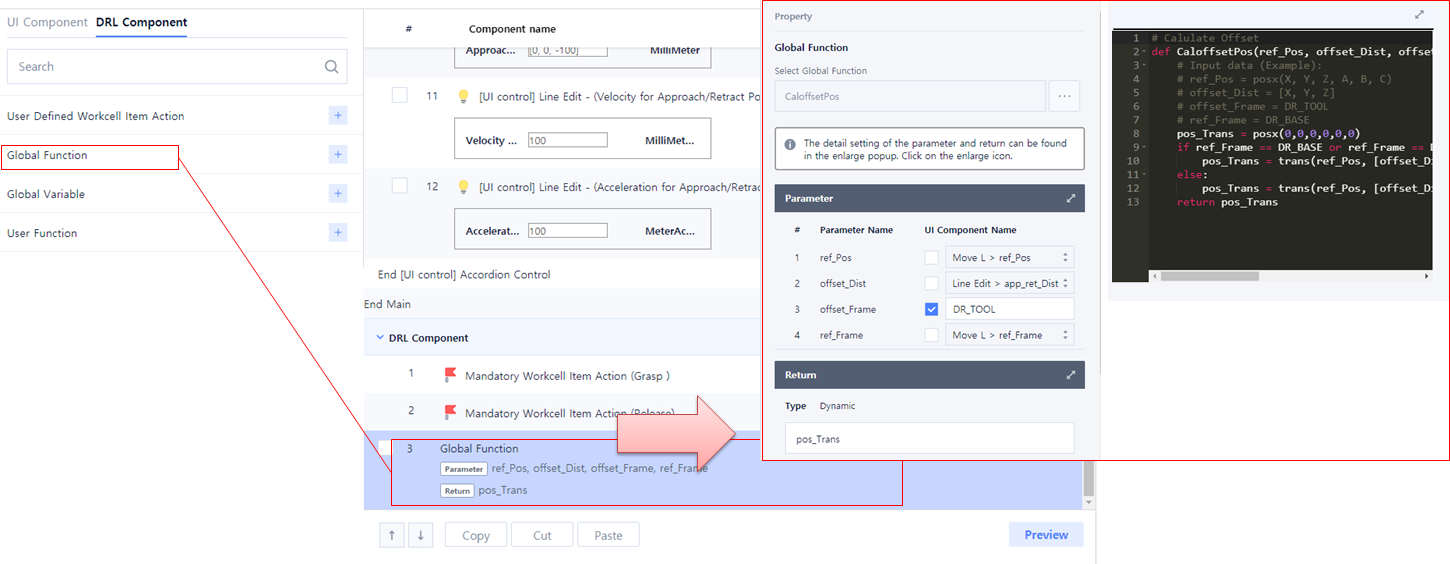
3. 선택한 Global Function에 사용자 입력을 연결 하십시오.
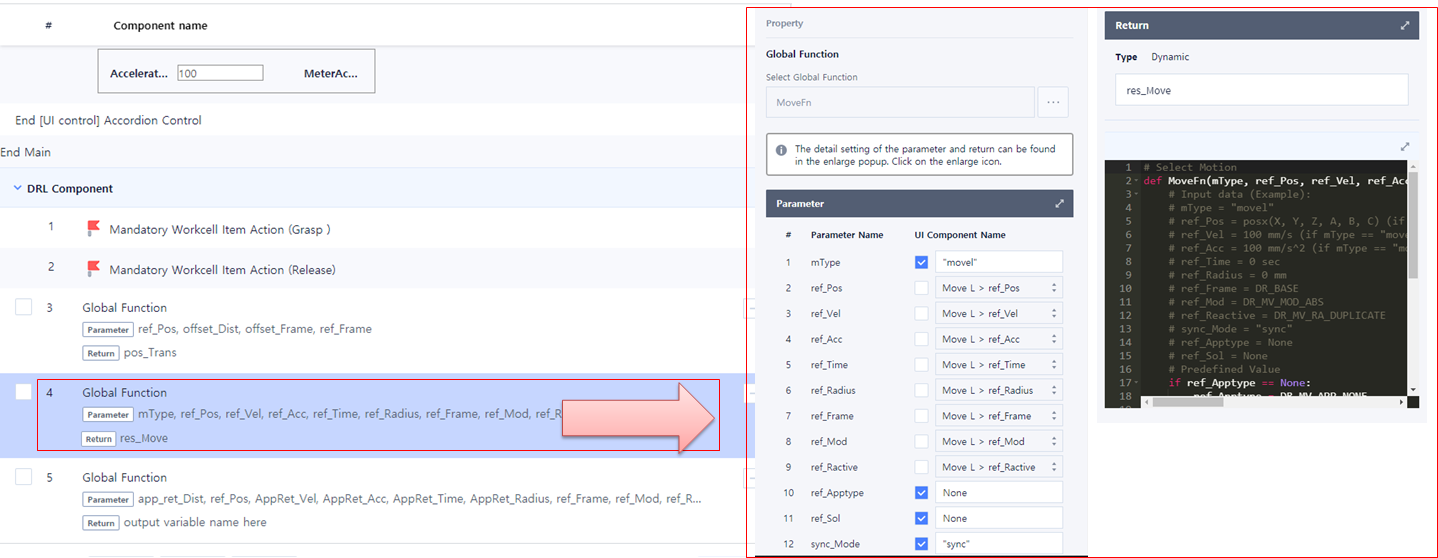
4. 선택한 Global Function에 사용자 입력을 연결 하십시오.
User Function
1. Sample_Gluing Skill의 Main 함수 작성하십시오.
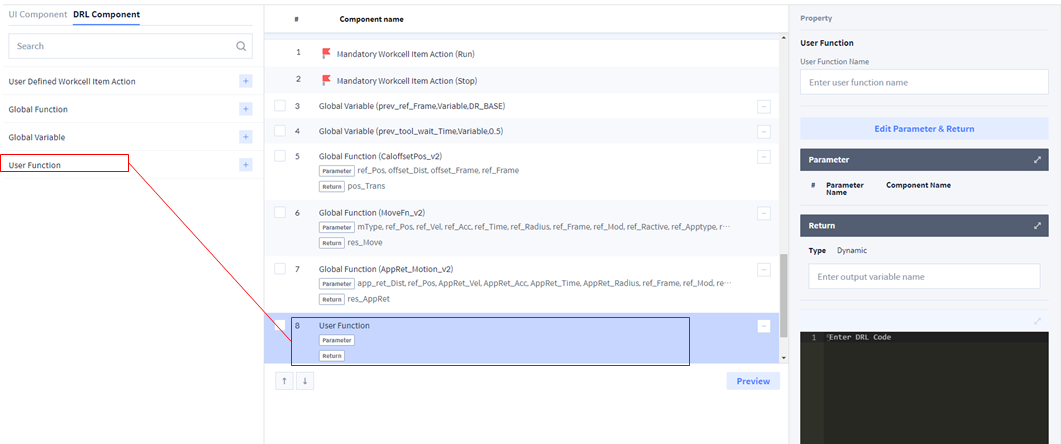
2. Sample_Gluing Skill의 Main 함수 작성하십시오.
-
User input 연결
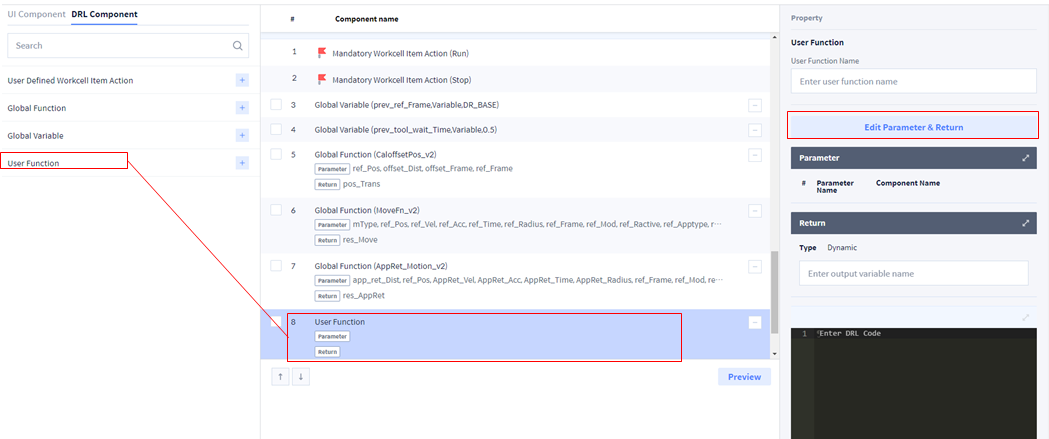
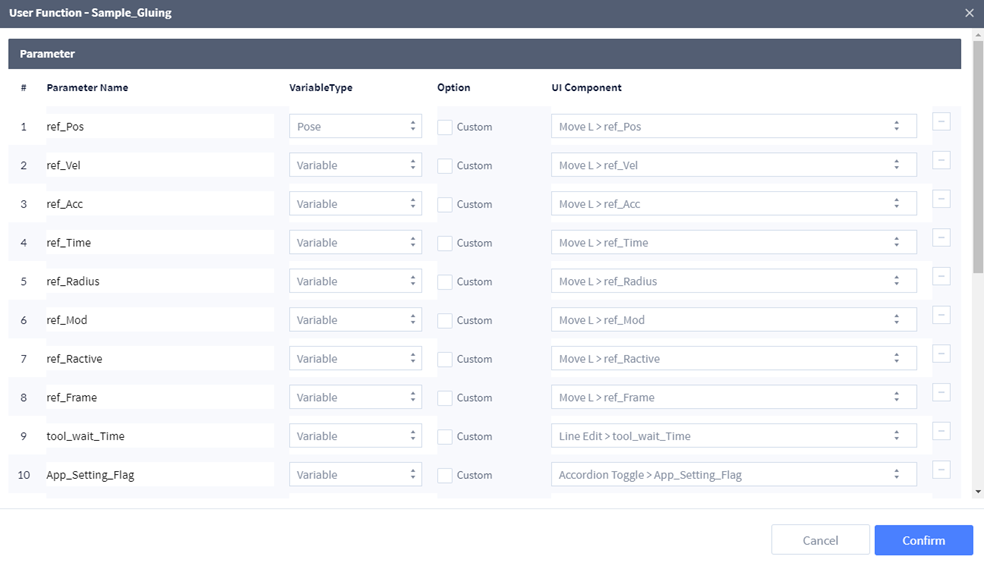
3. Sample_Gluing Skill의 Main 함수 작성하십시오.
-
User input 연결
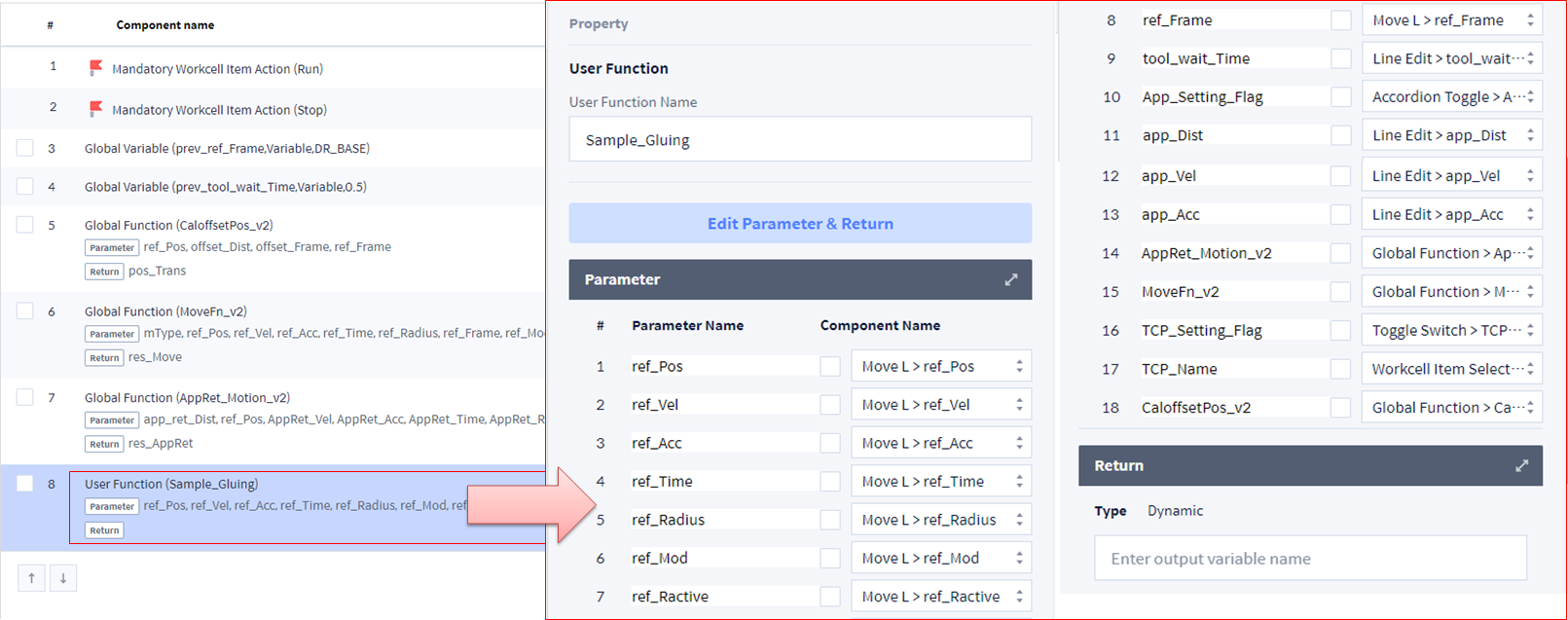
# Sample Gluing Skill
def Sample_Gluing(ref_Pos, ref_Vel, ref_Acc, ref_Time, ref_Radius, ref_Mod, ref_Ractive, ref_Frame, tool_wait_Time, TCP_Setting_Flag, TCP_Name, App_Setting_Flag, app_Dist, app_Vel, app_Acc, AppRet_Motion_v2, MoveFn_v2, CaloffsetPos_v2):
    global prev_ref_Frame, prev_tool_wait_Time
    # Initial setting
    if TCP_Setting_Flag == True:
        set_tcp(TCP_Name)
    app_Acc = app_Acc*1000
    app_Time = ref_Time
    app_Radius = ref_Radius
    sync_Mode = "sync"
    mType = "movel"
    ref_Apptype = None
    ref_Sol = None
    if App_Setting_Flag == False:
        app_Dist = [0, 0, 0]
        app_Vel = ref_Vel
        app_Acc = ref_Acc
    # EndTask Setting
    prev_ref_Frame = ref_Frame
    prev_tool_wait_Time = tool_wait_Time
    # Approach Motion Setting
    if App_Setting_Flag == True:
        AppRet_Motion_v2(app_Dist, ref_Pos, app_Vel, app_Acc, app_Time, app_Radius, ref_Frame, ref_Mod, ref_Ractive, CaloffsetPos_v2, MoveFn_v2)
    # Pick Motion
    MoveFn_v2(mType, ref_Pos, ref_Vel, ref_Acc, ref_Time, ref_Radius, ref_Frame, ref_Mod, ref_Ractive, ref_Apptype, ref_Sol, sync_Mode)
    Run()
    wait(tool_wait_Time)
Skill 작성 및 수정 (Skill Setting)
Skill 저장 → Confirm을 선택하십시오.
-
다음과 같이 Skill list를 확인할 수 있습니다.
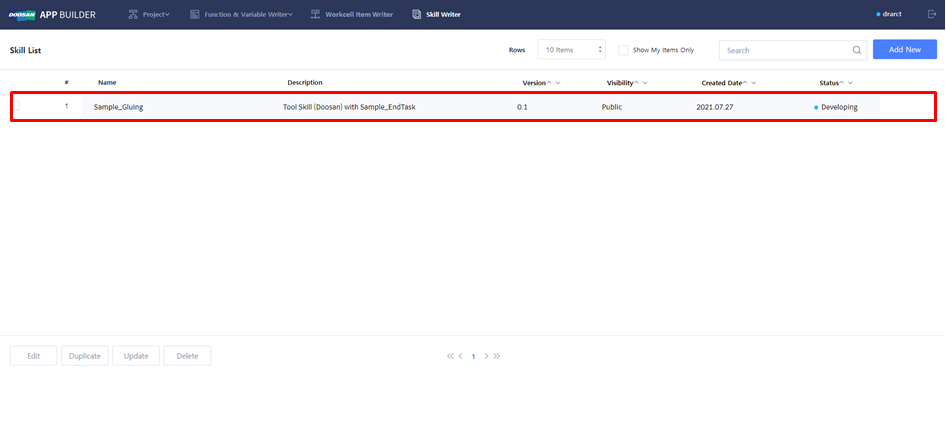
기존 Skill을 복사 및 수정할 수 있습니다.
-
기존 Skill 선택: Copy(Duplicate) & Edit → Sample_EndTask Skill
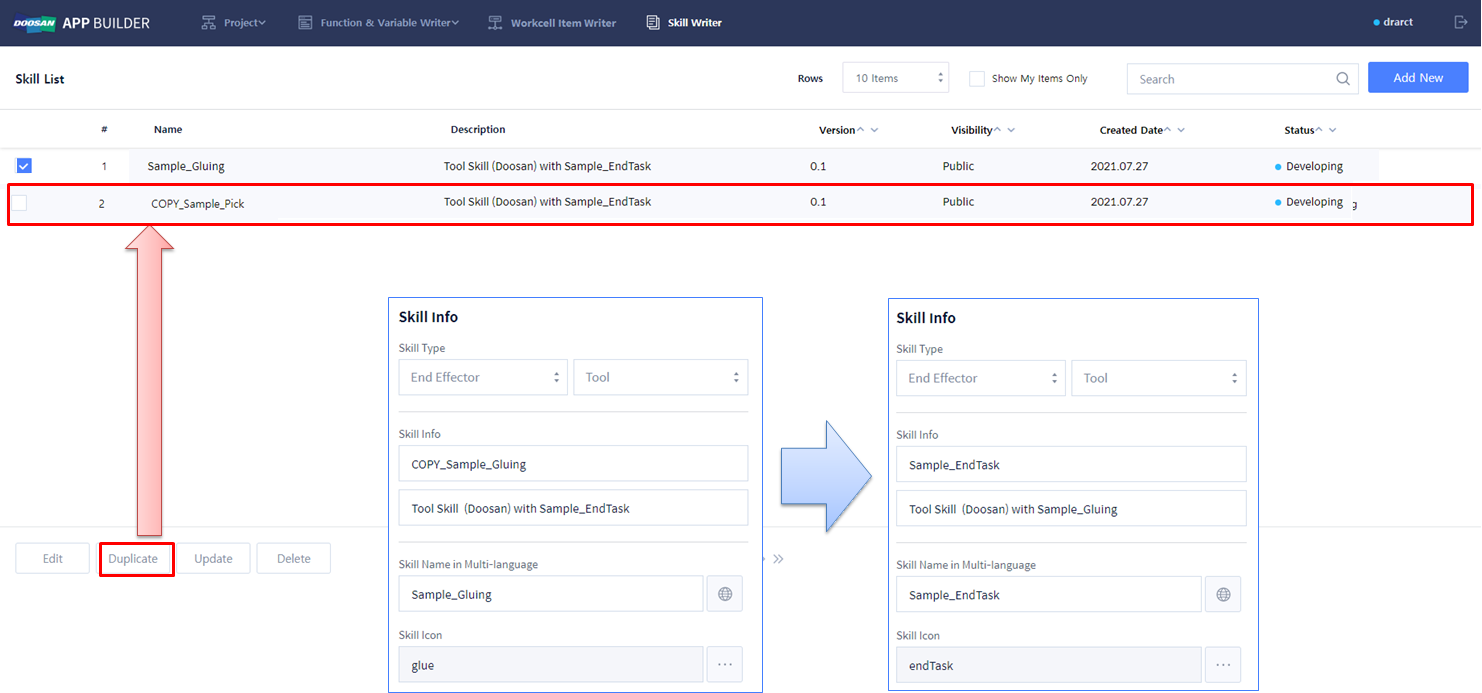
Modify UI Component
1. Sample EndTask에서 사용하지 않는 Reference Pose 및 Too Setting 관련 UI Component 를 모두 지우십시오.
2. Approach Motion Setting 을 Retract Motion Setting으로 변경하십시오.
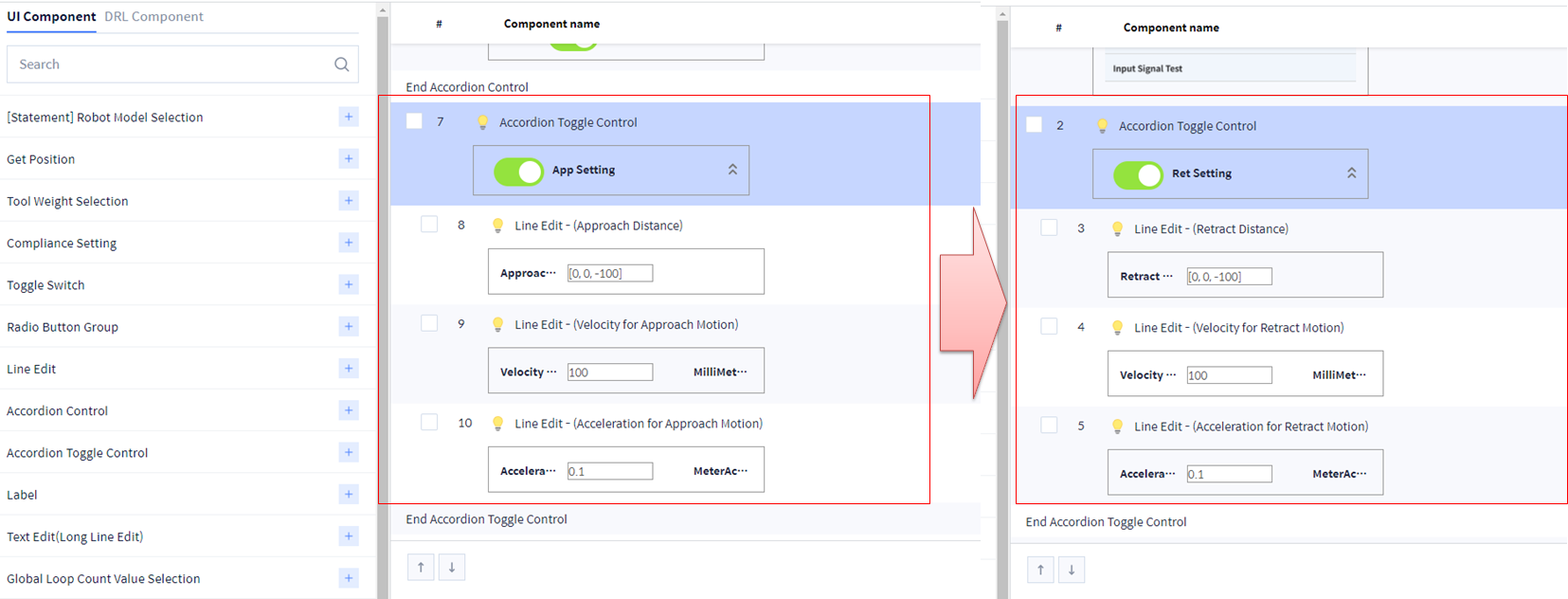
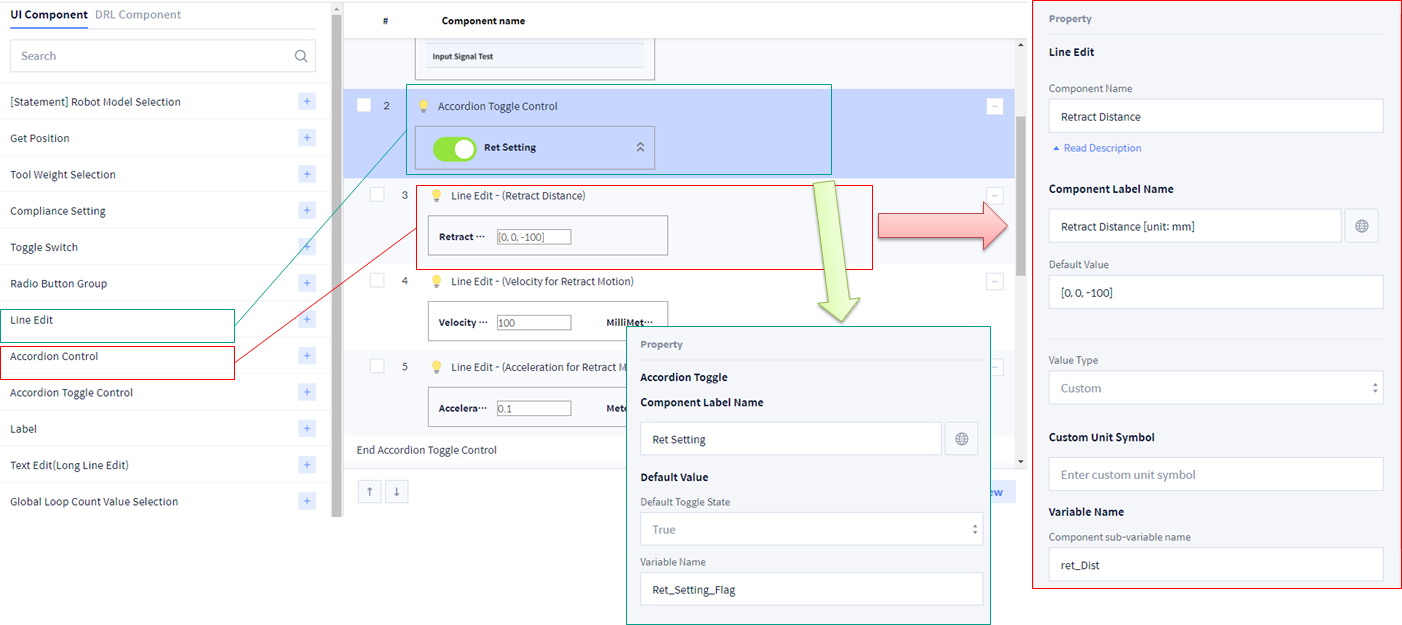
3. 다음의 UI Component (Retract Motion Setting)를 추가 하십시오.
-
Distance: Line Edit 사용하여 Array 입력 → Value Type을 Custom으로 설정하면 임의의 값을 입력할 수 있음.Ex) [x, y, z]: 각각을 mm 단위로 입력.
-
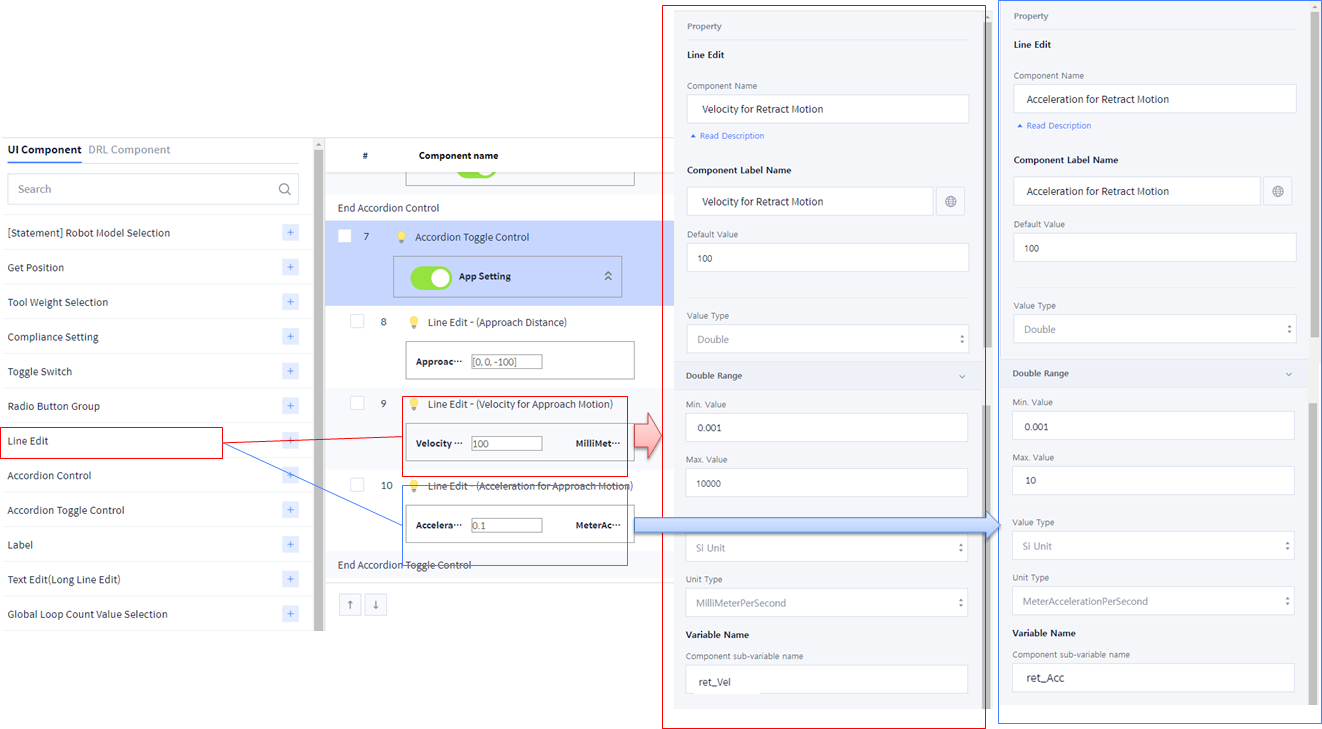
Velocity: Line Edit 사용하여 수치 입력
-
Acceleration: Line Edit 사용하여 수치 입력 (단위는 m/s2 이지만 Skill의 함수에서 사용 시 반드시 mm/s2 단위로 변경하여 사용하십시오)
4. Sample_EndTask 의 Main 함수 작성하십시오.
# Sample EndTask Skill
def Sample_EndTask(Ret_Setting_Flag, ret_Dist, ret_Vel, ret_Acc, AppRet_Motion_v2, MoveFn_v2, CaloffsetPos_v2):
global prev_ref_Frame, prev_tool_wait_Time
# Initial setting
ret_Acc = ret_Acc*1000
ref_Mod = DR_MV_MOD_ABS
ref_Ractive = DR_MV_RA_DUPLICATE
ret_Time = 0
ret_Radius = 0
if Ret_Setting_Flag == False:
ret_Dist = [0, 0, 0]
ret_Vel = 0
ret_Acc = 0
# Task End
Stop()
wait(prev_tool_wait_Time)
stop_Pos, stop_sol = get_current_posx(prev_ref_Frame)
# Retract Motion Setting
if Ret_Setting_Flag == True:
AppRet_Motion_v2(ret_Dist, stop_Pos, ret_Vel, ret_Acc, ret_Time, ret_Radius, prev_ref_Frame, ref_Mod, ref_Ractive, CaloffsetPos_v2, MoveFn_v2)
Skill 작성 및 수정 (Skill Setting)
Skill 저장 → Confirm을 선택하십시오.
-
다음과 같이 Skill list를 확인할 수 있습니다.