2.12.4 2.12.3 2.12.2 2.12.1 2.12 2.11.2 2.11.1 2.11.0.1 2.10.3 1. M/H Series 2. A Series 3. E Series 4. P Series Korean English Chinese Czech Dutch French German Hungarian Italian Japanese Polish Portuguese Spanish

Provedení podle kloubu

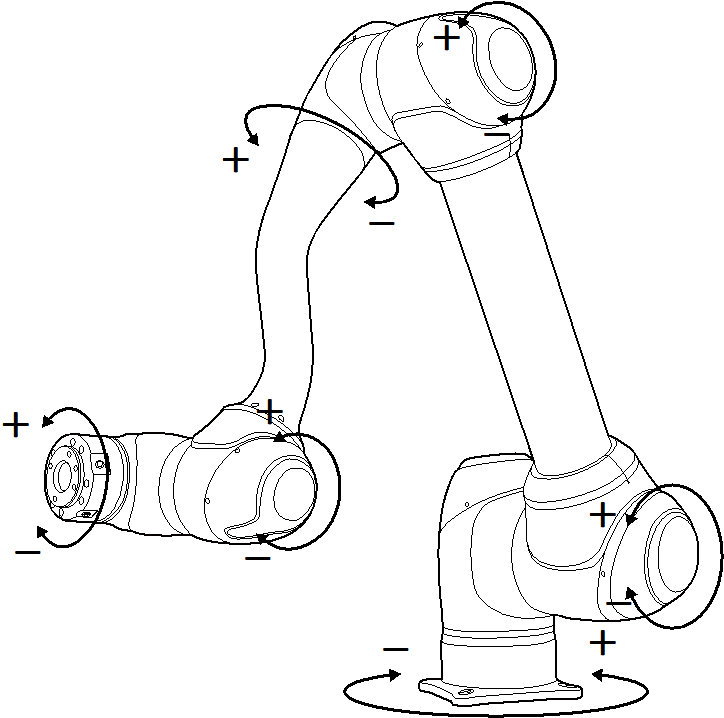
Chcete-li upravit úhel podle kloubu robota, postupujte podle následujících kroků:

  1. Na obrazovce Kloub vyberte kartu Kloub.

  2. Vyberte osu (J1-J6) pro nastavení úhlu
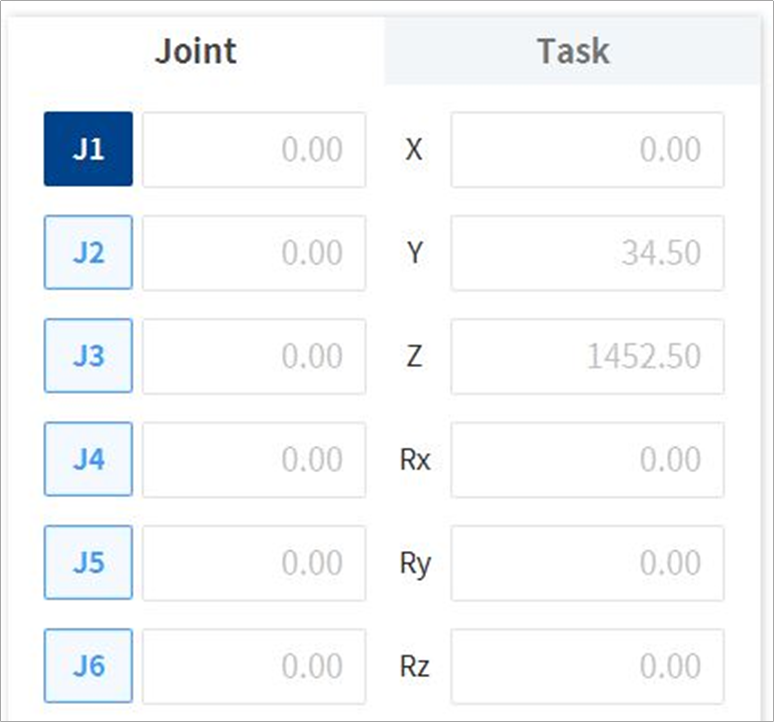
    image1_EN.png
  3. Stiskněte a podržte Směrové tlačítko ( image2021-11-16_11-19-12.png , image2021-11-16_11-19-24.png ) čímž nastavíte úhel odpovídající osy.
    image2021-11-16_11-19-41.png


Poznámka

Ve virtuálním režimu není použita bezpečnostní oblast.