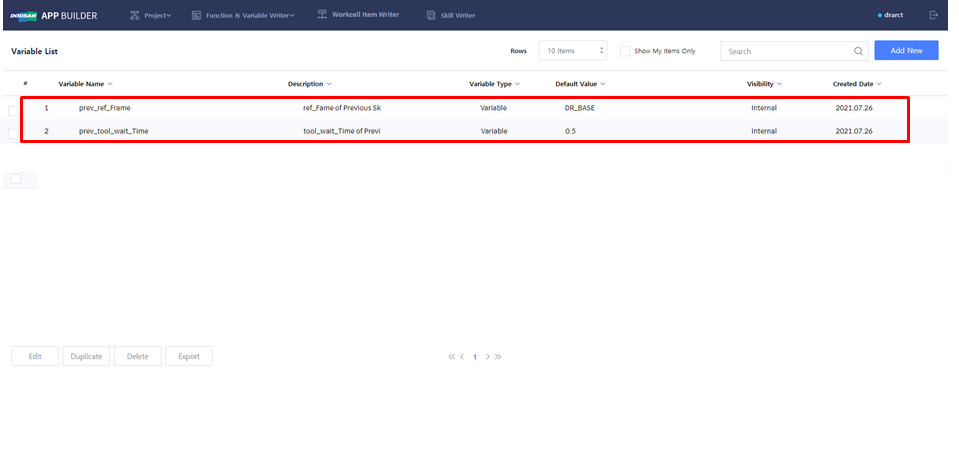
Create Global Variable
Global Variable commonly used in various WCI & Skill can be created.
-
Function & Variable Writer → Select Global Variable.
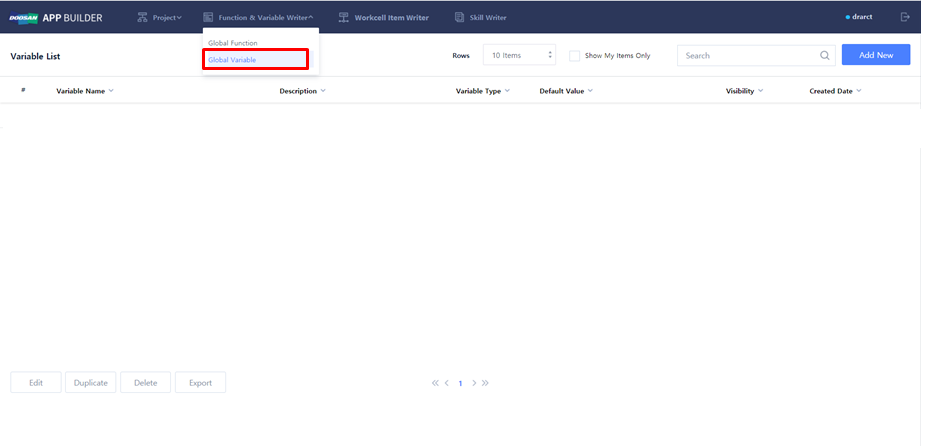
Edit Global Variable
Global Variable can be newly created, or existing Global Variable can be modified.
-
Create new Global Variable: Add New
-
Modify existing Global Variable: Check one of existing Global Variables → Edit
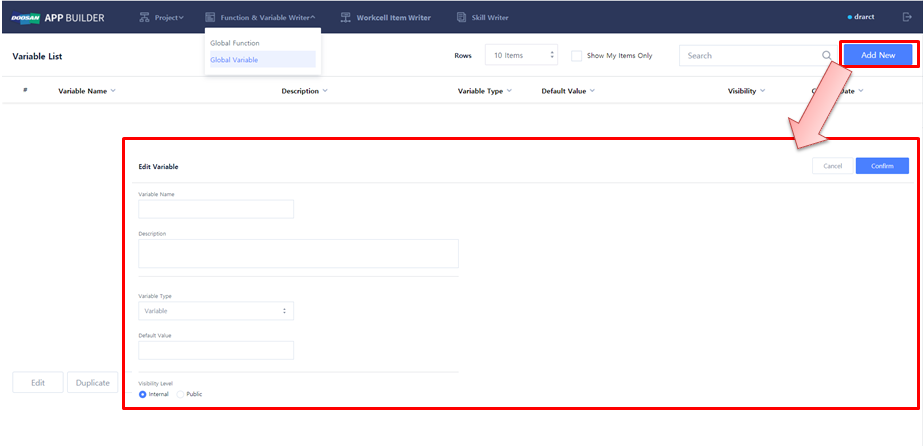
Create and modify Global Variable
-
Write the name and description of Global Variable in Variable Name and Description.
-
Select Variable Type and enter Default Value.
-
Set Visibility Type.
-
Save Global Variable → Confirm
-
Sample Variable: prev_ref_Frame, prev_tool_wait_Time
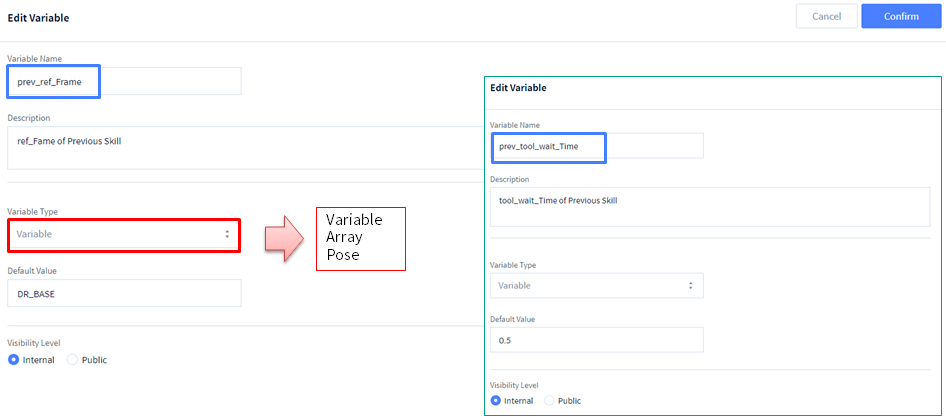
Global Variable List
Save Global Variable to check the list as follows.