Skill can be created using Skill Writer.
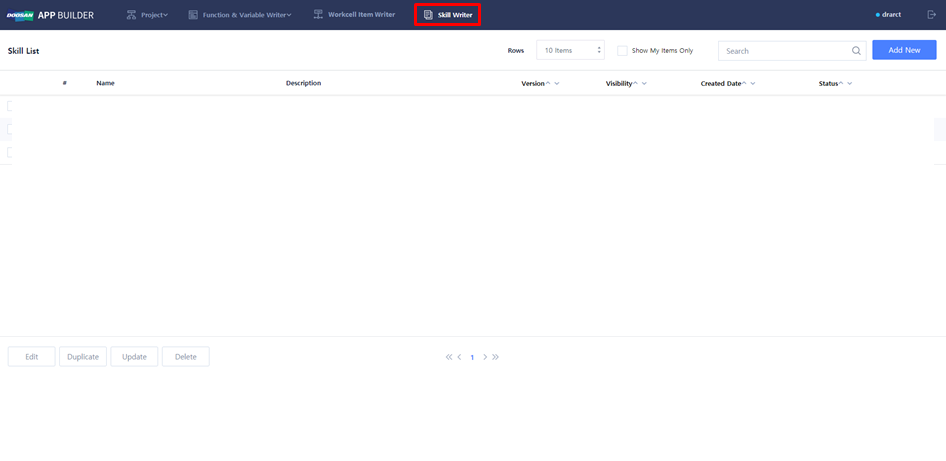
Skill can be newly created, or existing Skill can be modified.
-
Create new Skill: Add New
-
Modify existing Skill: Check one of existing Skill → Edit
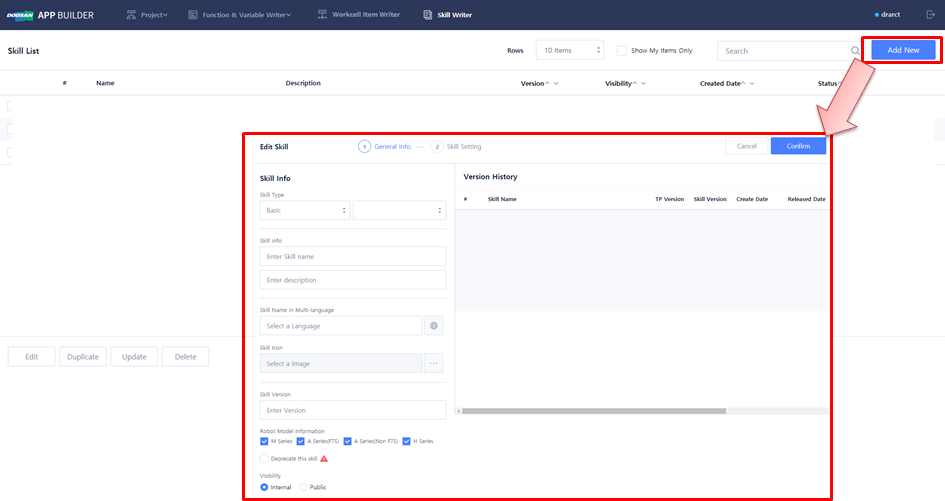
Write and modify Skill (General Info)
-
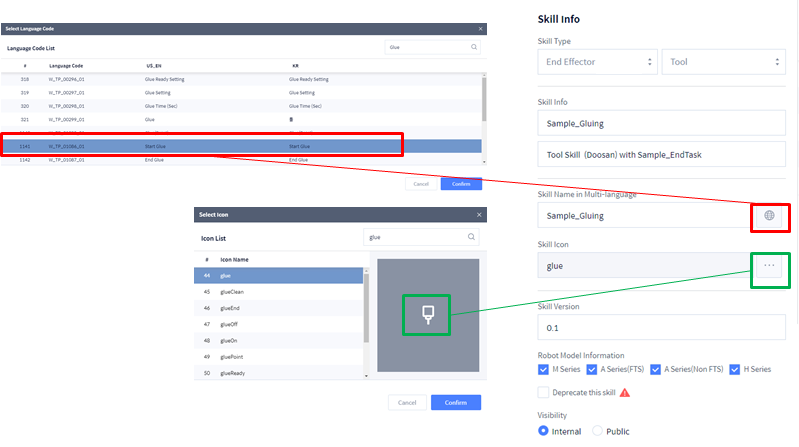
Select Skill Type.EndEffector → Tool
-
Enter Skill Name and Description in Skill Info field.Sample_GluingTool Skill
-
Enter the name or Language Code of Skill in Multi-language input field. (The name written here will appear on T/P).Choose: W_TP_01086_01 (Start Glue)Enter: Sample_Gluing
-
Select Skill icon.glue
-
Enter Skill version.0.1
-
Select Visibility Type.Internal
Write and modify Skill (Skill Setting)
-
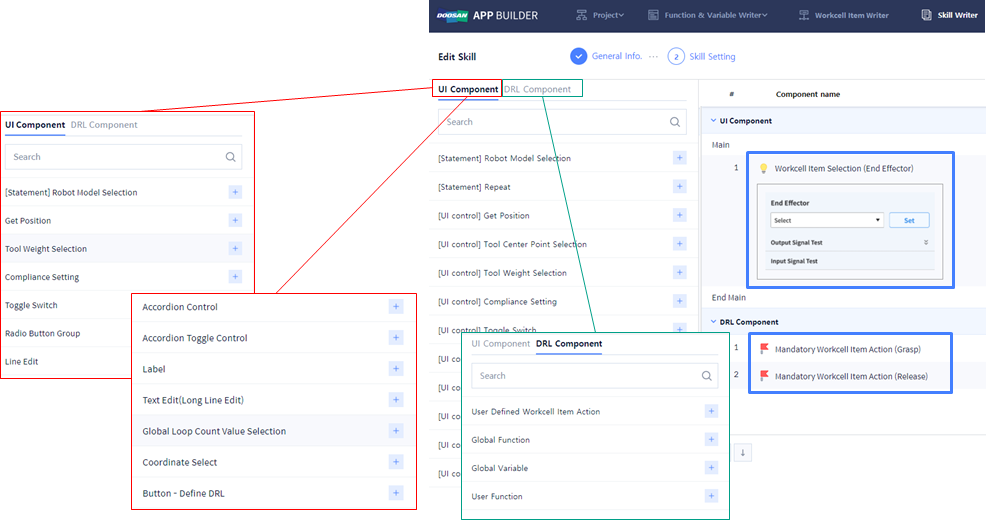
UI Component: Component that provides user input connection function
-
DRL Component: Component that writes the functions of Skill.
-
Default UI screenSelect WCI: EndEffector → ToolMandatory WCI Action of Tool: Run/Stop