
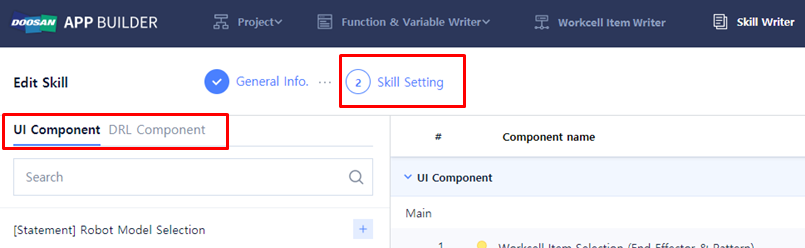
Step 3 is to fill out ‘Skill Setting’. Click ‘Skill Setting’ in the upper menu. In this step, fill out the DRLto add the UI of the user input screen used in the double-acting gripper Skill and the Skill function.
|
Item |
Description |
|---|---|
|
UI Component |
It is an UI component that can connect with the parameter applied to the DRL. |
|
DRL Component |
It is a component to fill out DRL to use the Skill function function. |
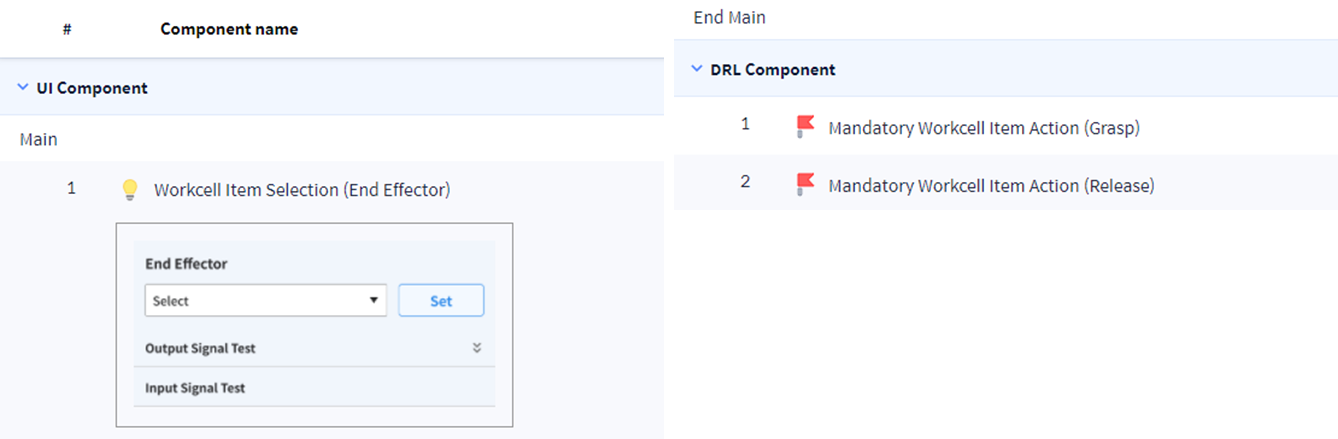
The basic component added as default is as follows. These components cannot be removed.
-
UI ComponentWorkcell Item Selection (End Effector)
-
DRL ComponentMandatory Workcell Item Action (Grasp)Mandatory Workcell Item Action (Release)
Setting up UI Component Variable Name
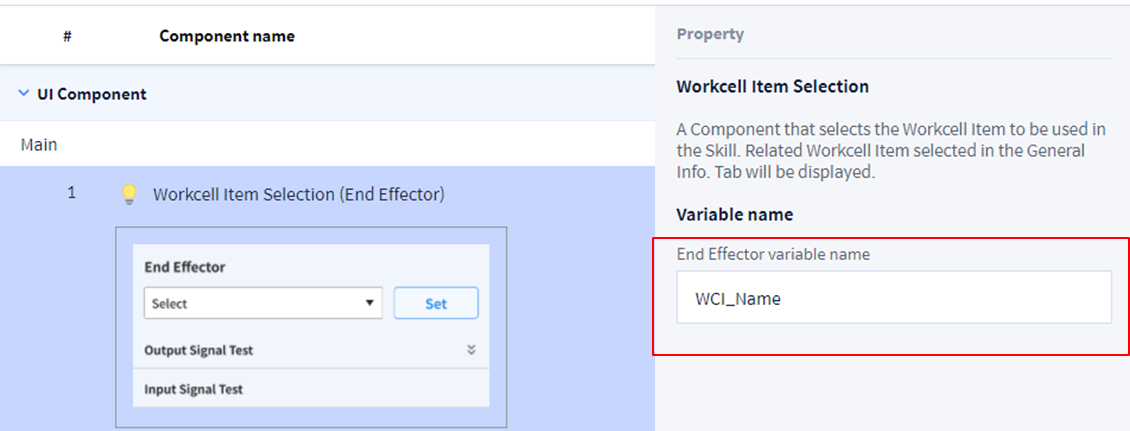
After selecting UI Component > Workcell Item Selection(End Effector), set Variable Name of WCI UI Component in Property> Variable name as follows.
-
Worcell Item Section (End Effetor)PropertyVariable name: WCI_Name
Should set Variable Name of WCI UI Component to connect Parameter and UI Component.
