
Place Skill can be made by editing Pick Skill that you have made so far. Save and copy the ‘Sample_Pick’ Skill you have prepared to make the Place Skill.
-
Click ‘Confirm’ button to save the Skill.

-
You can check the Skill list as follow.
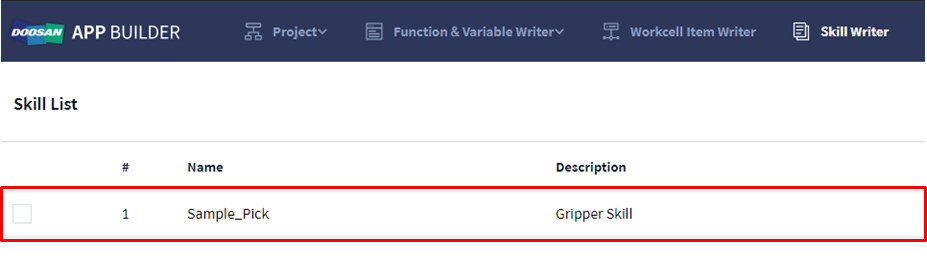
Select the Skill from Skill list to copy and edit.
-
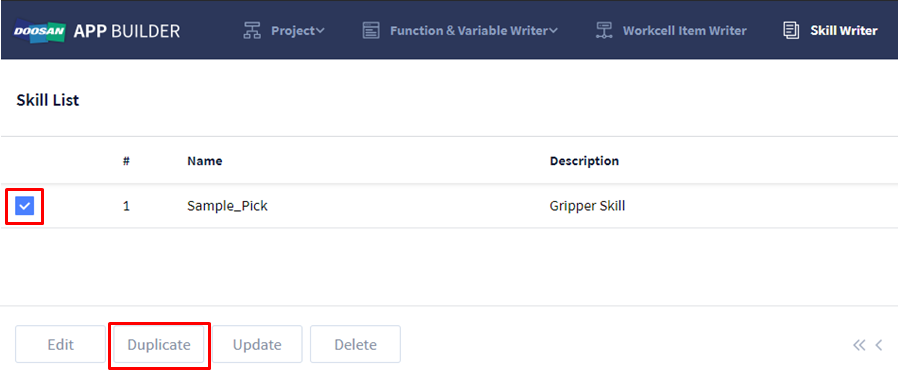
Select the check box of ‘Sample_Pick’ skill.
-
Click ‘Duplicate’ button’ from the bottom menu.
-
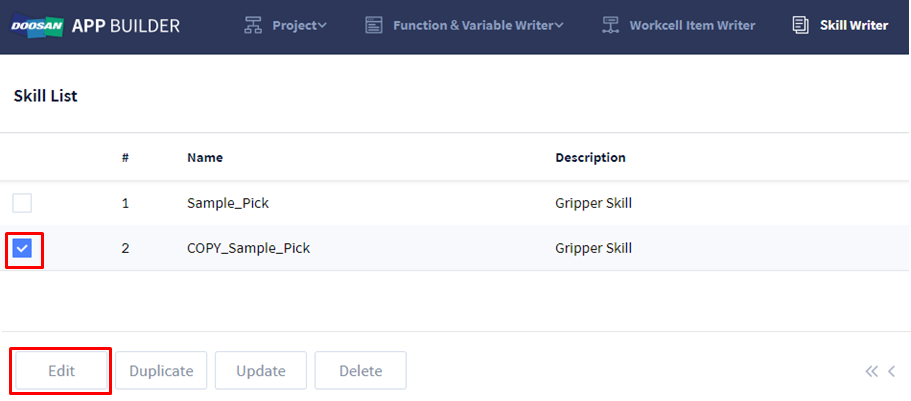
Select the check box of the ‘COPY_Sample_Pick’ skill copied.
-
Click ‘Edit’ button from the bottom menu.
-
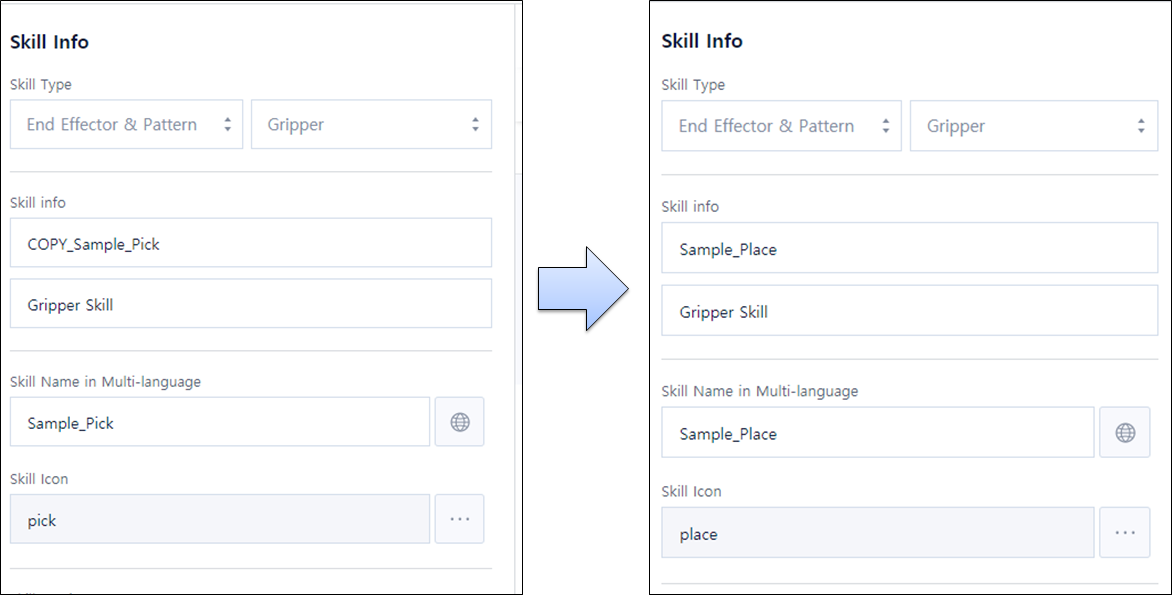
Edit ‘Skill Info’ from ‘General Info’ tab as below.
-
Skill info: COPY_Sample_Pick → Sample_Place
-
Skill Name in Multi-language: Sample_Pick → Sample_Place
-
Skill Icon: pick → place
-
-
Go to ‘Skill Setting’ tab.

-
You need to edit UI Component to change it into the screen configuration used in Place skill. Remove the Toggle Switch (Gripper Release) not used in Sample Place.
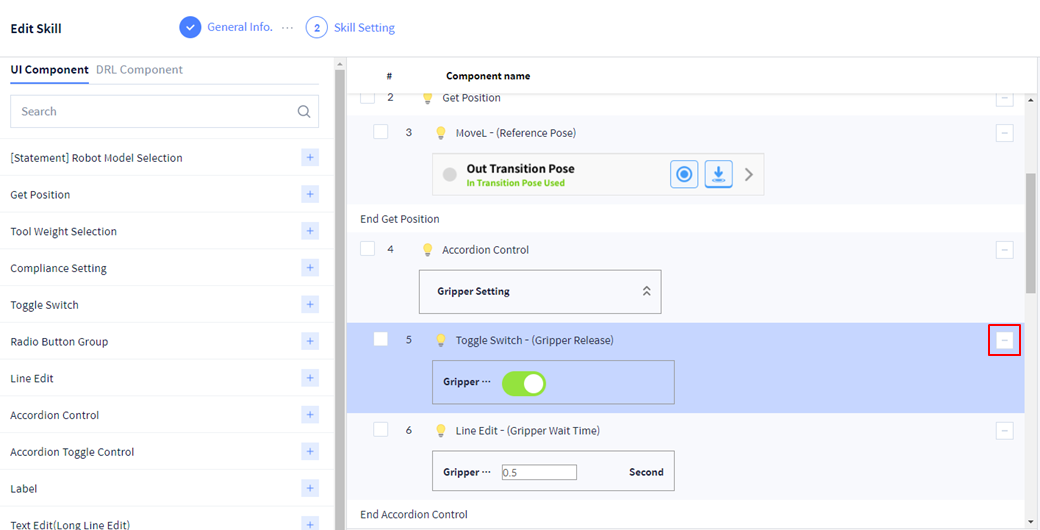
Click button on the right side of the Toggle Switch to remove the UI Component. -
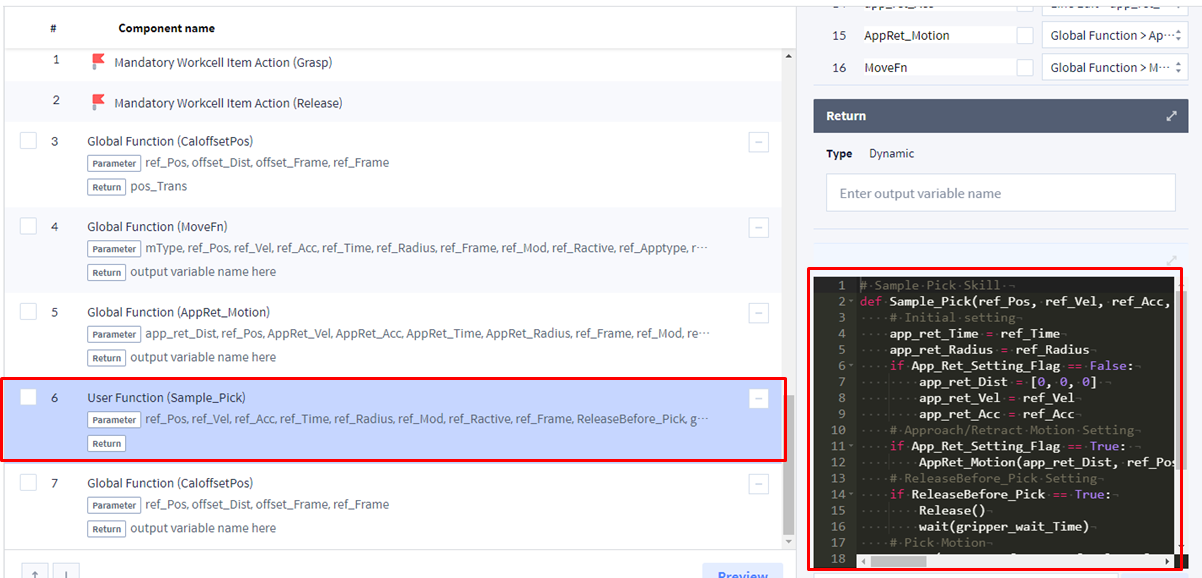
You need to edit DRL Component to change it into the skill action method used in Place skill. Change the ‘Sample_Pick’ code of ‘User Function’ to ‘Sample_Place’ code as below. The Pick function planned in Skill Planning is implemented as a User Function.
 Python
# Sample Place Skill def Sample_Place(ref_Pos, ref_Vel, ref_Acc, ref_Time, ref_Radius, ref_Mod, ref_Ractive, ref_Frame, gripper_wait_Time,TCP_Setting_Flag, TCP_Name, App_Ret_Setting_Flag, app_ret_Dist, app_ret_Vel, app_ret_Acc, AppRet_Motion, MoveFn): # Initial setting if TCP_Setting_Flag == True: set_tcp(TCP_Name) app_ret_Time = ref_Time app_ret_Radius = ref_Radius ref_Apptype = None ref_Sol = None if App_Ret_Setting_Flag == False: app_ret_Dist = [0, 0, 0] app_ret_Vel = ref_Vel app_ret_Acc = ref_Acc # Approach/Retract Motion Setting if App_Ret_Setting_Flag == True: AppRet_Motion(app_ret_Dist, ref_Pos, app_ret_Vel, app_ret_Acc, app_ret_Time, app_ret_Radius, ref_Frame, ref_Mod, ref_Ractive, CaloffsetPos, MoveFn) # Place Motion MoveFn(mType, ref_Pos, ref_Vel, ref_Acc, ref_Time, ref_Radius, ref_Frame, ref_Mod, ref_Ractive, ref_Apptype, ref_Sol, sync_Mode) Release() wait(gripper_wait_Time) # Retract/Retract Motion Setting if App_Ret_Setting_Flag == True: AppRet_Motion(app_ret_Dist, ref_Pos, app_ret_Vel, app_ret_Acc, app_ret_Time, app_ret_Radius, ref_Frame, ref_Mod, ref_Ractive, CaloffsetPos, MoveFn)