
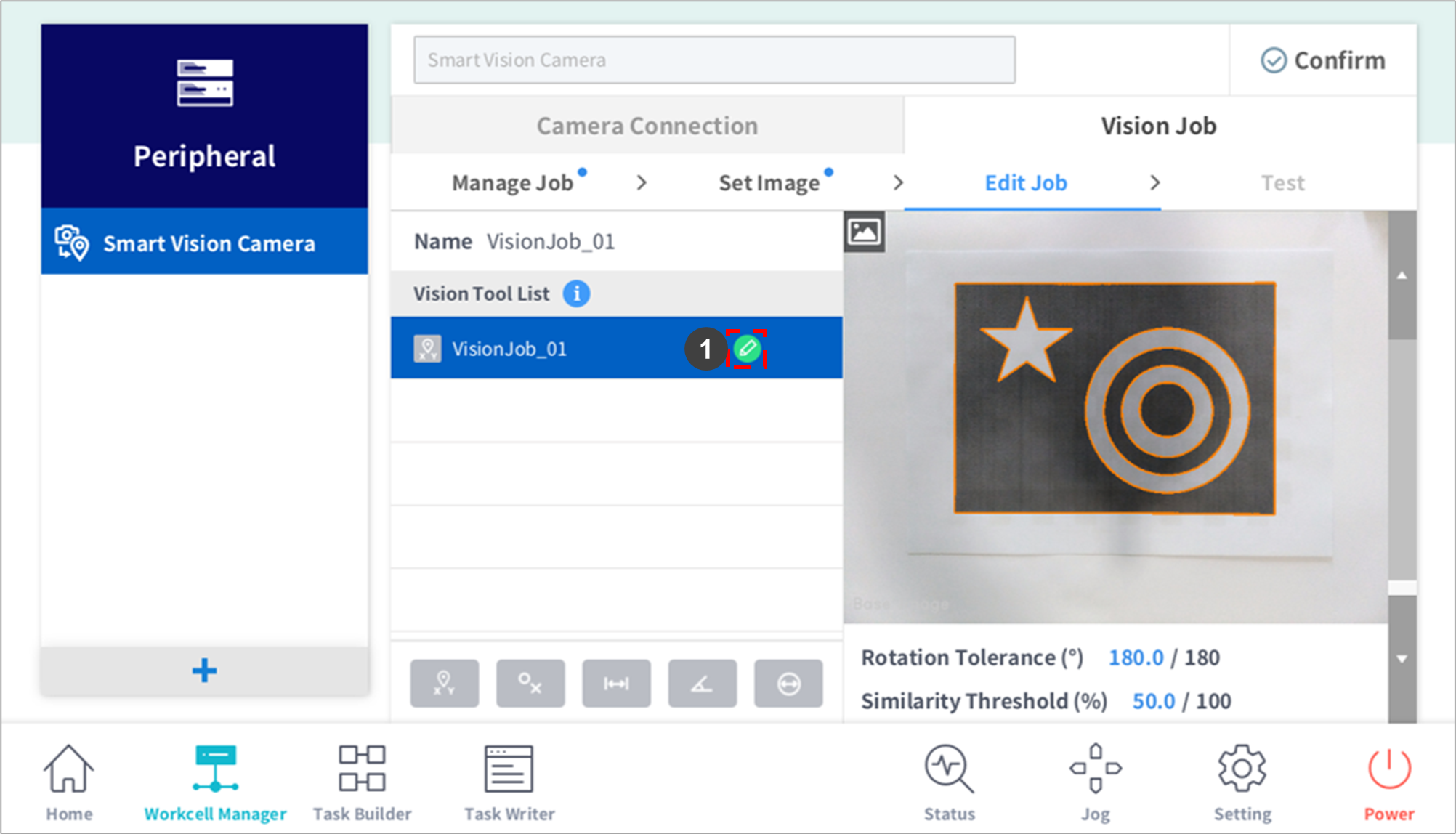
|
No. |
Item |
Description |
|---|---|---|
|
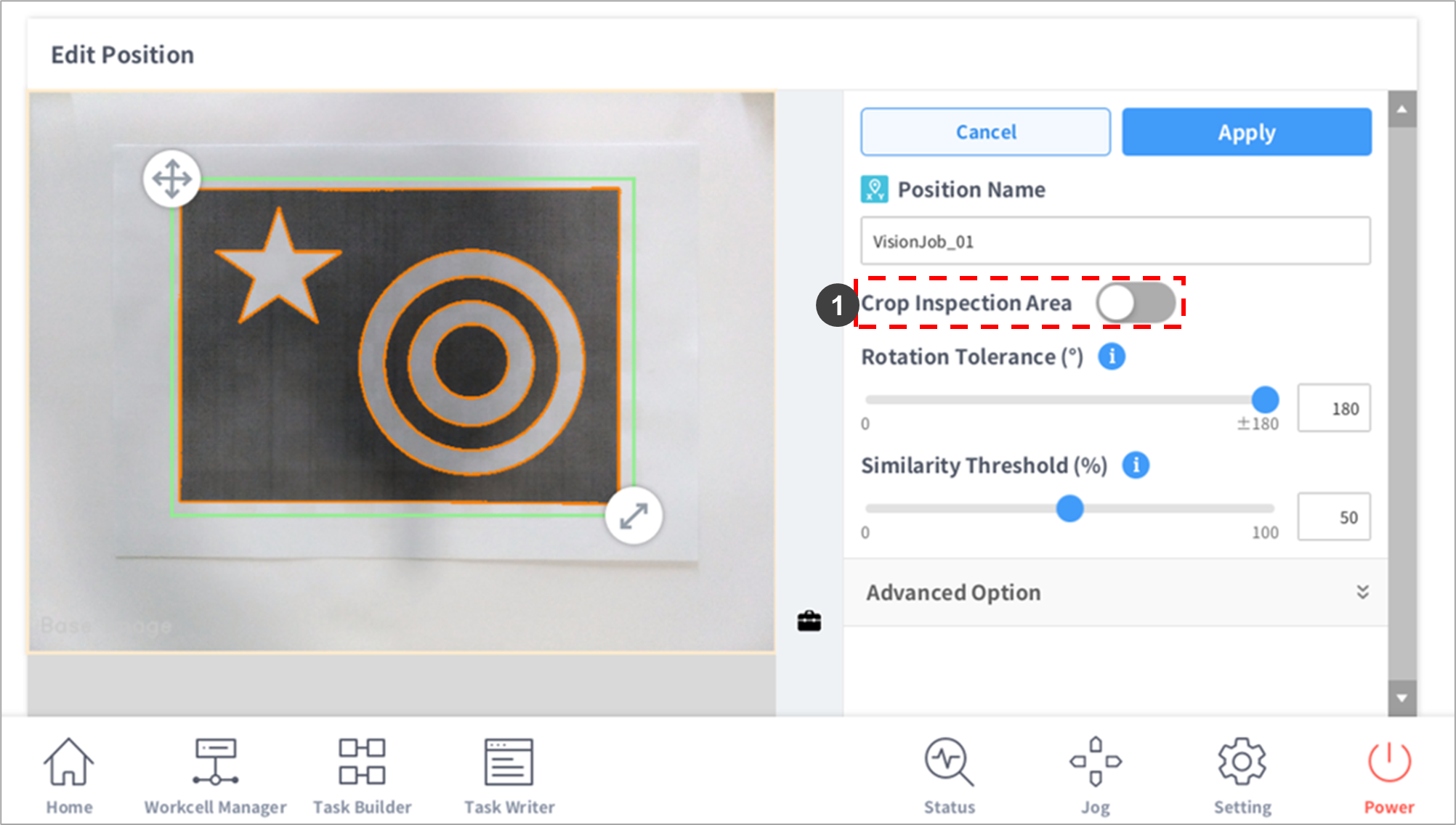
1 |
Crop Inspection Area |
Displays an area setting tool that limits the teaching area.
|
|
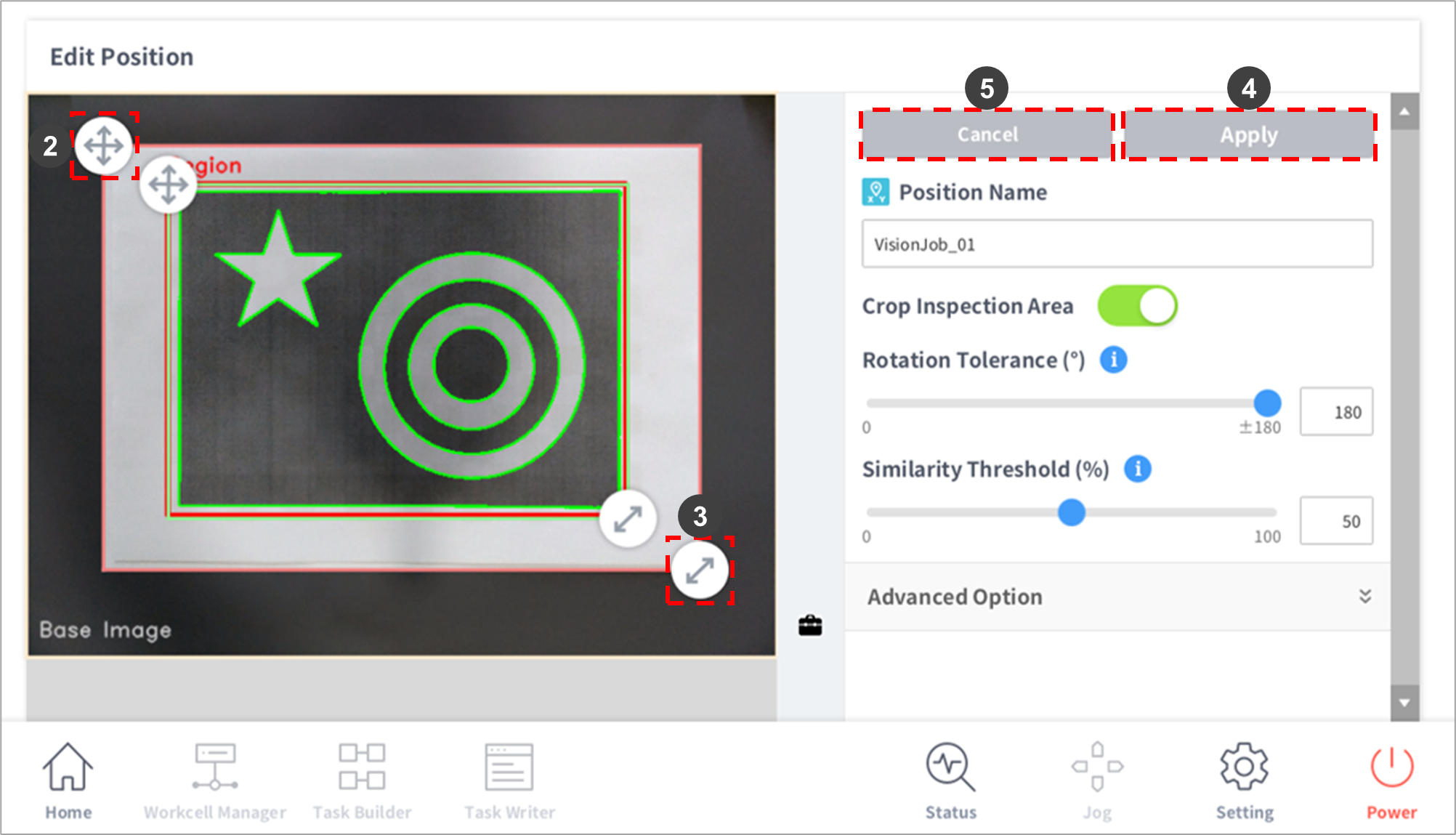
2 |
Move the Teaching Limit Area (red area) |
Press and hold the arrow to move the area.
|
|
3 |
Adjust the Teaching Limit Area (red area) |
Press and hold the arrow to adjust the size of the area.
|
|
- |
Scale/Move |
Press the briefcase icon to display the Scale/Move selection window.
|
|
4 |
Apply |
Applies Vision Job settings. |
|
5 |
Cancel |
This clears Vision Job settings. |