2.12 2.10.3 Korean English Chinese Czech Dutch French German Hungarian Italian Japanese Polish Portuguese Spanish

Change path direction

The function reverses the direction of a path.

  1. Open [Reverse Path Direction] window.
    After clicking [Edit Path] button, select the [Reverse Path Direction] option.
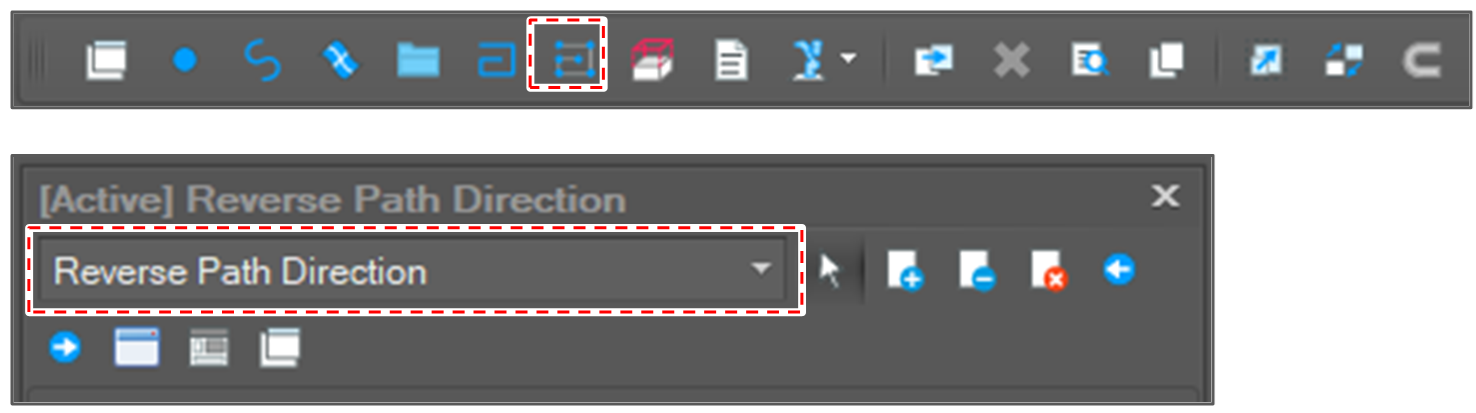
    image2021-12-1_13-27-1.png

  2. Select path segments to reverse.

  3. Click the [Run] button.
    image2021-12-1_13-28-8.png

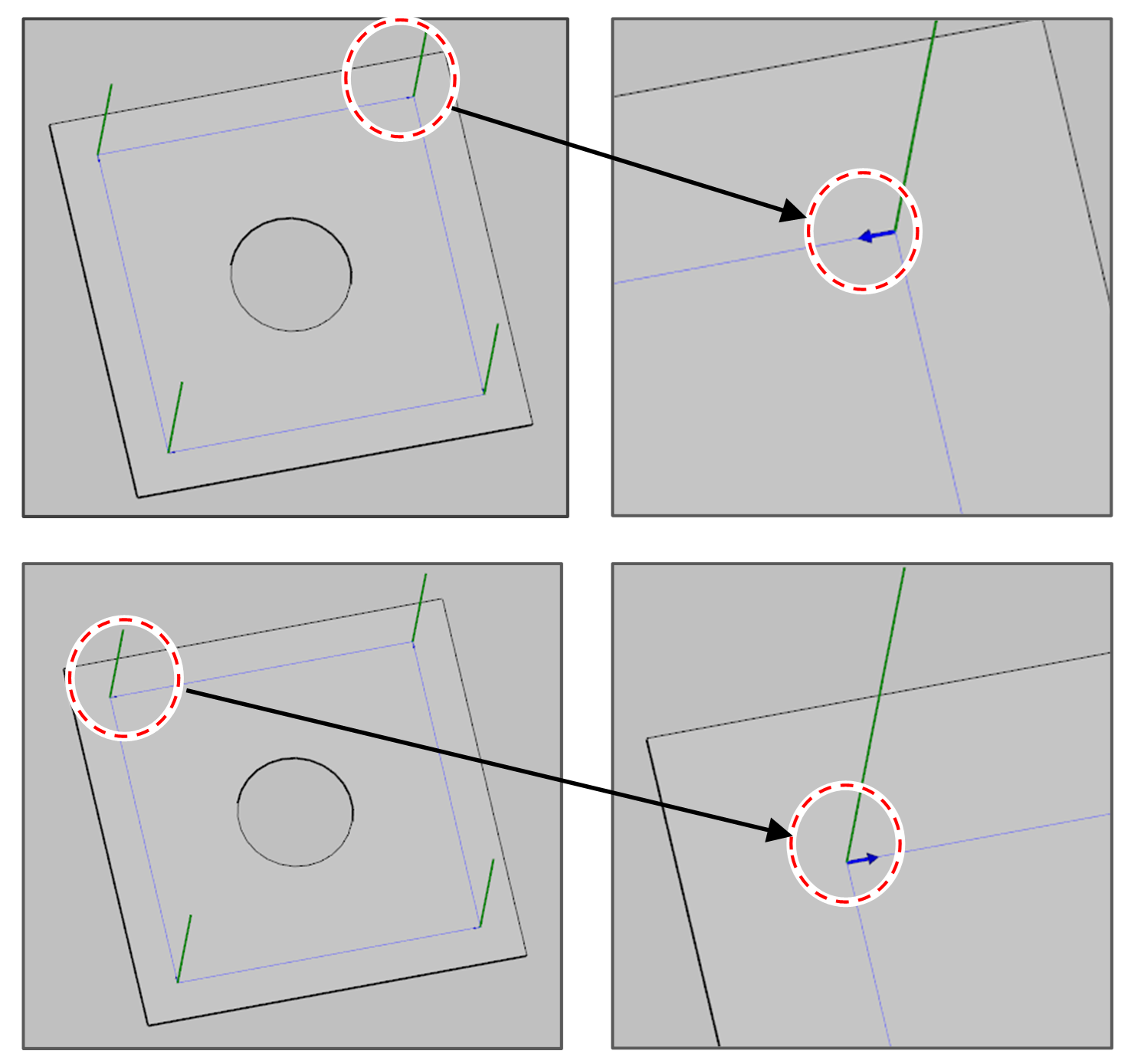
  4. Check the result.
    The arrow in blue color means the direction of the path.

  5. image2021-11-30_15-40-28.png