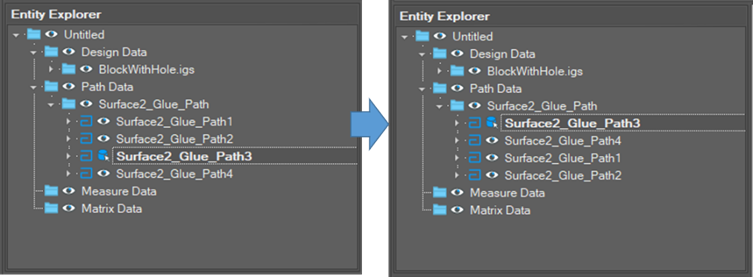
The sequence on the explorer tree is the sequence of the path. To change path sequences means to change the object sequence on the tree.
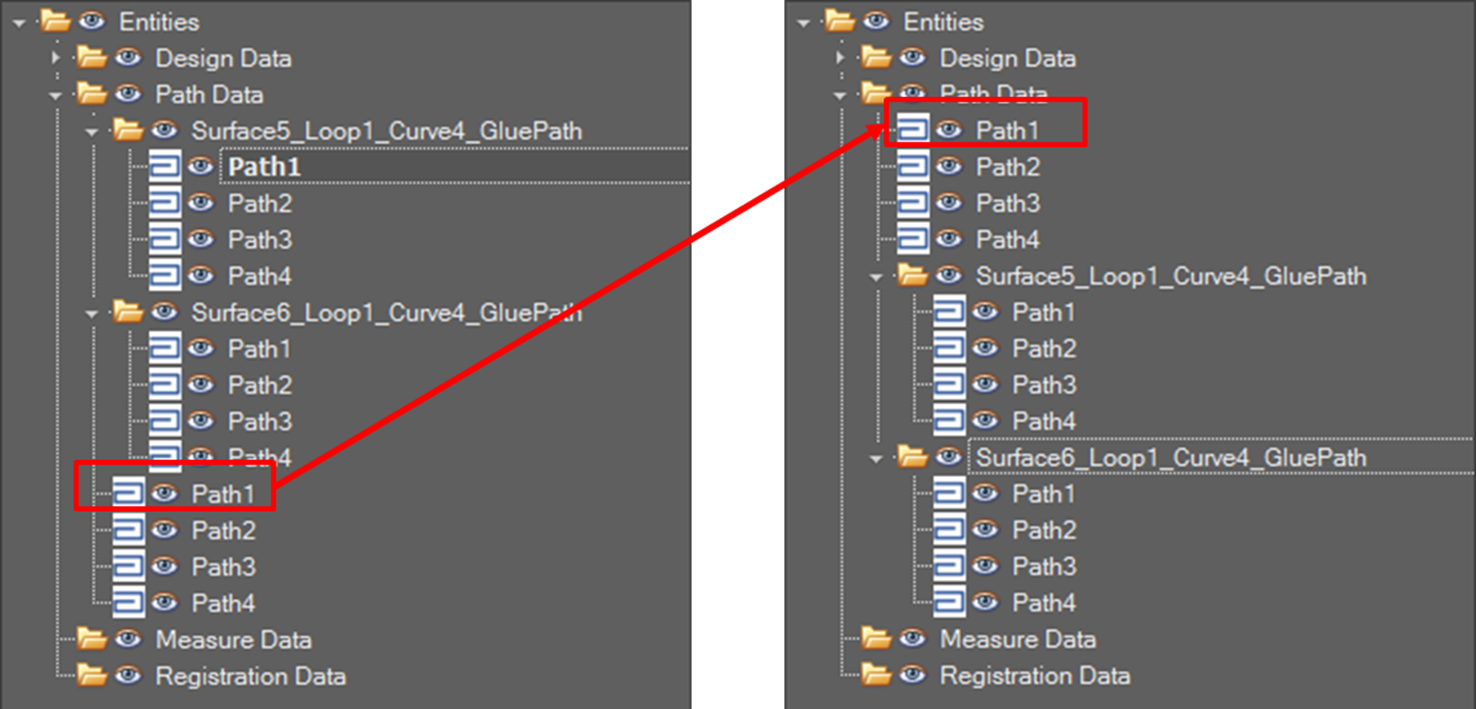
Change Path Sequence
-
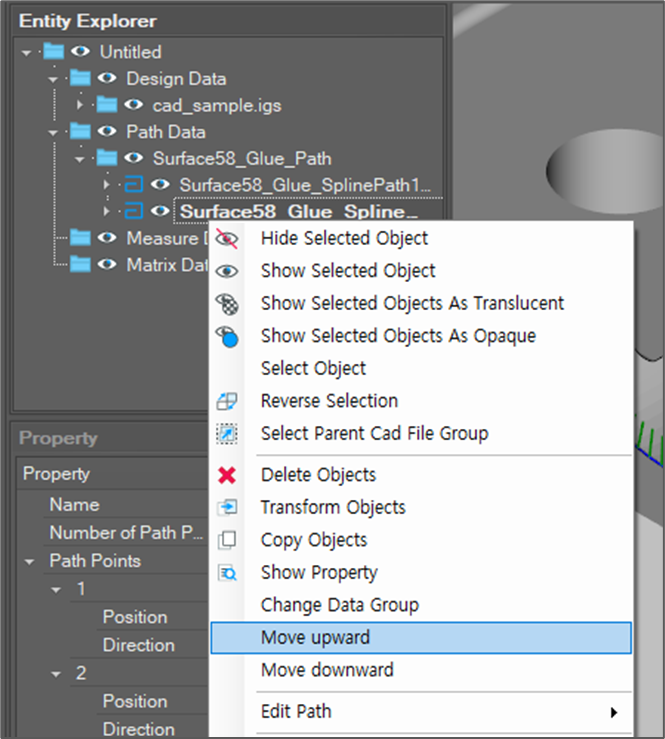
After selecting a tree node, click [Move upward] or [Move downward] menu.
-
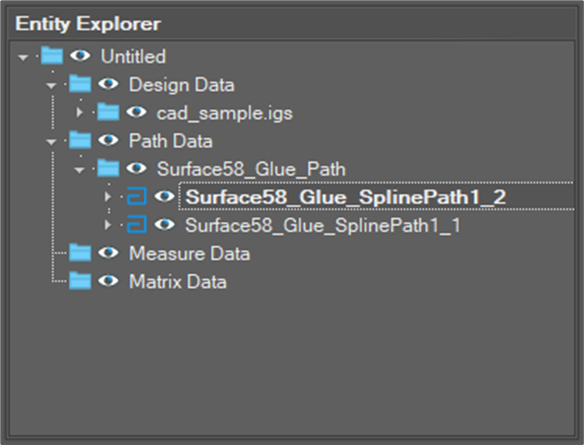
Check the result.
Change the starting path
-
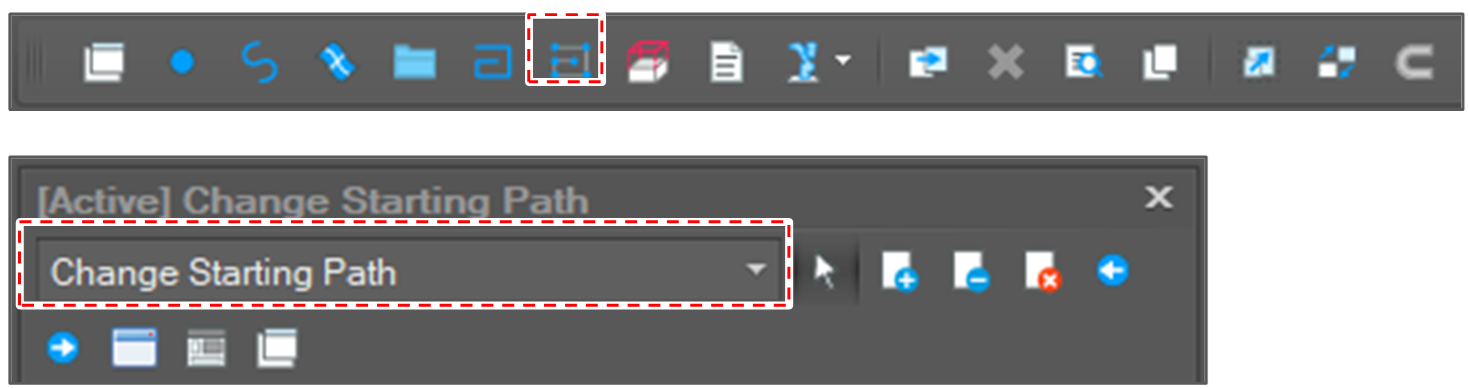
Open [Change Starting Path] window.
After clicking [Edit Path] button, select [Change Starting Path] option.
-
Select a path segment or a path group.

-
Click the [Run] button.

-
Check the result.