Breadcrumbs

Get Current Position as Text

Get the Posj Position

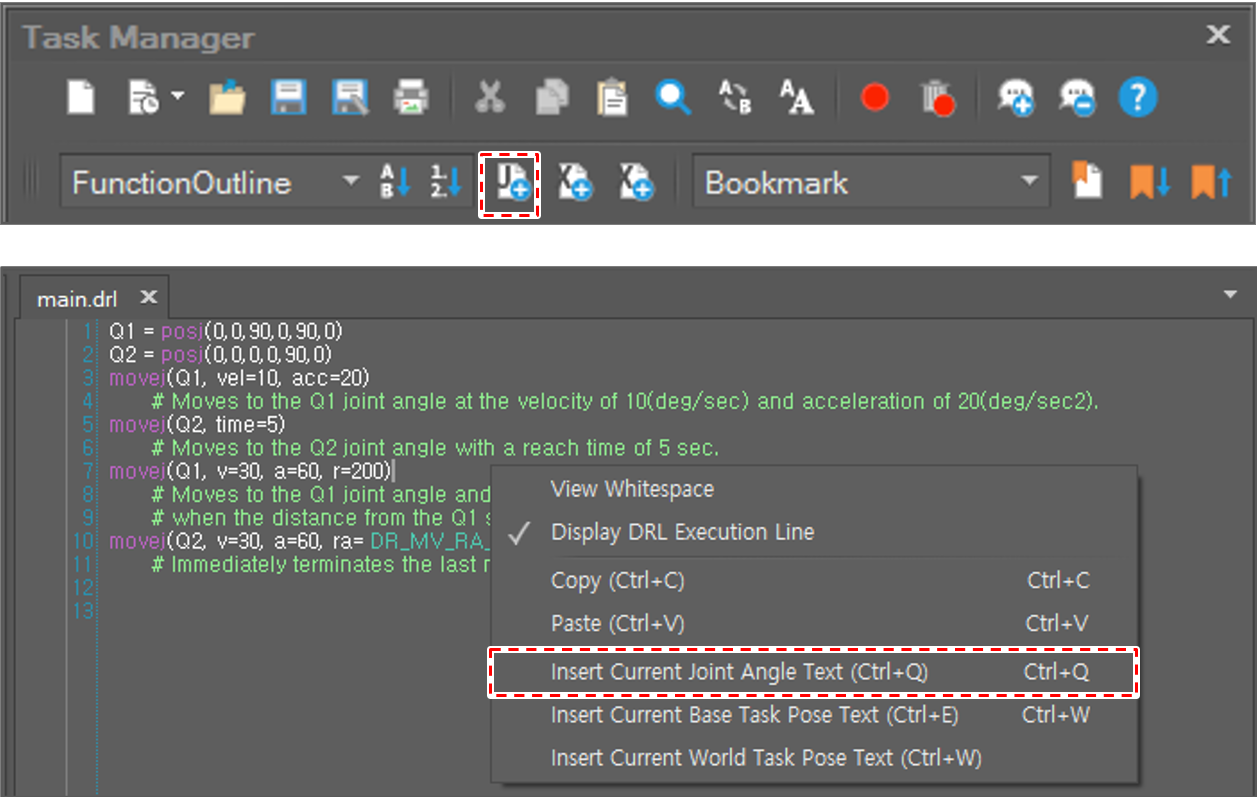
To insert the current joint position, click the Insert Current Joint Angle Text image2021-11-29_13-49-22.png  button on the toolbar or press the Ctrl+Q keys. Or select Insert Current Joint Angle Text on the context menu.

image2022-1-6_9-59-58.png

The current joint angle value is then inserted into the current cursor position.
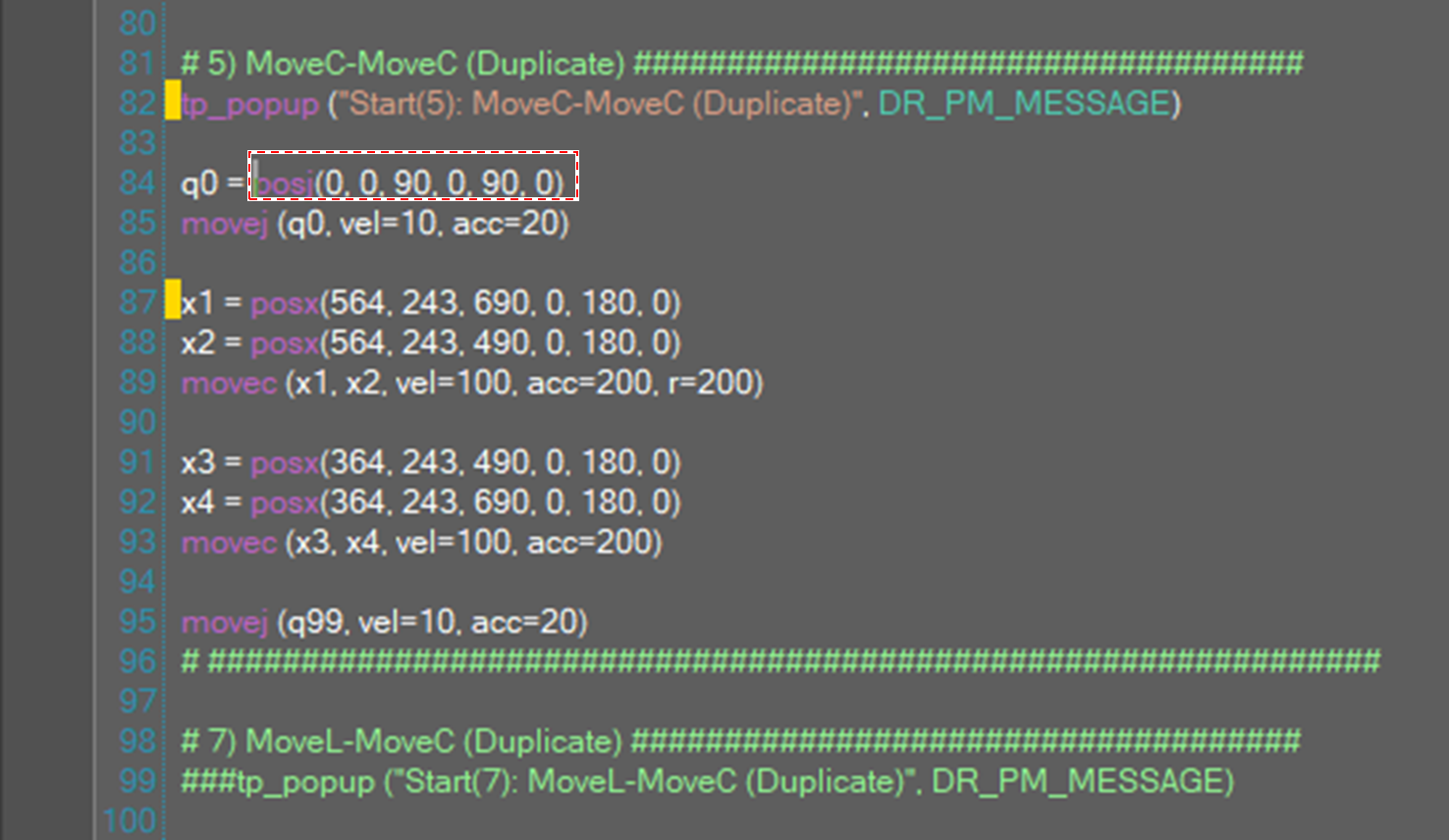
image2021-11-29_14-57-14.png

Get Posx Position

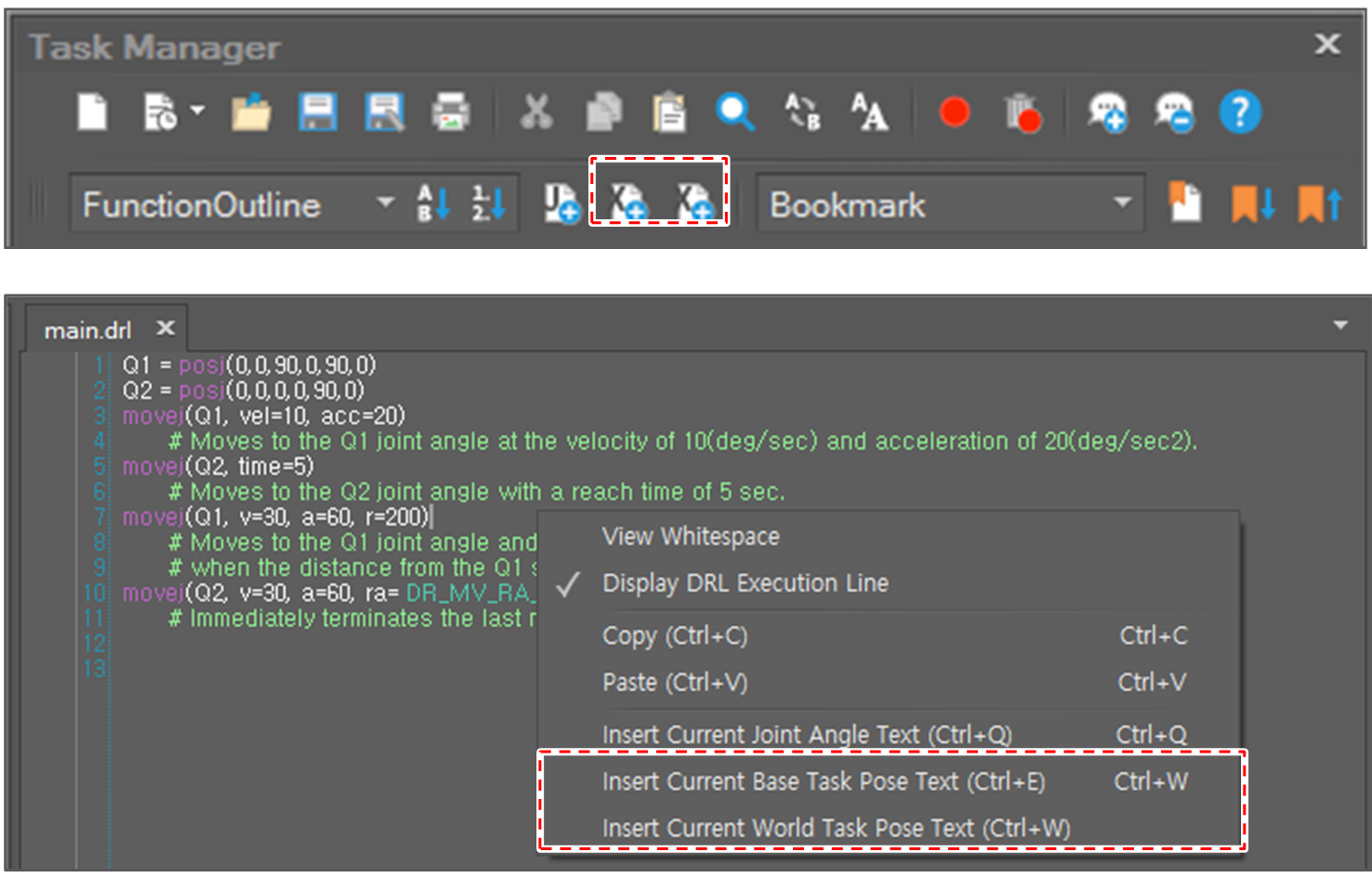
To insert the current task position, click the Insert Current Base Task Pose Text  image2021-11-29_13-49-38.png  or Insert Current World Task Pose Text  image2021-11-29_13-49-38.png  button on the toolbar or select Insert Current Base Task Pose Text (Ctrl+E) or Insert Current World Task Pose Text (Ctrl+W) on the context menu.

image2021-11-30_10-25-19.png

Then, the current task position value is inserted into the current cursor position.
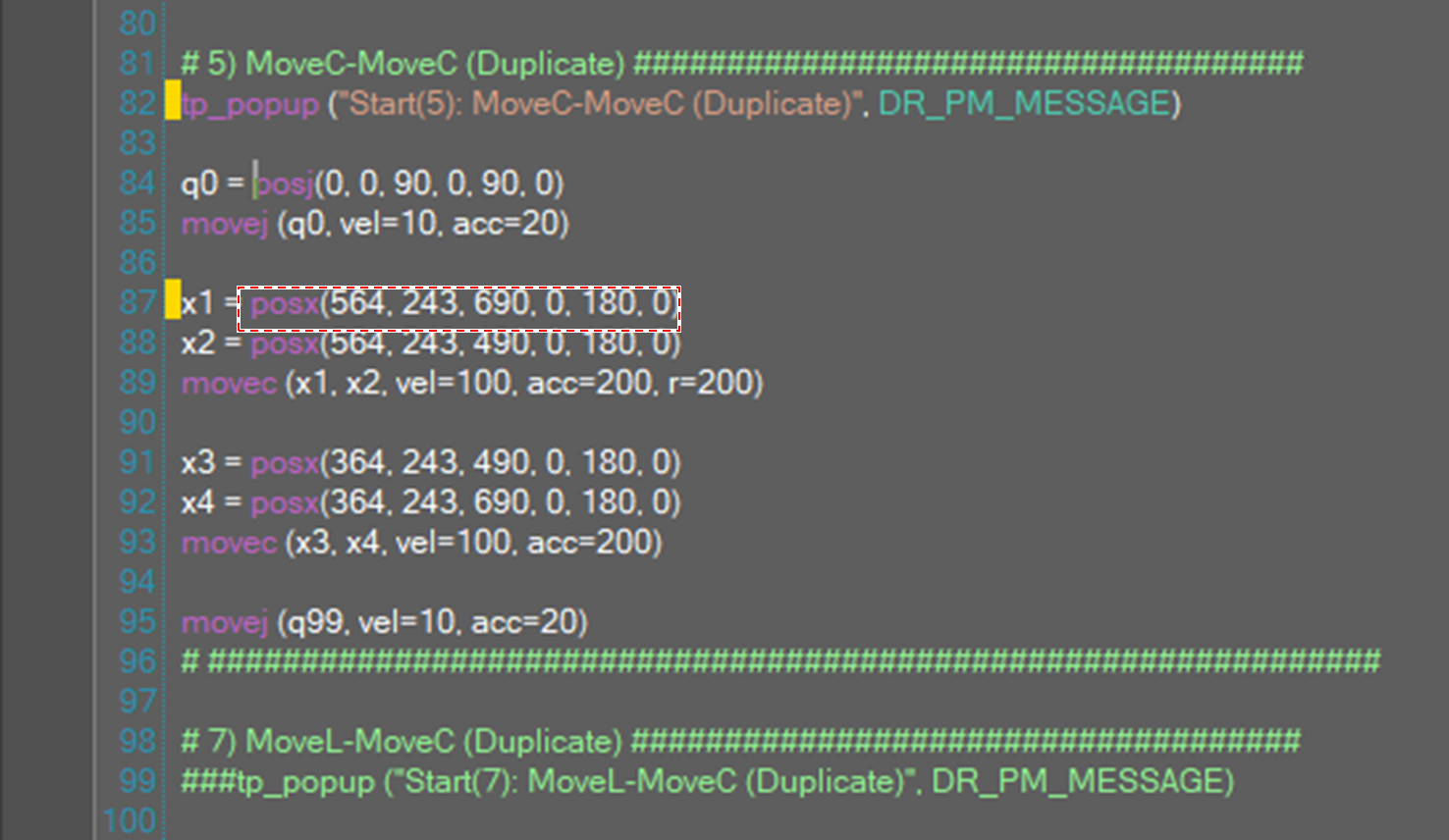
image2021-11-29_13-52-1.png