
Digital I/O
|
Item |
Description |
|---|---|
|
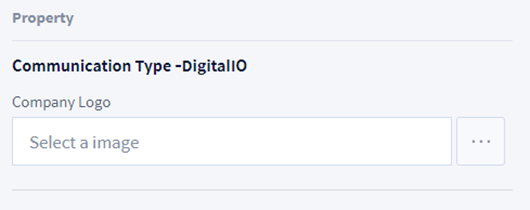
Company Logo |
Attach a logo image of the company manufacturing the Worcell Item. |
Output/Input Signal
Output Signal
|
Item |
Description |
|---|---|
|
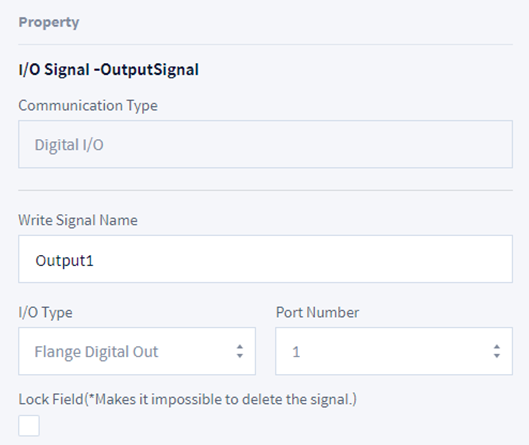
Write Signal Name |
Set the name of the signal to add. Only English characters and "_" symbols can be entered, and the maximum length is 20 characters. |
|
I/O Type |
Select the type of Digital IO. The type includes controller and flange. |
|
Port Number |
Select the port number of Digital IO. 1-16 for Controller and 1-6 for Flange. |
|
Lock Field |
Check the item to set so that it cannot be edited or deleted in the top controller. |
Input Signal
|
Item |
Description |
|---|---|
|
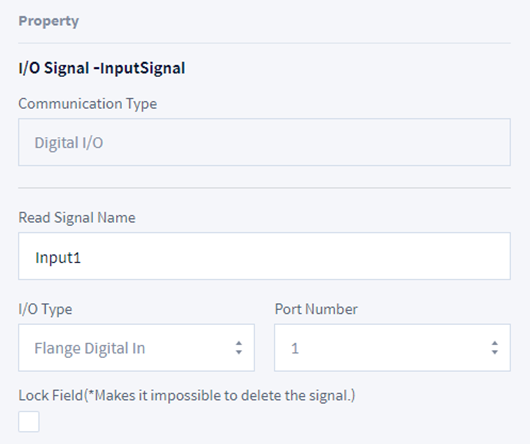
Read Signal Name |
Set the name of the signal to add. Only English characters and "_" symbols can be entered, and the maximum length is 20 characters. |
|
I/O Type |
Select the type of Digital IO. The type includes controller and flange. |
|
Port Number |
Select the port number of Digital IO. 1-16 for Controller and 1-6 for Flange. |
|
Lock Field |
Check the item to set so that it cannot be edited or deleted in the top controller. |