
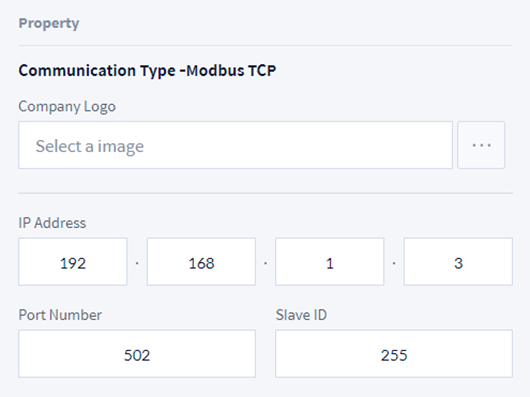
Modbus TCP
For a related example, see Creating Modbus TCP WCI.
|
Item |
Description |
|---|---|
|
Company Logo |
Attach a logo image of the company manufacturing the Worcell Item. |
|
IP Address |
Assign the access address of the Modbus Master to connect. |
|
Port Number |
Assign the port of the Modbus Master to connect. |
|
Slave Id |
Set the Slave Id. |
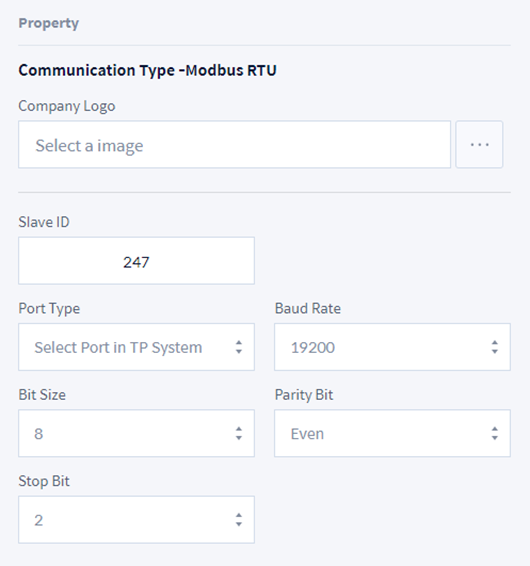
Modbus RTU
|
Item |
Description |
|---|---|
|
Company Logo |
Attach a logo image of the company manufacturing the Worcell Item. |
|
Slave ID |
Set the Slave Id. |
|
Port Type |
Select the Serial Port Type. It searches and displays the device list connected from the top controller. |
|
Baud Rate |
Set the Baud Rate. |
|
Bit Size |
Set the Bit Size. |
|
Parity Bit |
Set the Parity Bit. |
|
Stop Bit |
Set the Stop Bit. |
Output/Input Signal
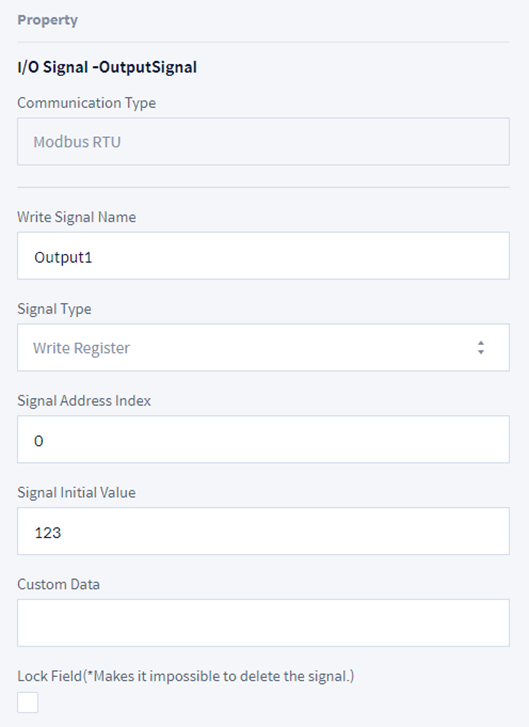
Output Signal
|
Item |
Description |
|---|---|
|
Write Signal Name |
Set the name of the signal to add. Only English characters and "_" symbols can be entered, and the maximum length is 20 characters. |
|
Signal Type |
Select the signal type of Modbus.
- Write Coil, Write Register, Write Multiple Coils, Write Multiple Registers |
|
Signal Address Index |
Enter the address of the Modbus signal. |
|
Signal Initial Value |
Enter the default value of the signal. |
|
Custom Data |
Use it when delivering multiple values. Input in the following format when the signal type is Write Multiple Coils or Write Multiple Registers.
ex> 1,0,1,0,1 |
|
Lock Field |
Check the item to set so that it cannot be edited or deleted in the top controller. |
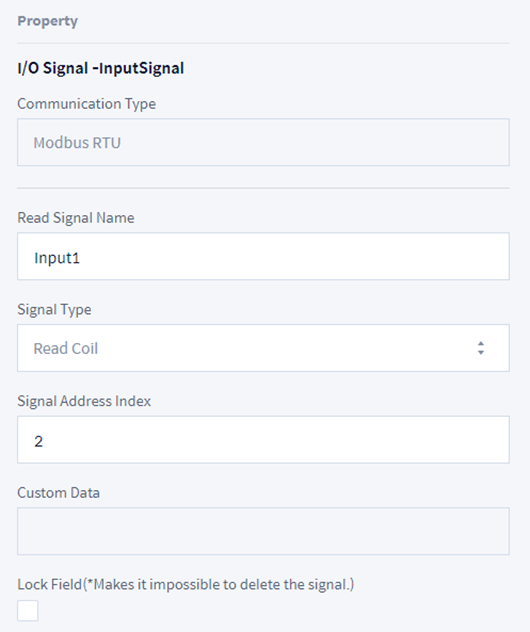
Input Signal
|
Item |
Description |
|---|---|
|
Read Signal Name |
Set the name of the signal to add. Only English characters and "_" symbols can be entered, and the maximum length is 20 characters. |
|
Signal Type |
Select the signal type of Modbus.
- Read Coil, Read Register |
|
Signal Address Index |
Enter the address of the Modbus signal. |
|
Custom Data |
This menu is deactivated. |
|
Lock Field |
Check the item to set so that it cannot be edited or deleted in the top controller. |