
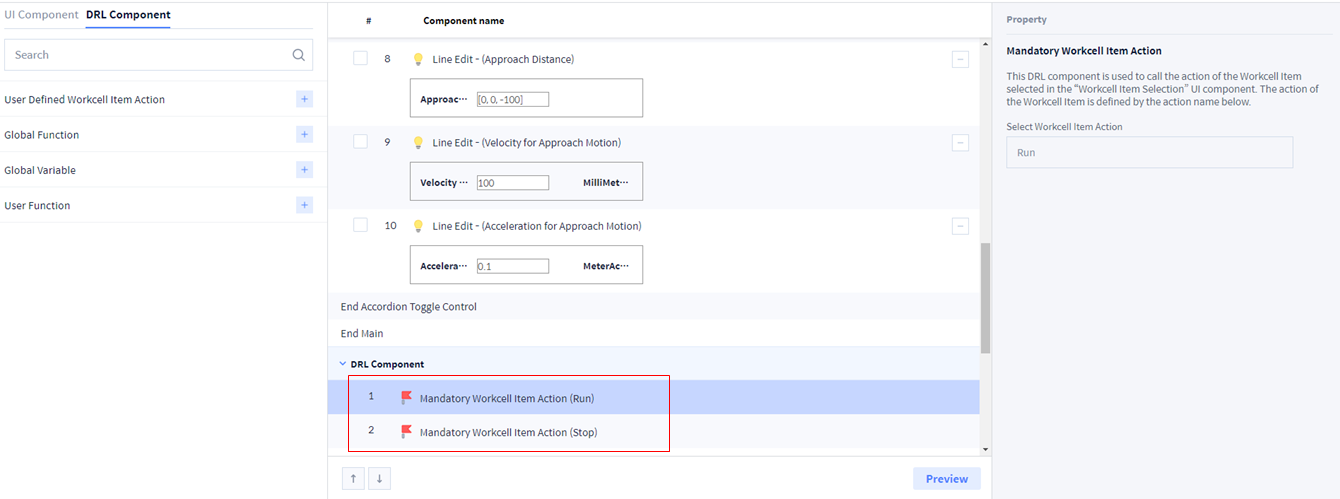
Mandatory WCI Action
This is an essential feature related to WCI.
-
Tool → Run/Stop
-
This is the default setting, and the details of Run/Stop function vary according to the selected WCI.
Global Variable
1. Select Global Variable to be used in Skill.
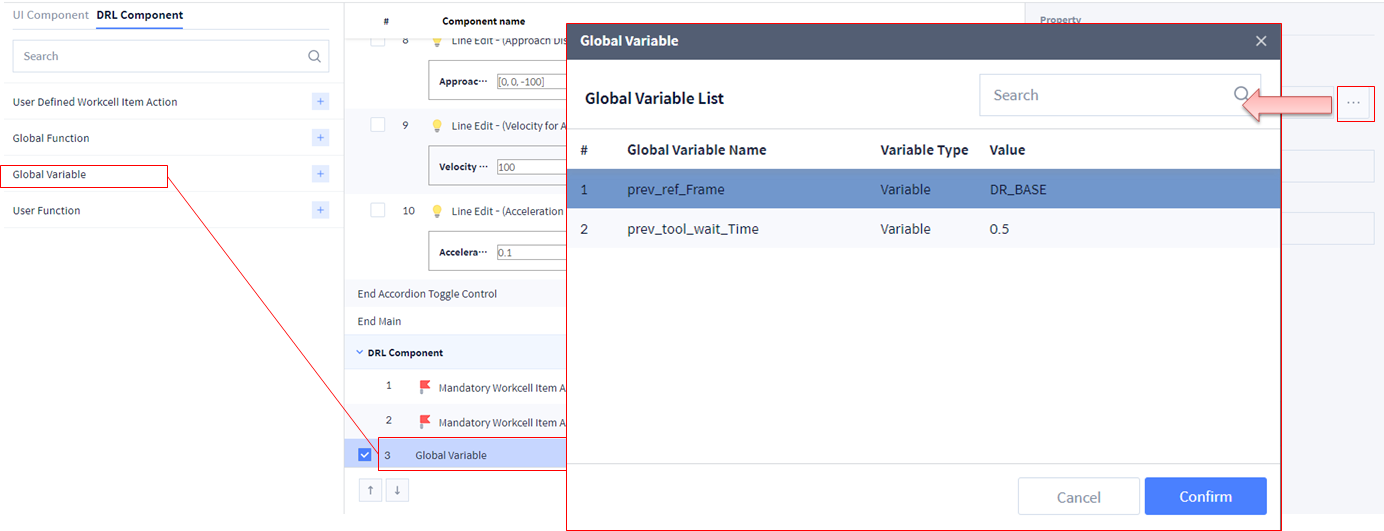
2. Select Global Variable to be used in Skill.
-
Re-select when modifying Global Variable.
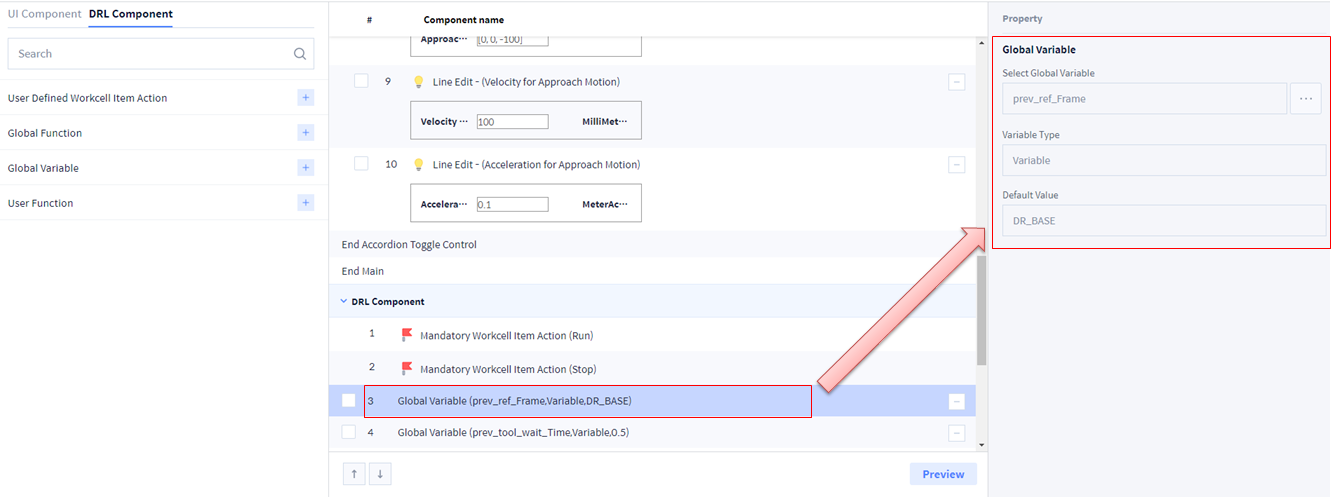
3. Select Global Variable to be used in Skill.
-
Re-select when modifying Global Variable.
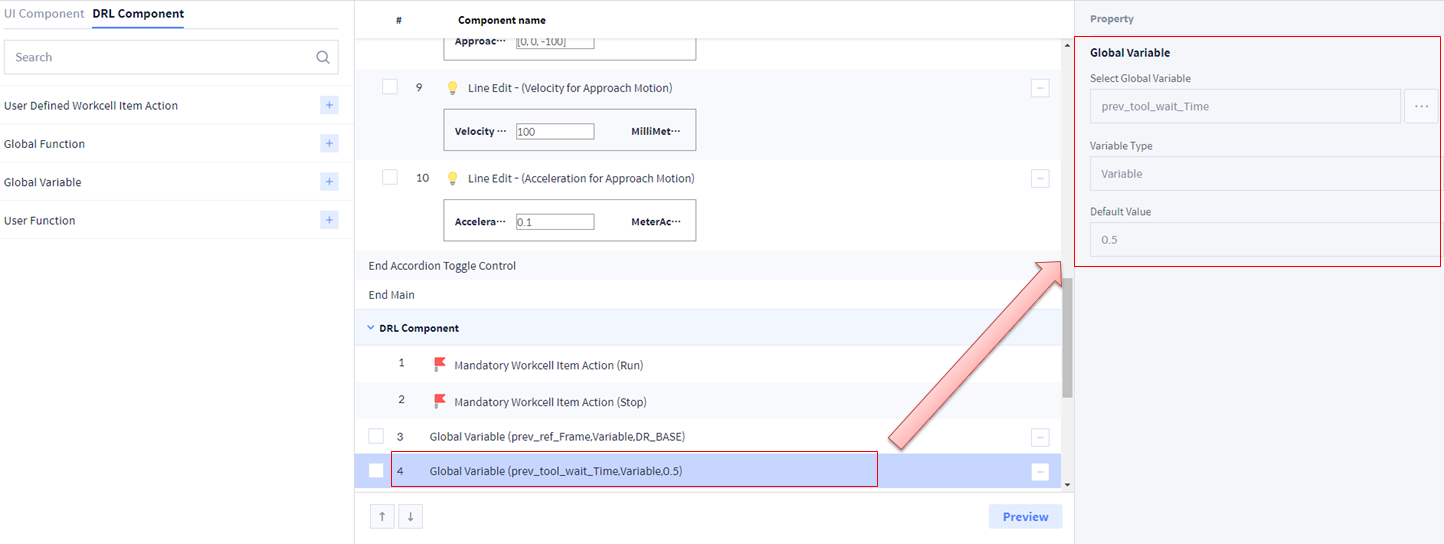
Global Function
1. Select Global Function to be used in Skill.
-
Re-select when modifying Global Function.
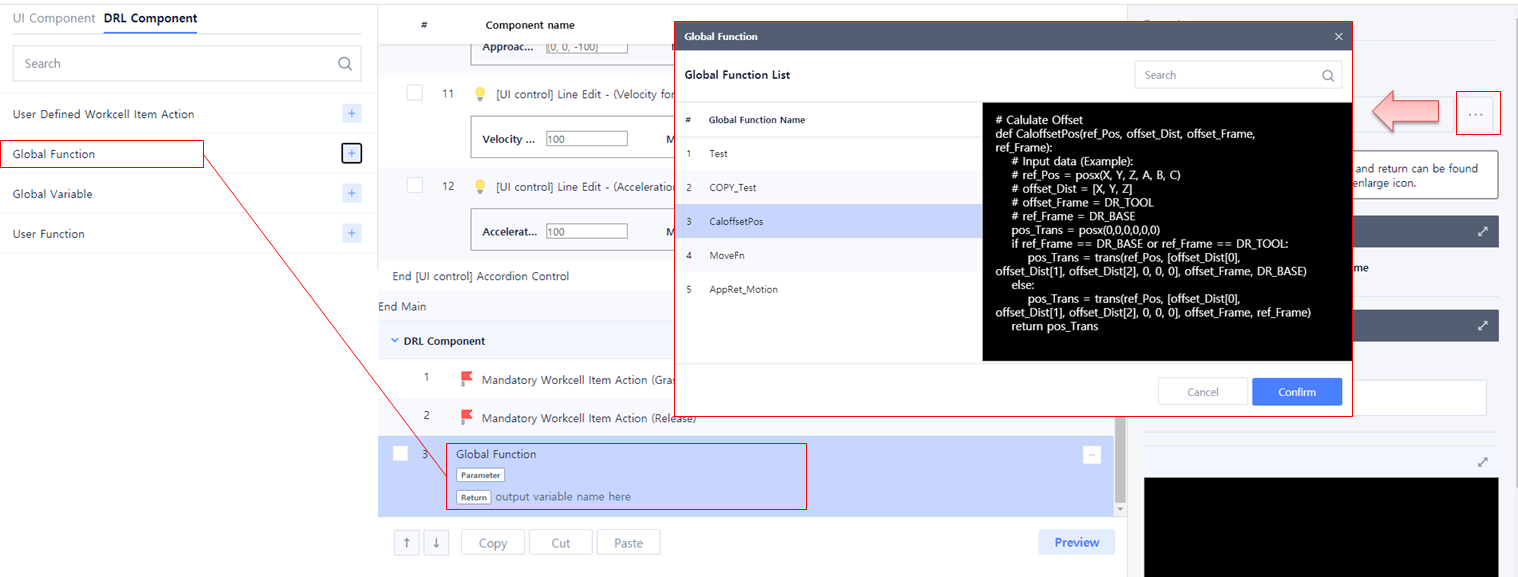
2. Connect user input to the selected Global Function.
-
Reconnect when modifying Global Function.
-
When connecting Global Function input value in User Function, all Global Function input values can be entered as None.

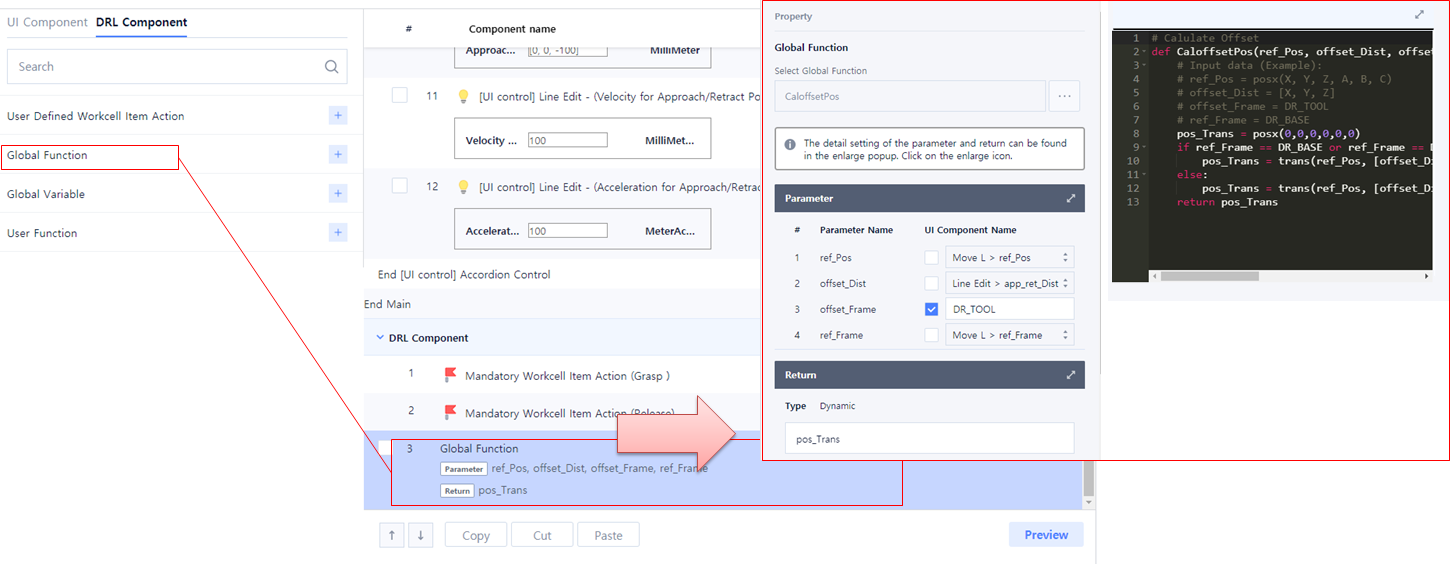
3. Connect user input to the selected Global Function.
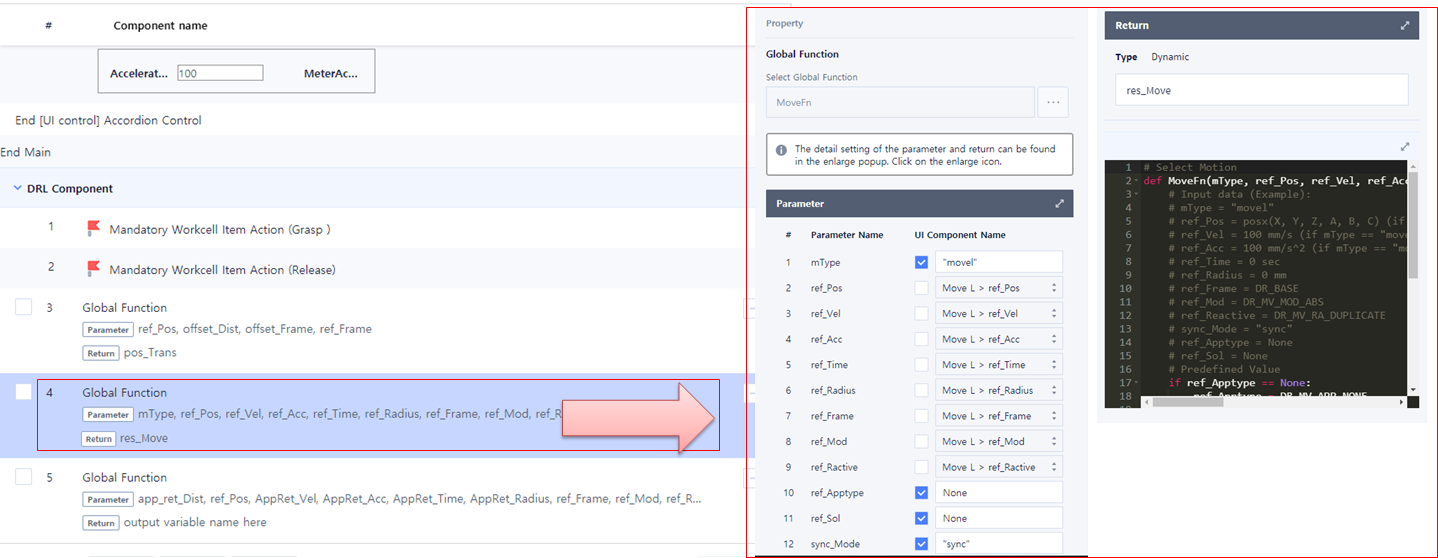
4. Connect user input to the selected Global Function.
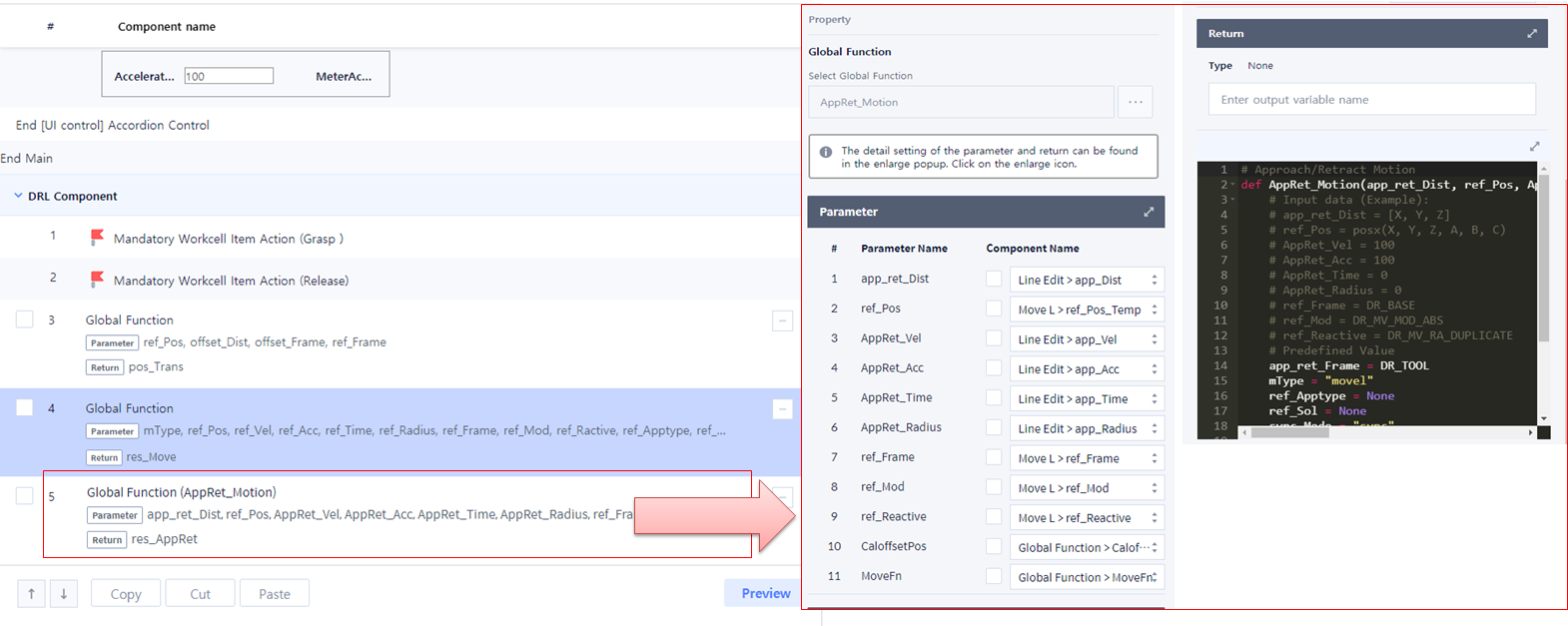
User Function
1. Write Main function of Sample_Gluing Skill.
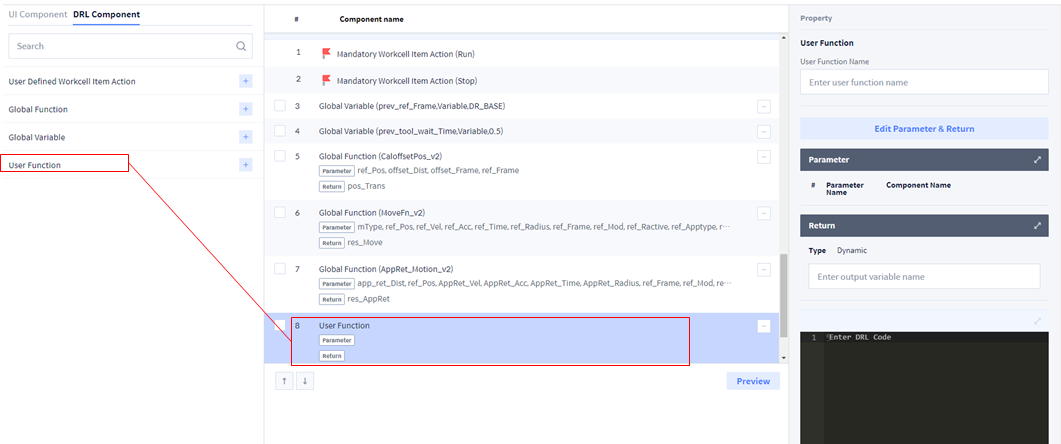
2. Write Main function of Sample_Gluing Skill.
-
Connect user input
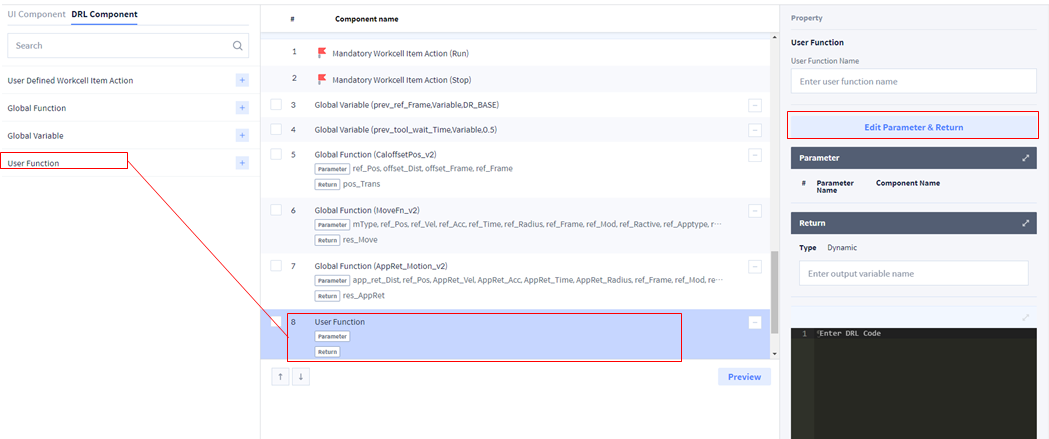

3. Write Main function of Sample_Gluing Skill.
-
Connect user input
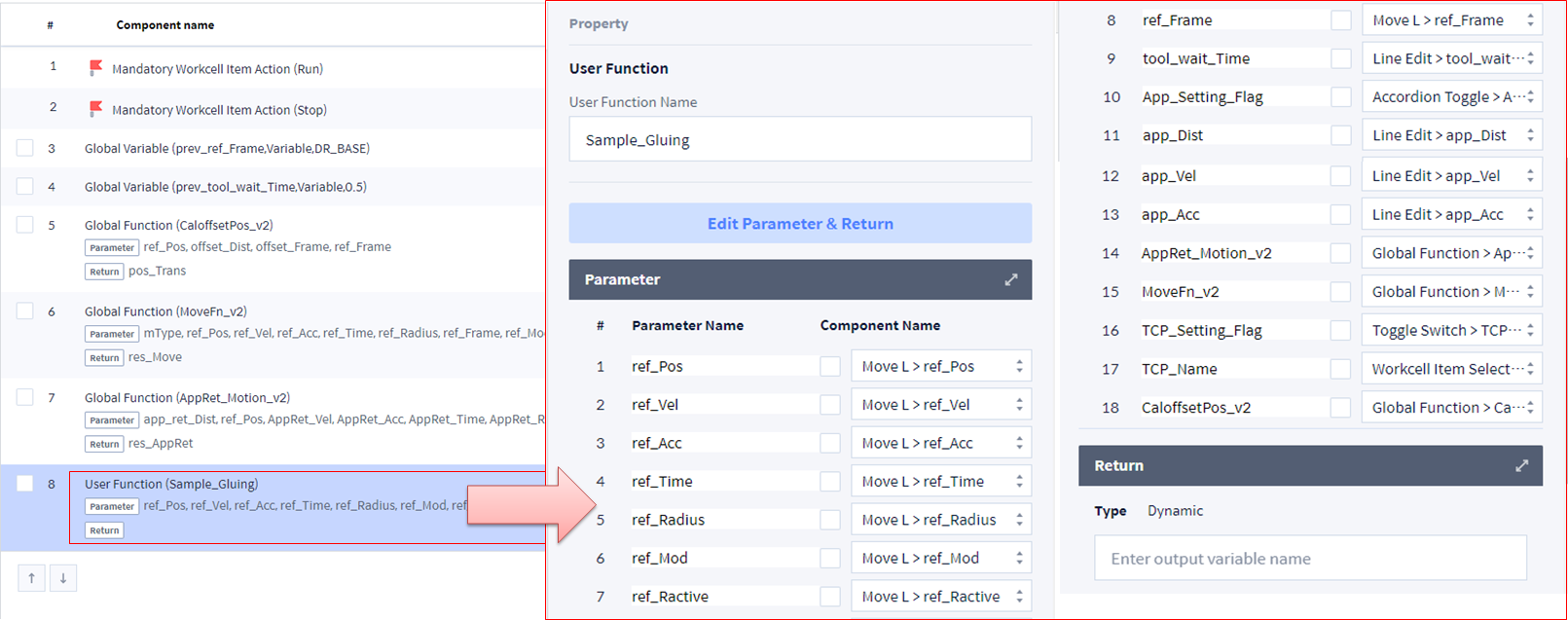
# Sample Gluing Skill
def Sample_Gluing(ref_Pos, ref_Vel, ref_Acc, ref_Time, ref_Radius, ref_Mod, ref_Ractive, ref_Frame, tool_wait_Time, TCP_Setting_Flag, TCP_Name, App_Setting_Flag, app_Dist, app_Vel, app_Acc, AppRet_Motion_v2, MoveFn_v2, CaloffsetPos_v2):
    global prev_ref_Frame, prev_tool_wait_Time
    # Initial setting
    if TCP_Setting_Flag == True:
        set_tcp(TCP_Name)
    app_Acc = app_Acc*1000
    app_Time = ref_Time
    app_Radius = ref_Radius
    sync_Mode = "sync"
    mType = "movel"
    ref_Apptype = None
    ref_Sol = None
    if App_Setting_Flag == False:
        app_Dist = [0, 0, 0]
        app_Vel = ref_Vel
        app_Acc = ref_Acc
    # EndTask Setting
    prev_ref_Frame = ref_Frame
    prev_tool_wait_Time = tool_wait_Time
    # Approach Motion Setting
    if App_Setting_Flag == True:
        AppRet_Motion_v2(app_Dist, ref_Pos, app_Vel, app_Acc, app_Time, app_Radius, ref_Frame, ref_Mod, ref_Ractive, CaloffsetPos_v2, MoveFn_v2)
    # Pick Motion
    MoveFn_v2(mType, ref_Pos, ref_Vel, ref_Acc, ref_Time, ref_Radius, ref_Frame, ref_Mod, ref_Ractive, ref_Apptype, ref_Sol, sync_Mode)
    Run()
    wait(tool_wait_Time)
Write and modify Skill (Skill Setting)
Select Save Skill → Confirm.
-
Skill list can be checked as follows.
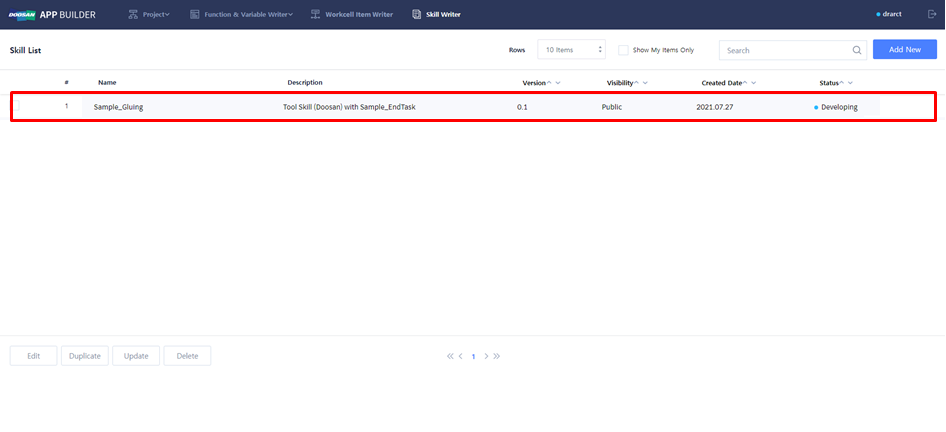
Existing Skill can be copied and modified.
-
Select existing Skill: Copy(Duplicate) & Edit → Sample_EndTask Skill
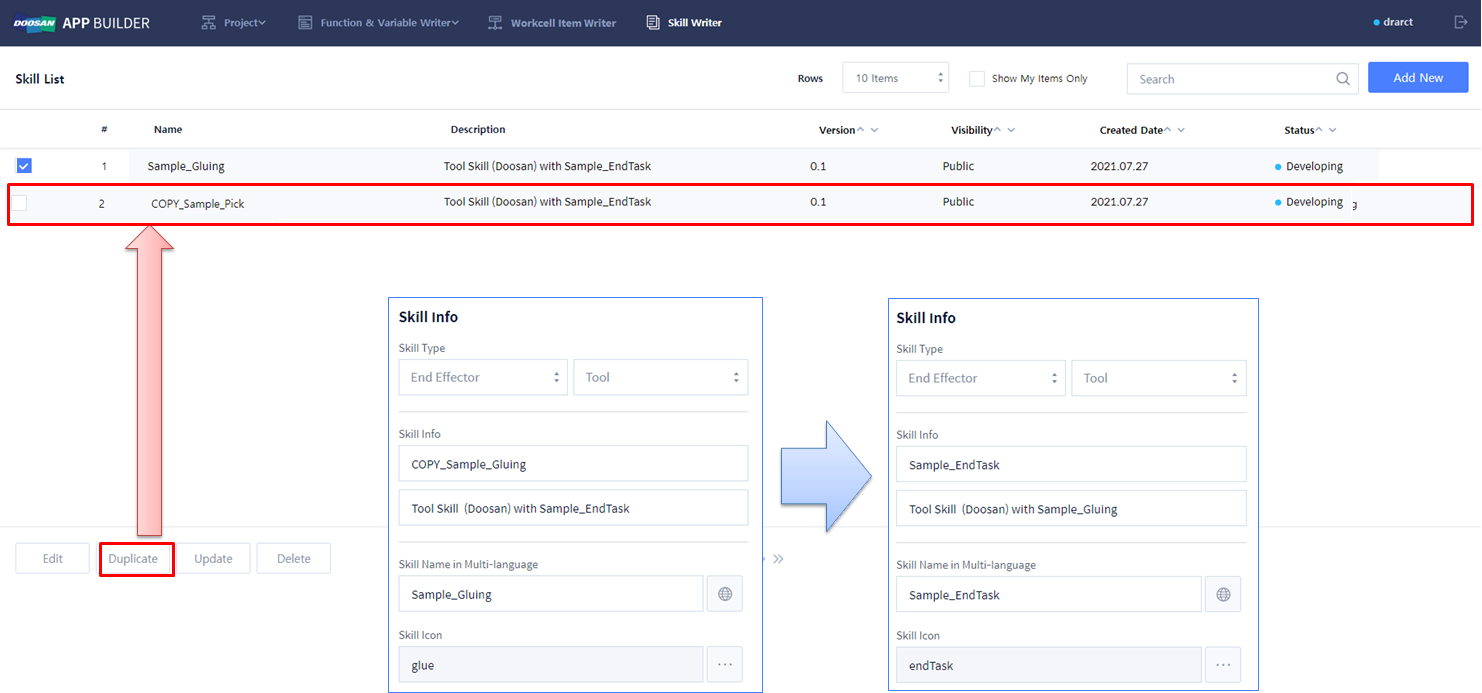
Modify UI Component
1. In Sample EndTask, delete all UI Components related to unused Reference Pose and Tool Setting.
2. Change Approach Motion Setting to Retract Motion Setting.
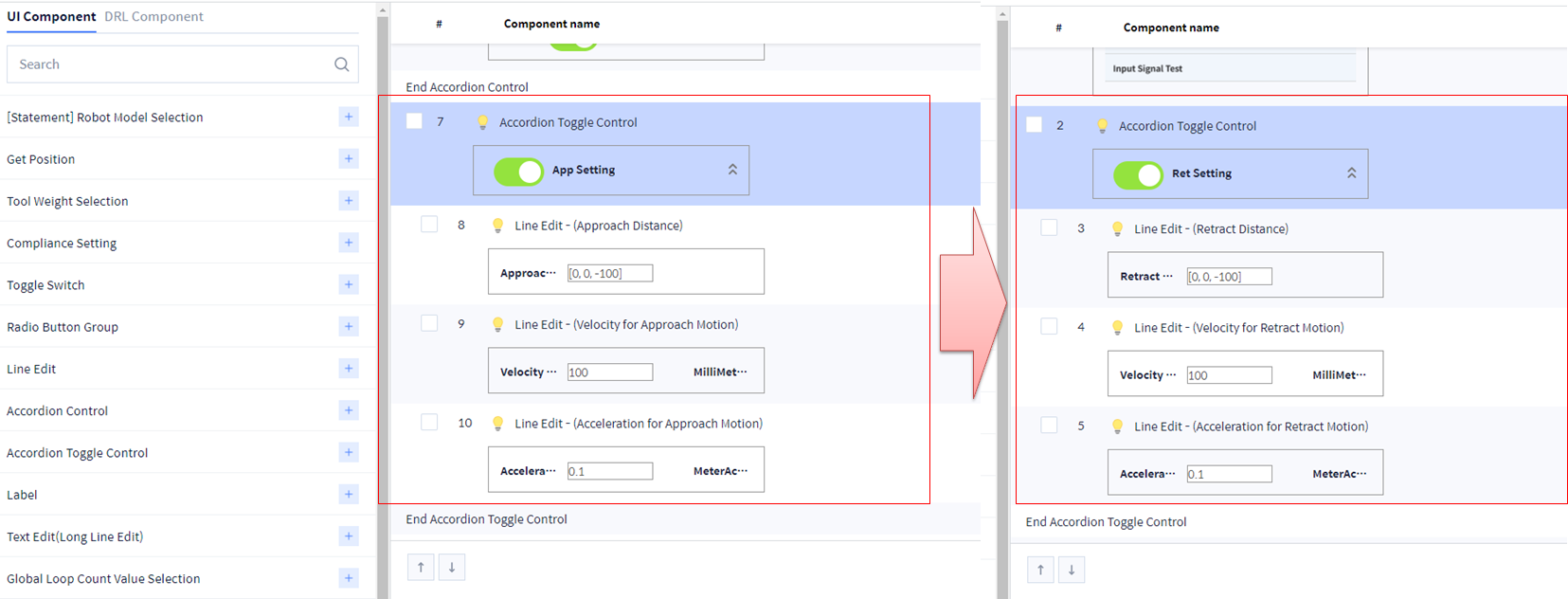
3. Add the following UI Component (Retract Motion Setting).
-
Distance: Enter Array using Line Edit → Set Value Type as Custom to enter the value of your choice.Ex) [x, y, z]: Enter each in the unit of mm.

-
Velocity: Enter value using Line Edit
-
Acceleration: Enter value using Line Edit (The unit is m/s2, but when using it in a Skill function, make sure to use it by changing to the unit of mm/s2)
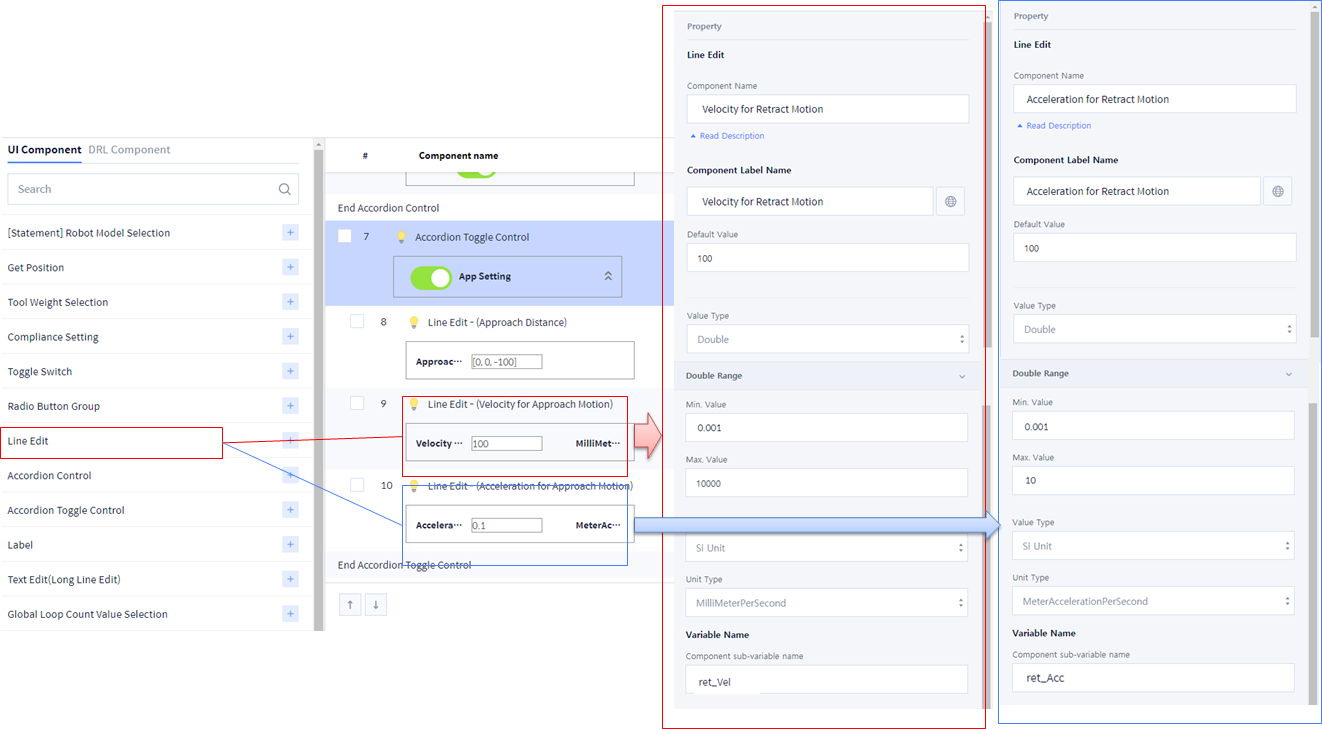
4. Write Main function of Sample_EndTask.
# Sample EndTask Skill
def Sample_EndTask(Ret_Setting_Flag, ret_Dist, ret_Vel, ret_Acc, AppRet_Motion_v2, MoveFn_v2, CaloffsetPos_v2):
global prev_ref_Frame, prev_tool_wait_Time
# Initial setting
ret_Acc = ret_Acc*1000
ref_Mod = DR_MV_MOD_ABS
ref_Ractive = DR_MV_RA_DUPLICATE
ret_Time = 0
ret_Radius = 0
if Ret_Setting_Flag == False:
ret_Dist = [0, 0, 0]
ret_Vel = 0
ret_Acc = 0
# Task End
Stop()
wait(prev_tool_wait_Time)
stop_Pos, stop_sol = get_current_posx(prev_ref_Frame)
# Retract Motion Setting
if Ret_Setting_Flag == True:
AppRet_Motion_v2(ret_Dist, stop_Pos, ret_Vel, ret_Acc, ret_Time, ret_Radius, prev_ref_Frame, ref_Mod, ref_Ractive, CaloffsetPos_v2, MoveFn_v2)
Write and modify Skill (Skill Setting)
Select Save Skill → Confirm.
-
Skill list can be checked as follows.
