
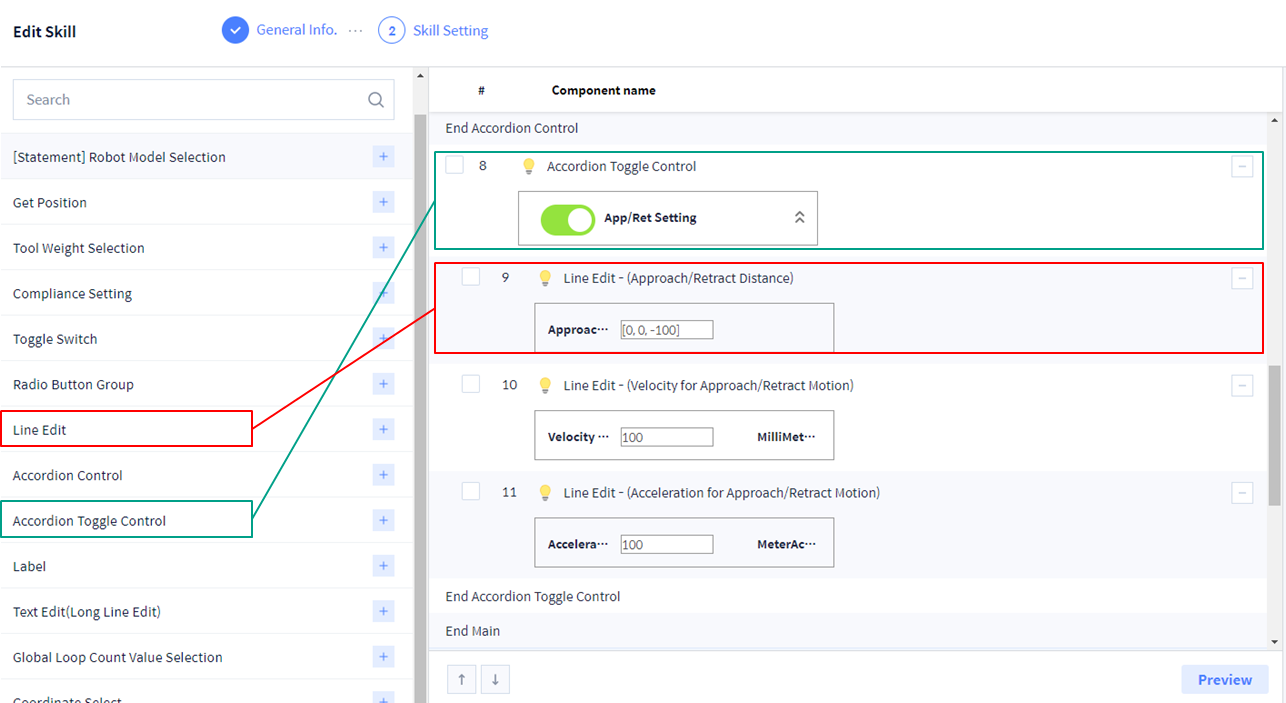
'Line Edit' UI Component를 사용하여 Array를 입력할 수 있는 창을 추가할 수 있습니다. 'Value Type'을 'Custom'으로 설정하면 임의의 값을 입력할 수 있습니다.
이 예제에서는 [x, y, z]로 mm 단위의 Array 값을 입력 받도록 아래와 같이 구성하십시오.
-
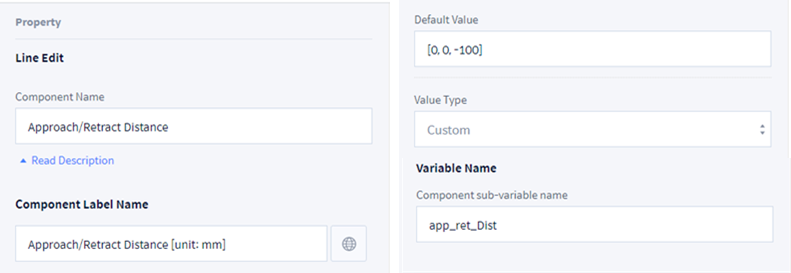
Component Name: Approach/Retract Distance
-
Component Label Name: Approach/Reatract Distance [unit: mm]
-
Default Value: [0, 0, -100]
-
Value Type: Custom
-
Variable NameComponent sub-variable name: app_ret_Dist
-
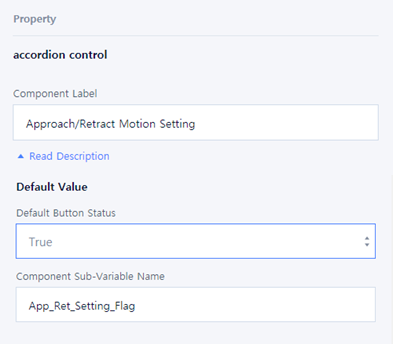
Component Label: Approach/Retract Motion Setting
-
Default ValueDefault Button StatusComponent Sub-Variable Name