
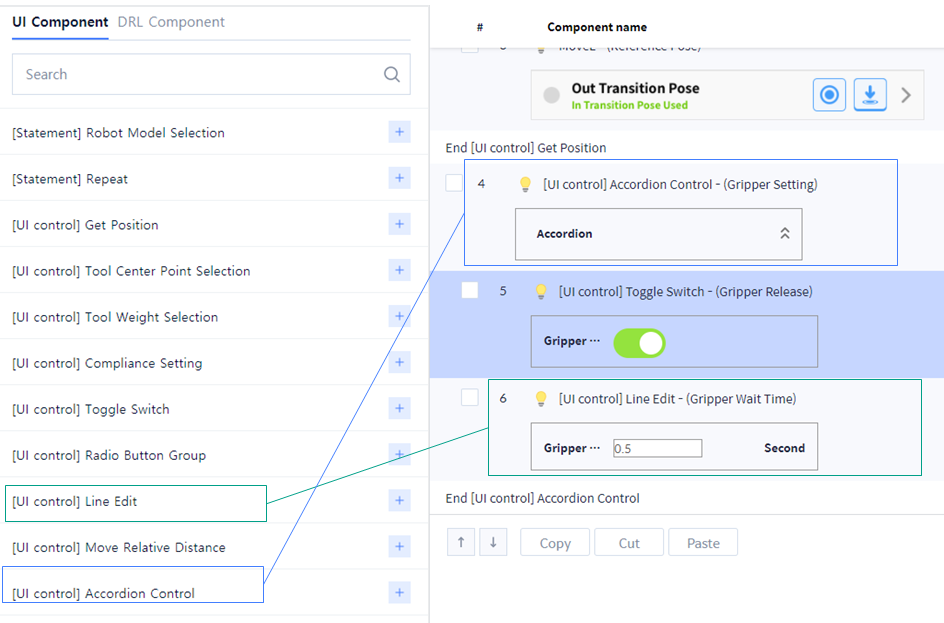
You can add a window to enter the value using ‘Line Edit’ UI Component. Configure the input window so that the waiting time is input after the gripper action.
Add the following UI Components to add Gripper Wait Time.
-
Line Edit
-
Accordion Control
-
Enter the name and value of each property of Line Edit.
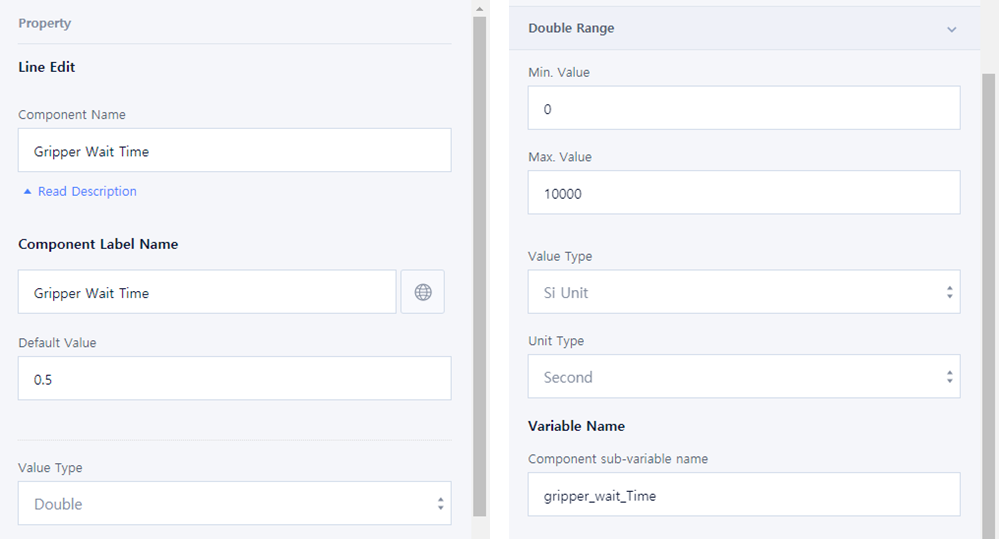
Component Name: Gripper Wait TimeComponent Label Name: Gripper Wait TimeDefault Value: 0.5Value Type: DoubleDouble RangeMin. Value: 0Max. Value?: 10000Value Type: Si UnitUnit Type: SecondVariable Namegripper_wait_Time