
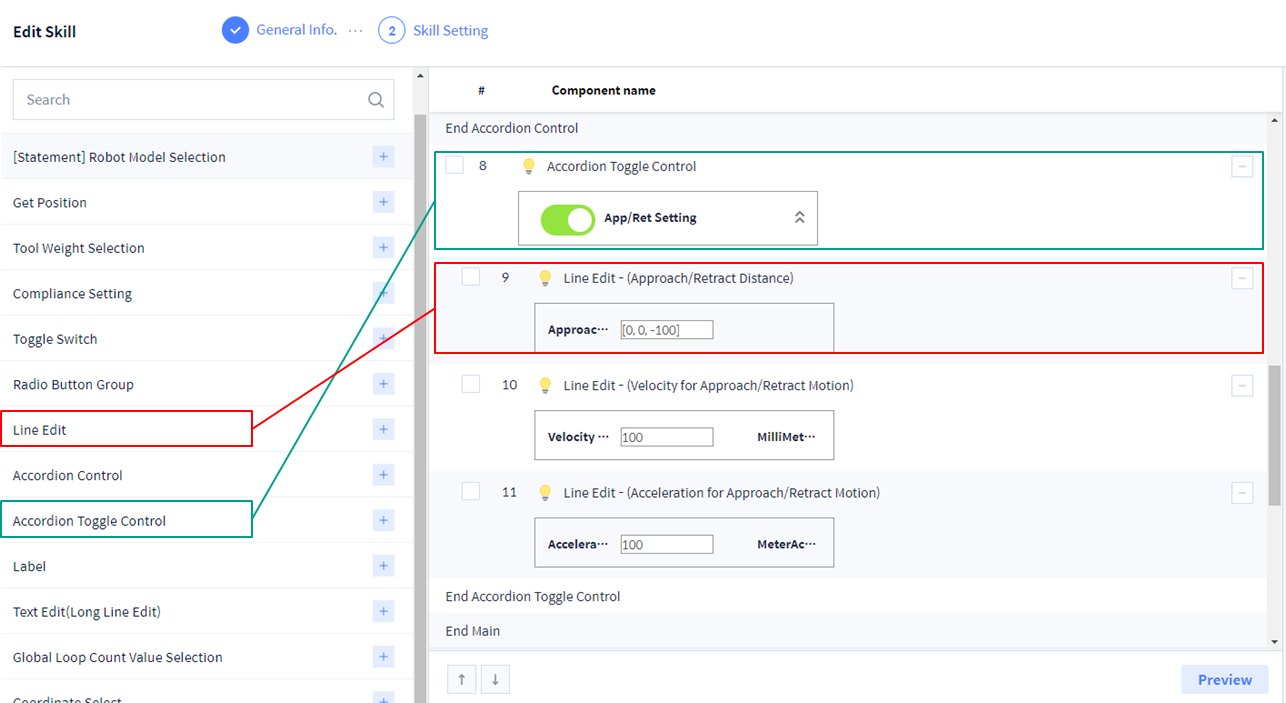
You can add a window to enter array using ‘Line Edit’ UI Component. You can enter an arbitrary value if the ‘Value Type’ is set as ‘Custom’.
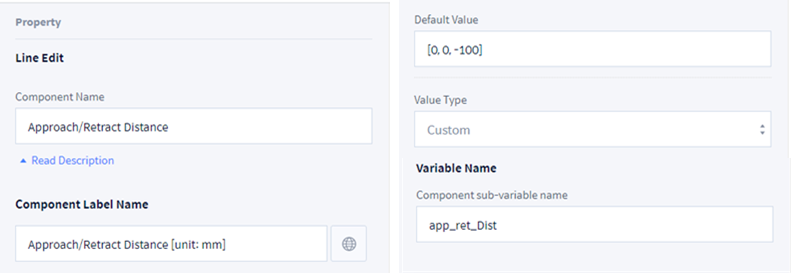
In this example, configure as below to receive an array value in mm as [x, y, z].
-
Component Name: Approach/Retract Distance
-
Component Label Name: Approach/Retract Distance [unit: mm]
-
Default Value: [0, 0, -100]
-
Value Type: Custom
-
Variable NameComponent sub-variable name: app_ret_Dist
-
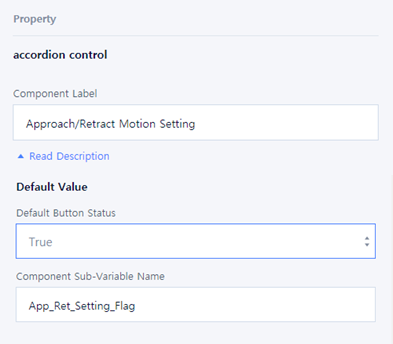
Component Label: Approach/Retract Motion Setting
-
Default ValueDefault Button StatusComponent Sub-Variable Name