
It sets the safety limits of safety monitoring functions.
Note
-
The limit and initial safety settings may vary according to the robot lineup.
-
Safety limits is the condition where the safety-rated monitoring function triggers the stop function. When stop is completed, the position of the robot and force applied externally may differ from the configured safety threshold.
TCP/Robot Limits
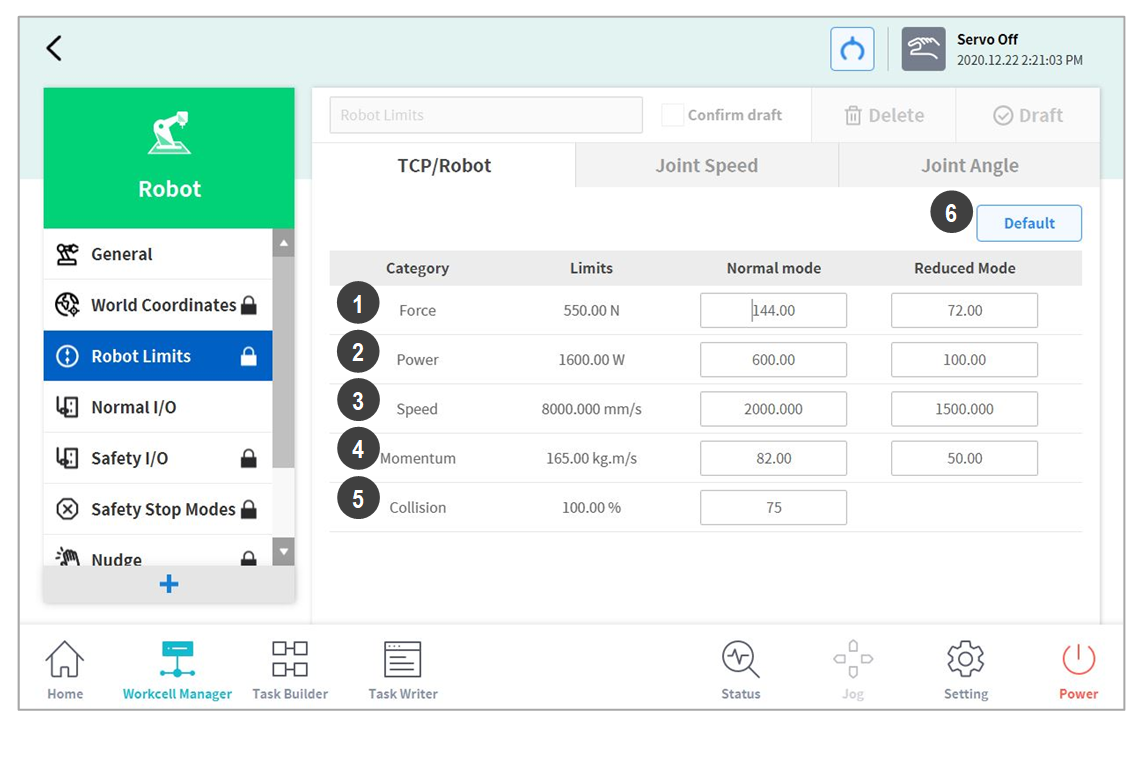
To set the TCP/Robot Limits, go to the Robot Workcell and select Robot > Robot Limits > TCP/Robot. The TCP/Robot Limits setting screen layout is composed as follows:
|
No. |
Item |
Description |
|---|---|---|
|
1 |
Force (N) |
It can limit the force level applied to the tool center point (TCP). |
|
2 |
Power (W) |
It can limit the mechanical power level of the robot. |
|
3 |
Speed (mm/s) |
It can limit the speed of the tool center point (TCP). |
|
4 |
Momentum (kg.m/s) |
It can limit the momentum size of the robot. |
|
5 |
Collision (%) |
It configures the collision detection sensitivity. |
|
6 |
Default Value |
It resets the TCP/Robot Limits settings to default values. |
Joint Speed Limits
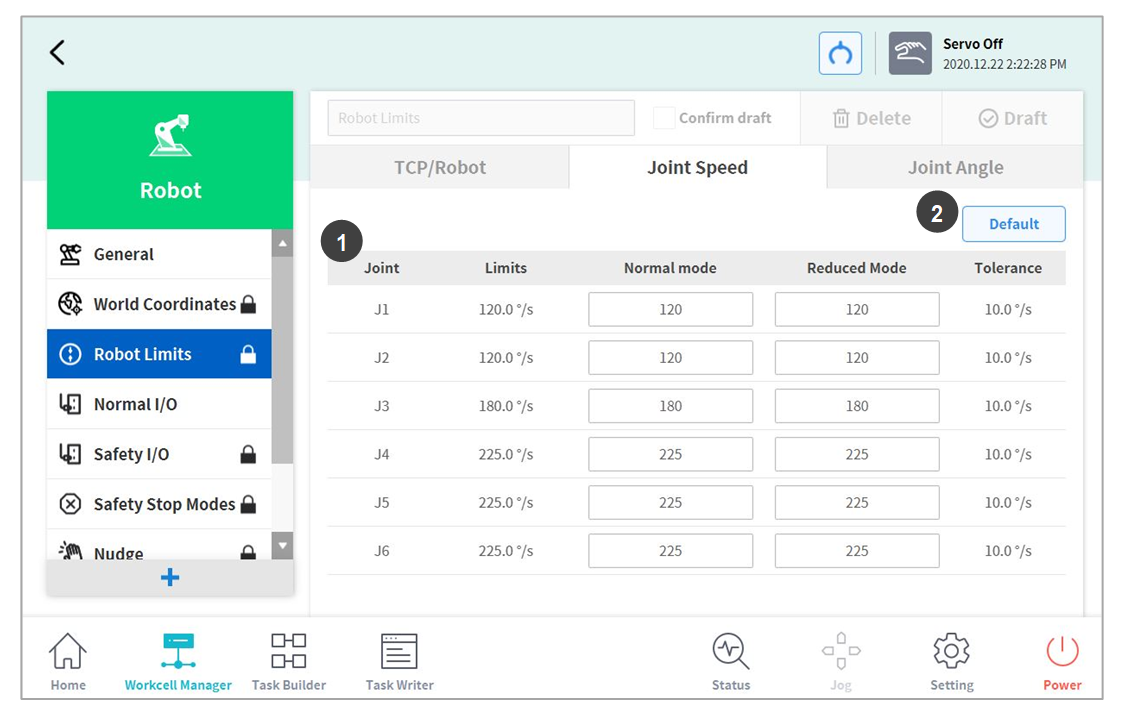
To set the joint speed limits, go to the Robot Workcell and select Robot > Robot Limits > Joint Speed. The Joint Speed Limits setting screen layout is composed as follows:
|
No. |
Item |
Description |
|---|---|---|
|
1 |
Joint Speed |
It can limit the speed of each joint. (J4 cannot be set for the P series.) |
|
2 |
Default Value |
It resets the Joint Speed Limits settings to default values. |
Joint Angle Limits
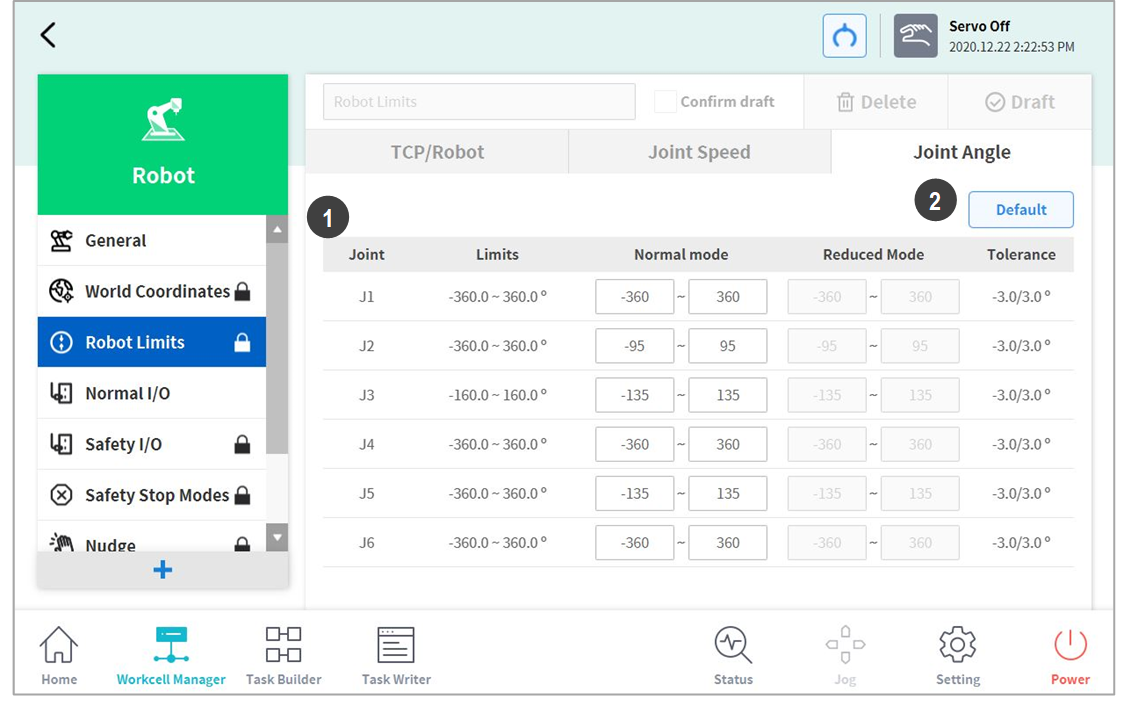
To set the joint angle limits, go to the Robot Workcell and select Robot > Robot Limits > Joint Angle. The Joint Angle Limits setting screen layout is composed as follows:
|
No. |
Item |
Description |
|---|---|---|
|
1 |
Angle Range of each Joint |
It can limit the angle range of each joint. (J4 cannot be set for the P series.) |
|
2 |
Default Value |
It resets the Joint Angle Limits settings to default values. |