Mandatory Easy 3 min
Caution
-
Before programming, the safety setting, installation pose and tool setting must be completed with the Workcell Manager. For more information, refer to Step 3. Robot Operation and Setting.
-
Excessive use of TP_LOG or SET commands within loops may cause CPU overload.
Doosan Robotics offers two types of task programming environments.
-
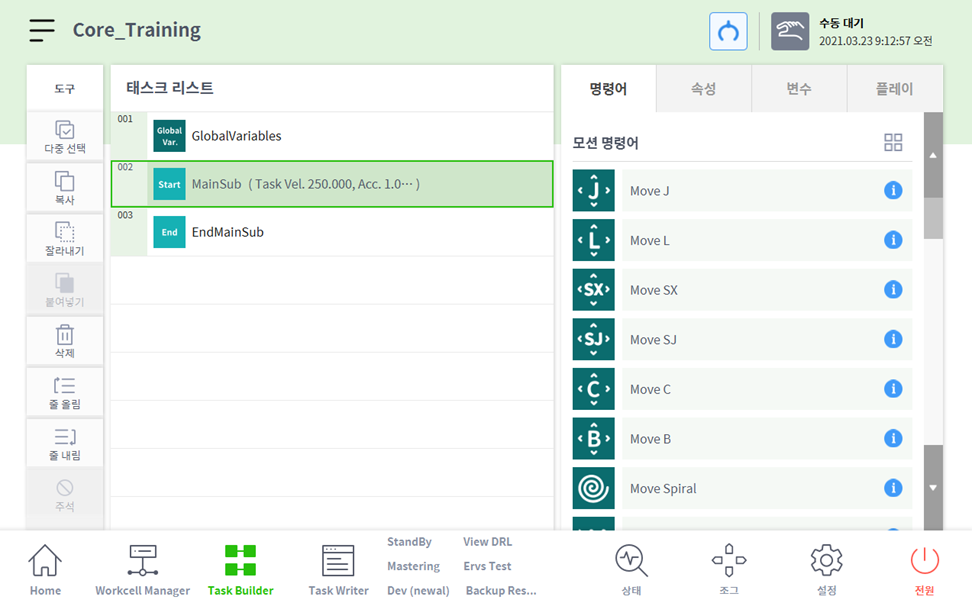
Task Builder: It is an icon block-based coding environment utilizing command and skill icons. Skills are supported based on Workcell Items registered on Workcell Manager.
-
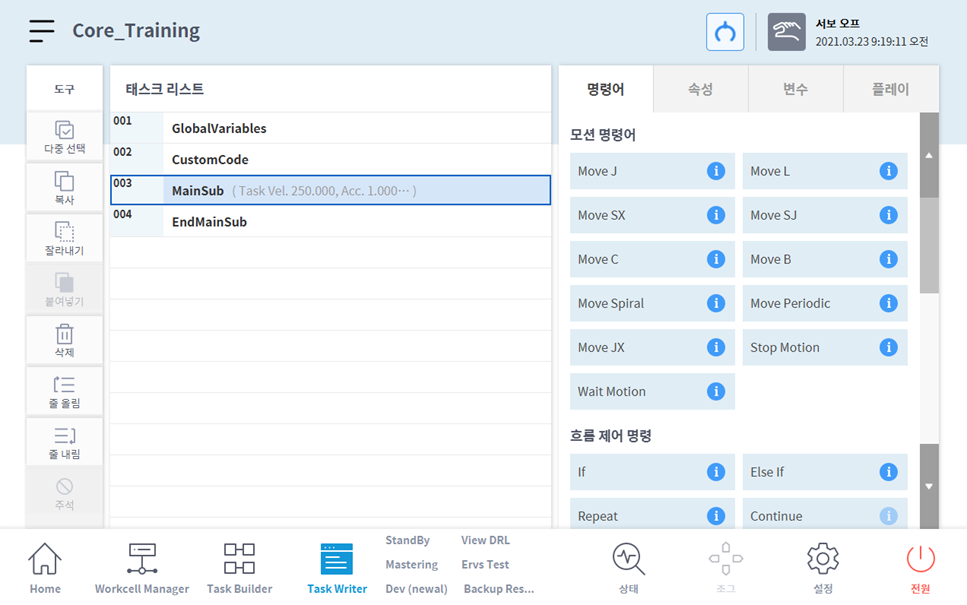
Task Writer: It is a block-based coding environment utilizing script-based programming for easy input to the teach pendant
The difference between the two programming environments is as follows: In general, novice users or users who wish to use skills use the Task Builder. Intermediate users who do not wish to use skills use the Task Writer for quick programming.
|
Classification |
Task Builder |
Task Writer |
|
|---|---|---|---|
|
1 |
Subjects |
Novice users or users who need to use skills |
Intermediate users |
|
2 |
Block-based coding |
O |
O |
|
3 |
Use of command icons |
O |
X |
|
4 |
Skill support |
O |
X |
|
5 |
Screen |
|
|
Note
What is Skill of Doosan Robotics robots?
-
It is a command which configures interface for easy use by bundling various commands required in a process with a single setting.
-
It can only be used in the Task Builder, and each skill is displayed as a single block. For example, the Task Builder icon blocks for Pick skill and Place skil are as follows: